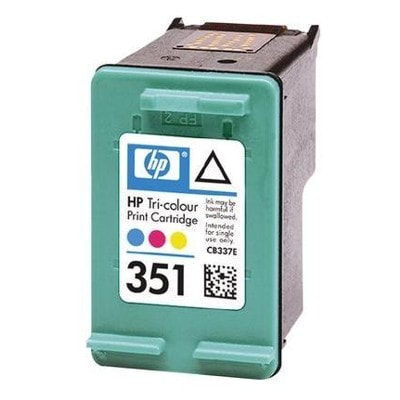
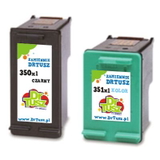
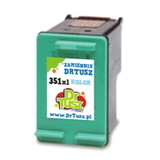
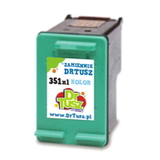
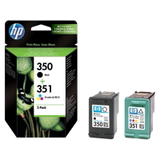
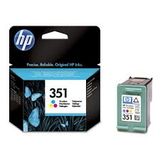
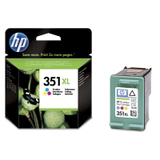
Bring Color Back to Your Prints with HP 351 ink cartridge (Compatible & Original OEM) Dear Customer, when your photos lose their sparkle or your school projects come out dull, the culprit is often a tired color cartridge. The HP 351 ink cartridge series was created for everyday printing that still looks vivid and clean—family photos, invitations, homework, and colorful charts. In this category we offer both Original OEM HP 351 and carefully selected compatible HP 351 ink cartridge options, so you can match print quality, budget, and printing habits without compromise. This is the right place to buy ink for HP printer models that use the HP 351 family—popular devices from the HP DeskJet and HP Photosmart lines, such as HP DeskJet D4260/D4360 or HP Photosmart C4280/C4580 (and many related models). If you want reliable color and predictable results, choosing the correct ink for printer HP Photosmart or ink for printer HP DeskJet starts here. What You’ll Find in This Category (HP 351, 350 + 351 & XL Options) To keep your printer ready for any task, we’ve gathered the most practical variants of the series—single color cartridges and convenient multipacks, in both standard and high-capacity versions. Original OEM Ink Cartridge HP 351 (CB337EE) (Color) – classic OEM color cartridge for consistent everyday printing. Original OEM Ink Cartridge HP 351 XL (CB338EE) (Color) – higher yield for frequent printing and fewer interruptions. Compatible Ink Cartridge 351 (CB337EE) (Color) – dependable, budget-friendly color printing. Compatible Ink Cartridge 351 XL (CB338EE) (Color) – more pages per cartridge, ideal for regular photo and color document use. Multi packs 350 + 351 (also available in XL versions) – a practical set when you want both black and color ink ready at the same time, e.g. Compatible 350 XL + 351 XL and Original OEM 350 + 351. Many customers choose a multipack because it prevents the classic scenario: you replace color ink, then black runs out right after. With a set, you’re covered for text and color in one purchase—perfect for home offices and busy households. Original OEM vs Compatible: How to Choose the Best ink for HP 351 Both options can be a smart choice—what matters is how you print and what you value most. Original OEM HP 351 – best for customers who want the manufacturer’s cartridge, maximum predictability, and a “set-and-forget” experience. It’s a great pick for occasional printing where you want consistent performance after longer breaks. Compatible HP 351 ink cartridge – the best choice when you want excellent value while keeping print quality high. In the DrTusz.pl offer, our compatible cartridges are designed to be as good as the originals in everyday use—sharp color blocks, natural-looking tones, and smooth gradients for photos and graphics. XL versions (HP 351 XL / CB338EE) – recommended if you print often. You replace cartridges less frequently, reduce downtime, and typically lower your cost per page—especially helpful for color-heavy school materials and photo prints. If you print mainly text, consider buying a 350 + 351 multipack. If you print lots of images, presentations, or photo collages, the HP 351 XL ink cartridge is the comfortable, long-running option. Common Issues with HP 351 Printers—and How the Right Cartridge Helps HP DeskJet, OfficeJet and Photosmart printers that use the HP 351 ink family are known for being user-friendly, but like any inkjet they can face a few typical challenges. The good news: most problems are easy to prevent with the right buying and usage choices. Faded colors or “washed-out” photos – often a sign the color cartridge is near empty or has been sitting unused. Choosing a fresh HP 351 ink cartridge (or upgrading to HP 351 XL) restores depth and saturation. Streaks or missing colors – commonly caused by clogged nozzles after long breaks in printing. We recommend printing a small color page every 1–2 weeks and running the printer’s cleaning cycle when needed. Frequent cartridge changes – if you’re replacing ink too often, switch to an HP 351 XL (original or compatible) or choose a 350 XL + 351 XL multipack to keep both cartridges in sync. Unexpected “ink low” warnings – these alerts can appear before ink is fully used. Focus on real print results; if quality is still strong, you can usually continue printing until you notice fading or missing colors. Smart Buying Tips for ink for printer HP Photosmart & ink for printer HP DeskJet We encourage you to choose your cartridge based on your real printing habits: Match the code, not just the printer name: HP 351 is most often CB337EE, while HP 351 XL is CB338EE. Choose XL for frequent printing: an HP 351 XL ink cartridge is ideal for households printing photos, school materials, and colorful documents. Consider a multipack: a 350 + 351 set is the simplest way to stay ready for both black text and color images. Print quality depends on paper too: for photos, use photo paper; for presentations, choose slightly heavier paper—colors look richer and sharper. Whether you select Original OEM HP 351 or our trusted compatible HP 351 ink, the goal is the same: clean, bright prints that look great the moment they leave the printer. Why Buy HP 351 Cartridges from Us? We know you don’t just want “a cartridge”—you want confidence: that your printer will accept it, that colors will be lively, and that you won’t overpay. That’s why we keep this category focused on proven options, including the most popular combinations like HP 350 + 351 multipacks and high-yield XL variants. Our compatible cartridges are selected so you can enjoy quality comparable to OEM while keeping costs under control—without sacrificing the look of your prints. Ready to Print? Choose Your HP 351 ink cartridge Today If your printer is asking for color ink, don’t wait until an important document turns into a pale draft. Pick the Original OEM HP 351 for manufacturer consistency or choose a compatible HP 351 ink cartridge for outstanding value—then enjoy crisp, colorful pages again. Order your HP 351 / HP 351 XL cartridge (or 350 + 351 multipack) now and get your printer back to doing what it does best—beautiful, reliable printing. |