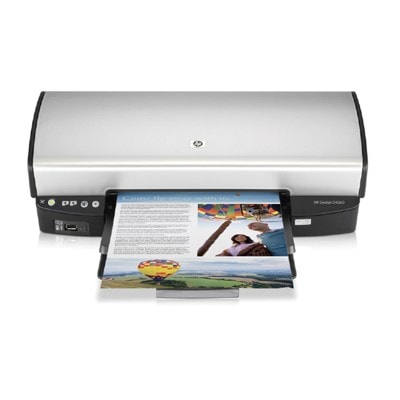
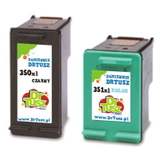
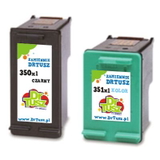
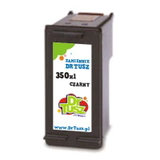
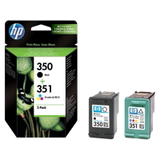
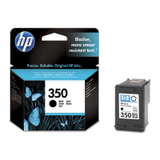
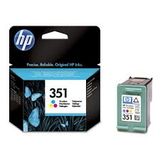
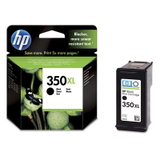
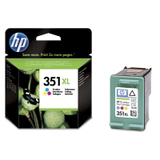
Reliable printing with the HP DeskJet D4263 (D4200 Series) The HP DeskJet D4263 from the HP Deskjet D4200 Series is a proven home printer designed for everyday documents, schoolwork, emails, web pages and occasional colour prints. To keep this model working at its best, you need the right ink for HP DeskJet D4263—matched to the printer, easy to install and dependable from the first page to the last. In our store we offer both Original OEM cartridges and carefully selected compatible ink cartridges, so you can choose the option that fits your printing style and budget without compromising convenience. What ink cartridges does the HP D4263 use? The HP D4263 uses two separate cartridges: one for black and one for colour. This is practical—when one colour runs out, you don’t have to replace the black cartridge, and vice versa. The correct cartridge family for this printer is: - HP 350 (black) – codes like CB335EE
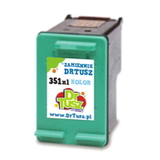
- HP 351 (colour) – codes like CB337EE
- High-yield versions: HP 350 XL (CB336EE) and HP 351 XL (CB338EE)
So if you’re searching by phrase or code—HP DeskJet D4263, HP D4263, CB641C, CB641C ink or D4263—you’re in the right place for the correct ink cartridges. Original OEM vs compatible ink for HP DeskJet D4263 We know customers often hesitate between an original cartridge and a compatible one. Here’s the most helpful way to decide: - Original OEM ink cartridge (HP branded): great if you want the manufacturer’s cartridge, consistent results and a “set-and-forget” choice.
- Compatible ink cartridge: the smart option if you print often and want to reduce costs. Our compatible cartridges offered at DrTusz.pl are designed to deliver print quality and reliability comparable to originals—clear black text and vibrant colour for everyday use.
- XL (high-yield) vs standard: XL is ideal for frequent printing—fewer replacements, better cost per page and less downtime.
Whether you choose Original OEM ink for HP DeskJet D4263 or a compatible alternative, the key is selecting the exact cartridge code (350/351 or XL versions). That’s what ensures proper fit and correct printer recognition. Popular ink cartridges in this category (black, colour and multipacks) To make shopping easier, we keep the most commonly chosen options for ink for HP DeskJet D4263 clearly available—single cartridges and cost-effective bundles: - Original OEM Ink Cartridge HP 350 (CB335EE) (Black) – dependable black for daily documents.
- Original OEM Ink Cartridge HP 350 XL (CB336EE) (Black) – higher capacity for frequent printing.
- Original OEM Ink Cartridge HP 351 (CB337EE) (Color) and HP 351 XL (CB338EE) (Color) – for colourful graphics and photos.
- Original OEM Ink Cartridges HP 350 + 351 (SD412EE) (multi pack) – a convenient set for users who want both cartridges ready to go.
- Compatible Ink Cartridge 350 (CB335EE) (Black) and Compatible Ink Cartridge 351 (CB337EE) (Color) – a budget-friendly everyday choice.
- Compatible Ink Cartridge 350 XL for HP (CB336EE) (Black) and Compatible Ink Cartridge 351 XL for HP (CB338EE) (Color) – high-yield savings with fewer replacements.
- Compatible Ink Cartridges 350 XL + 351 XL for HP (DT-AH-350XL/K) (multi pack) and (SD412EE) (multi pack) – excellent value for customers who print a lot.
Thanks to this range, you can easily match the purchase to your needs: one black cartridge, one colour cartridge, or a multipack to cover everything at once. Practical tips and common HP DeskJet D4263 printing issues To get the most out of your ink for HP D4263, we recommend: - Choose XL if you print regularly (work documents, school materials, invoices). You’ll change cartridges less often.
- Pick a multipack if you want the safest option for continuity—black and colour together means no surprise interruptions.
- If prints look faded or streaky, run the printer’s cleaning utility and check if one cartridge is low. This model can show quality drops when a colour chamber is near empty.
- If the printer doesn’t recognise the cartridge, remove and reinsert it, make sure protective elements are removed (if present), and gently clean the contacts. If you still need help, we’re here to advise.
- If black text looks grey, switching from standard to 350 XL (or a fresh cartridge) often solves the issue for frequent office-style printing.
We encourage you to select cartridges using the codes you see in the product names (for example CB335EE, CB336EE, CB337EE, CB338EE)—this is the most reliable way to ensure you’re buying the right ink cartridge for HP DeskJet D4263. Choose your ink today and print without interruptions Whether you prefer Original OEM ink cartridges or want to save with a high-quality compatible ink cartridge for HP DeskJet D4263, we’ve prepared a clear selection for the D4200 Series. Add the right black, colour or XL multipack to your basket and enjoy smooth, everyday printing again. Browse the available HP 350 / HP 351 cartridges now and if you have any questions about compatibility with HP DeskJet D4263 or CB641C, contact us—we’ll help you choose quickly and confidently. We also provide fast delivery options so you can get back to printing as soon as possible. |