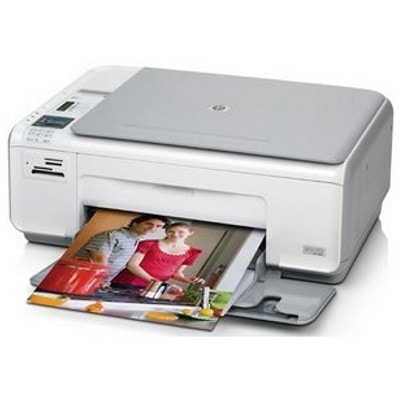
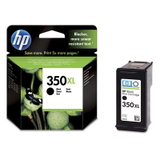
HP Photosmart C4300 Series – a proven home photo and document printer The HP Photosmart C4300 (also searched as HP C4300 or HP Photosmart C4300 Series) is a popular all‑in‑one inkjet designed for everyday printing at home: school assignments, forms, emails, and occasional photos. To keep this printer working reliably and producing sharp text and vivid color, you need the right ink for HP Photosmart C4300—and in this category we offer both Original OEM and high-quality compatible ink cartridges matched to this model. Ink for HP Photosmart C4300: what you should know before you buy This printer uses two-cartridge printing: one black cartridge and one tri-color cartridge. That means your print quality depends on choosing the correct cartridge type and capacity. In our offer you will find standard versions for occasional printing and XL versions for more pages and fewer replacements—perfect when you print often or simply want better cost-per-page. When you choose ink for HP Photosmart C4300, you are usually looking for: - Clear black text for documents (black cartridge)
- Natural colors for images and graphics (color cartridge)
- Stable performance without streaks or faded areas
- Good value—especially with XL and multipacks
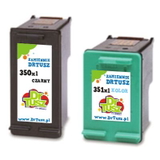
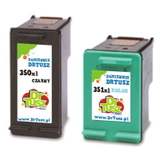
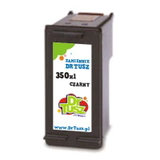
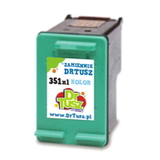
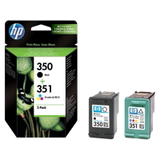
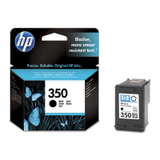
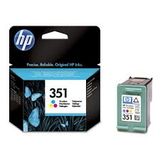
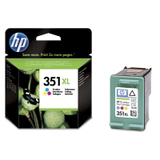
The most common cartridge numbers for this series are HP 350 (black) and HP 351 (color), including their XL equivalents. If you’ve seen markings like CC271Z, they are often used in searches to reach the right supplies—this category is prepared specifically for the C4300 family. Compatible and Original OEM cartridges – a wide choice in one place We know different customers have different needs, so we keep the selection broad. You can choose Original OEM ink cartridges when you want the manufacturer’s solution, or you can pick our proven alternatives—compatible ink cartridges from DrTusz.pl that deliver print quality comparable to originals while helping you control printing costs. Popular choices in this category include: - Compatible Ink Cartridges 350 XL + 351 XL for HP (DT-AH-350XL/K) (multi pack) – a practical set for frequent printing
- Compatible Ink Cartridges 350 XL + 351 XL for HP (SD412EE) (multi pack) – XL capacity for fewer cartridge swaps
- Original OEM Ink Cartridges HP 350 + 351 (SD412EE) (multi pack) – the classic OEM duo for black and color
- Original OEM Ink Cartridge HP 350 (CB335EE) (Black) and Original OEM Ink Cartridge HP 351 (CB337EE) (Color) – standard capacity for occasional use
- Original OEM Ink Cartridge HP 350 XL (CB336EE) (Black) and Original OEM Ink Cartridge HP 351 XL (CB338EE) (Color) – XL versions for higher efficiency
- Compatible Ink Cartridge 350 / 350 XL (Black) and Compatible Ink Cartridge 351 / 351 XL (Color) – cost-effective everyday replacements
How to choose the right ink cartridge for HP C4300 If you’re not sure which ink cartridge for HP Photosmart C4300 to pick, these simple rules help: - Match the numbers: choose HP 350 for black and HP 351 for color (or the XL versions for more pages).
- Consider your printing style: for frequent printing, XL is usually the best value; for occasional use, standard capacity can be enough.
- Choose a multipack: sets like 350 + 351 reduce downtime and are convenient when both cartridges are running low.
Original OEM vs compatible: what’s the difference? Original OEM ink for HP Photosmart C4300 is produced by the printer manufacturer and is a go-to choice for users who want the brand’s official solution. Compatible ink cartridges are an alternative designed to fit and work with the same printer model. In our store, we focus on compatibility and consistent results. That’s why we can confidently say: our compatible ink for HP Photosmart C4300 from DrTusz.pl is as good as the original in everyday use—offering strong blacks, vibrant colors, and reliable operation, while often providing a more attractive price per page. Common HP Photosmart C4300 user issues and helpful tips The C4300 series is straightforward, but certain situations happen often. Here’s what usually helps: - Streaks or missing colors: run the printer’s cleaning/alignment from the maintenance menu and make sure the cartridge is correctly seated.
- Printer doesn’t recognize the cartridge: remove and reinstall the cartridge, check protective tapes were removed, and gently clean the contacts if needed.
- Color runs out faster: tri-color cartridges deplete unevenly—printing many photos or graphics can empty one color faster and require replacement.
- Drying due to rare printing: print a small test page periodically; if you print very rarely, consider standard capacity rather than XL.
If you tell us what you print most often (documents, photos, school materials), we’ll help you choose the best ink for printer HP Photosmart C4300—original or compatible. Choose your cartridge and start printing today We encourage you to browse the products in this category and pick the best ink cartridge for HP Photosmart C4300 Series for your needs—whether it’s a single black cartridge, a color replacement, or a convenient XL multipack. We offer efficient order processing, fast delivery options, and helpful customer support if you have questions about compatibility (including searches like C4300, HP C4300, CC271Z, or the 350/351 codes). CTA: Add the selected cartridge to your cart now or contact us—together we’ll choose the best original OEM or compatible ink for your HP Photosmart C4300 and get your printer back to perfect prints. |