Haven't found what you were looking for? Click here! ▼
Describe below exactly what you are looking for and we will see how we can help. You will receive a reply to your e-mail address by 09:17 at the latest
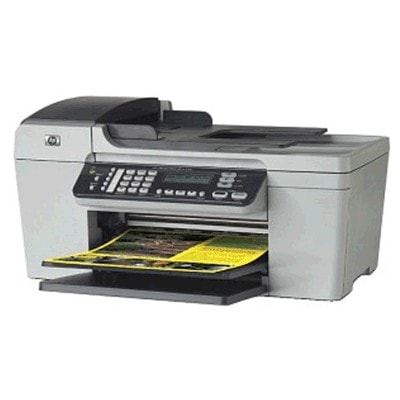
Ink cartridges for HP OfficeJet J5730 - compatible and original OEM
Keep your HP OfficeJet J5730 running smoothly with the right ink cartridges for everyday documents and vivid color prints. In this category you’ll find inkjet Ink Cartridges designed for the HP J5730 and HP Officejet J5700 Series, including popular options like HP 350/351 as well as photo printing support with HP 348.
Choose between Original OEM cartridges for dependable, manufacturer-grade results (HP 350, 350 XL, 351, 351 XL, and 348 Photo) or cost-effective compatible ink cartridges made to fit and work properly with your printer. Available in Black, Color, Photo, XL high-yield versions, and convenient multi packs (350 XL + 351 XL), it’s easy to match your printing volume and budget without sacrificing quality.
Find the exact match by code—Q8235A, CB335EE, CB336EE, CB337EE, CB338EE, C9369EE—or by searching HP OfficeJet J5730 ink cartridges. Pick your preferred original or compatible set today and keep printing without interruptions—explore the full selection and stock up in minutes.
Product Number: Q8235A Other names: All-In-One Printer HP OfficeJet J5730
The HP OfficeJet J5730 (also known as HP J5730 or HP OfficeJet J5700 Series) is a proven all‑in‑one inkjet for everyday home and small-office printing. It’s valued for simple operation and reliable output for documents, emails, school materials and occasional color graphics. To keep this model working at its best, the key is choosing the right ink cartridges for HP OfficeJet J5730—and in our store you’ll find both Original OEM and high-quality compatible options.
Ink for HP OfficeJet J5730 – what you can expect from the right cartridge
Choosing the correct ink for HP OfficeJet J5730 means consistent print quality, fewer interruptions and better value per page. This printer uses the popular HP cartridge family: HP 350 (black) and HP 351 (color), including XL versions for higher yield. For users who print photos, there is also a dedicated photo cartridge option (HP 348), helpful when you want smoother transitions and richer photo tones.
Whether you print invoices or family photos, well-matched ink cartridges for HP J5730 support:
sharp, readable black text for everyday documents,
clean color fills for charts and graphics,
stable ink flow that reduces streaks and missing lines,
longer printing without frequent replacements (especially with XL cartridges).
If you search by codes such as Q8235A or cartridge symbols like CB335EE / CB336EE / CB337EE / CB338EE, you are in the right place—this category is built specifically for the HP OfficeJet J5730 family.
Compatible and Original OEM cartridges – a wide choice in one place
We know that different customers have different priorities: some want the manufacturer’s cartridge, others want the best cost per page. That’s why our selection of ink cartridges for HP OfficeJet J5730 includes both Original OEM and compatible ink cartridges—so you can choose what fits your printing style.
Popular picks in this category include:
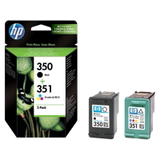
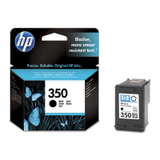
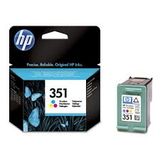
Original OEM Ink Cartridge HP 350 (CB335EE) (Black) and Original OEM Ink Cartridge HP 351 (CB337EE) (Color) – classic OEM set for everyday printing,
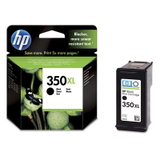
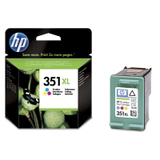
Original OEM Ink Cartridge HP 350 XL (CB336EE) (Black) and Original OEM Ink Cartridge HP 351 XL (CB338EE) (Color) – more pages, fewer replacements,
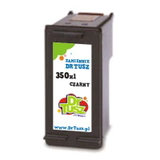
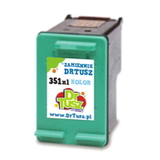
Compatible Ink Cartridge 350 XL for HP (CB336EE) (Black) and Compatible Ink Cartridge 351 XL for HP (CB338EE) (Color) – great value for frequent printing,
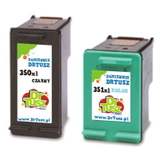
Compatible Ink Cartridges 350 XL + 351 XL for HP (DT-AH-350XL/K) (multi pack) – a convenient option when you want to stock up,
Original OEM Ink Cartridges HP 350 + 351 (SD412EE) (multi pack) and also the compatible multi pack variants – easy, safe bundle choices,
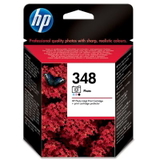
Original OEM Ink Cartridge HP 348 (C9369EE) (Foto) – for customers who print more photos and want enhanced photo results.
How to choose ink for HP J5730: Black, Color, XL and multi packs
When selecting ink for HP OfficeJet J5730, start with how you print:
Mostly text? Choose black HP 350 or HP 350 XL (higher yield, better for frequent printing).
Color graphics and everyday color prints? Add HP 351 or HP 351 XL.
Want convenience and savings? Consider a multi pack (black + color together), so you don’t run out at the wrong time.
Original OEM ink cartridges for HP OfficeJet J5730 are the manufacturer’s choice for those who prefer official solutions and consistent results. At the same time, our compatible ink cartridges for HP OfficeJet J5730 are a smart alternative: they are designed to match the printer’s requirements and—when sourced from a trusted store like ours—deliver print quality and reliability that are as good as the originals, with a more attractive price per page.
Common printing issues with HP OfficeJet J5730 – and how the right cartridge helps
Many users of the HP OfficeJet J5700 Series report similar day-to-day problems. The good news is that the right ink cartridge for HP OfficeJet J5730, proper installation and a few habits can solve most of them:
Faded prints or missing lines – often caused by low ink or dried nozzles; replacing the cartridge and running the printer’s cleaning cycle usually helps.
Cartridge not recognized – make sure protective tape is removed and the contacts are clean; if you need support, we’ll help you troubleshoot.
Color looks off – check if one color is depleted; using a fresh HP 351 / HP 351 XL can restore proper balance.
Frequent replacements – if you print a lot, upgrading to XL versions or choosing a multi pack reduces downtime.
Choose your HP OfficeJet J5730 ink today
We encourage you to explore our category of ink cartridges for HP OfficeJet J5730 and pick the option that best matches your needs—Original OEM for maximum manufacturer consistency or our proven compatible cartridges for excellent everyday performance and savings. If you’re not sure whether you need CB335EE, CB336EE, CB337EE or CB338EE, contact us—we’ll help you choose quickly and confidently.
View the available cartridges, choose your preferred version (compatible or OEM), and order now—we’ll take care of fast handling and safe delivery, so your HP OfficeJet J5730 is ready to print when you need it.