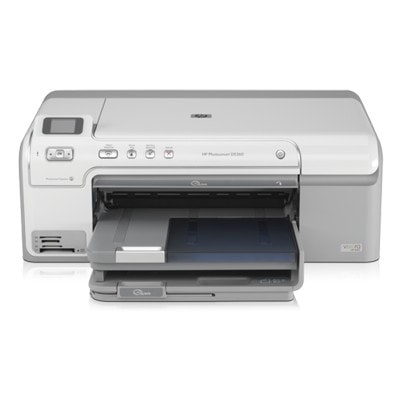
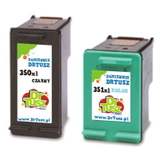
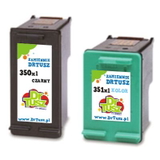
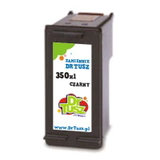
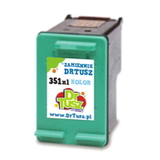
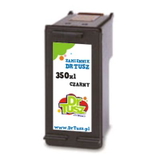
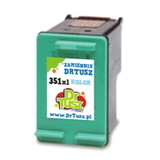
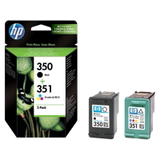
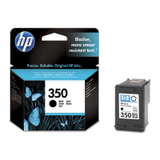
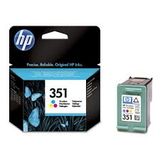
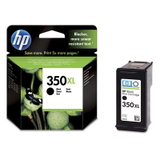
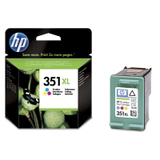
HP Photosmart D5360 – a versatile photo printer for home and creative work HP Photosmart D5360 (also known as HP D5360 or HP Photosmart D5300 Series, product code Q8361A) is a popular inkjet printer designed for everyday documents and vivid photo prints at home. It’s valued for convenient operation, good color reproduction, and reliable performance in typical household workloads. To keep it printing at its best, you simply need the right ink for HP Photosmart D5360—and that’s exactly what we focus on in this category. What ink cartridges the HP Photosmart D5360 uses This printer works with two main cartridge families: HP 350 (black) and HP 351 (tri-color). In our category you’ll find both Original OEM cartridges and carefully selected compatible cartridges, including standard and high-yield XL versions. Choosing the right ink cartridge for HP Photosmart D5360 ensures: - clear black text for everyday printing and school/work documents,
- natural color transitions in photos and graphics,
- reliable printer recognition and fewer interruptions,
- better efficiency with XL cartridges when you print more.
If you print frequently, an ink for HP D5360 in the XL version is usually the most cost-effective option, as it offers more ink and fewer replacements. Compatible and Original OEM – two good choices for HP D5360 ink We know customers have different priorities, so we offer both options and help you pick what fits best: - Original OEM ink for HP Photosmart D5360 is produced by the printer manufacturer and is a classic choice for users who want to stay with the original brand and predictable results.
- Compatible ink cartridges for HP Photosmart D5360 from DrTusz.pl are designed to deliver print quality and reliability comparable to originals—at a more budget-friendly price. If you’re looking to reduce printing costs without sacrificing everyday performance, compatible cartridges are an excellent solution.
Both options are available in black and color, including convenient multipacks for balanced replacement. Popular cartridges in this category – black, color, and money-saving multipacks To make choosing easier, here are some of the most frequently selected products for ink for printer HP Photosmart D5360: - Compatible Ink Cartridge 350 XL for HP (CB336EE) (Black) – higher yield for frequent black printing.
- Compatible Ink Cartridge 350 for HP (CB335EE) (Black) – a practical standard option for occasional printing.
- Compatible Ink Cartridge 351 XL for HP (CB338EE) (Color) – ideal for photos, colorful documents, and graphics.
- Compatible Ink Cartridge 351 for HP (CB337EE) (Color) – standard tri-color cartridge for everyday needs.
- Compatible Ink Cartridges 350 XL + 351 XL for HP (DT-AH-350XL/K) (multi pack) – a convenient set when you want both black and color ready at once.
- Compatible Ink Cartridges 350 XL + 351 XL for HP (SD412EE) (multi pack) – another popular bundle for cost-effective printing.
- Original OEM Ink Cartridge HP 350 (CB335EE) (Black) and Original OEM Ink Cartridge HP 350 XL (CB336EE) (Black) – OEM black options for standard or higher yield.
- Original OEM Ink Cartridge HP 351 (CB337EE) (Color) and Original OEM Ink Cartridge HP 351 XL (CB338EE) (Color) – OEM tri-color options for accurate color output.
- Original OEM Ink Cartridges HP 350 + 351 (SD412EE) (multi pack) – an OEM set for users who prefer original cartridges.
Whether you search by model (HP Photosmart D5360, HP Photosmart D5300 Series) or cartridge code (CB335EE, CB336EE, CB337EE, CB338EE, SD412EE), you’ll find the right match here. How to choose the right ink for HP Photosmart D5360 Dear Customer, if you’re unsure which ink cartridge for HP Photosmart D5360 to buy, we recommend a simple approach: - For mostly text and black documents: choose HP 350 or HP 350 XL (black).
- For photos, school projects, and color prints: add HP 351 or HP 351 XL (color).
- For regular printing: go for an XL version to reduce cost per page and replacement frequency.
- For convenience and balance: pick a multipack (black + color), especially if both cartridges run out around the same time.
Common user issues with the D5360 series include cartridges running dry unexpectedly after long idle periods, faded prints, or streaks caused by dried ink in the nozzles. Our practical tips: - Print a small test page regularly if the printer is used rarely.
- Replace the cartridge as soon as prints become pale—running completely empty can worsen print quality.
- If you see streaks, run the printer’s cleaning cycle and check if the cartridge is properly seated.
And if you want a smart balance of quality and savings, our compatible ink for HP D5360 is a dependable everyday choice—built to perform on par with Original OEM in typical home use. Order your HP D5360 ink today – we’re here to help We encourage you to explore the full selection of ink for HP Photosmart D5360 in this category—both Compatible and Original OEM. Choose the cartridge that fits your printing style, add it to your cart, and get back to smooth printing with crisp text and vibrant color. If you have any questions about compatibility (HP Photosmart D5360 / D5300 Series / Q8361A) or choosing between HP 350 and HP 351 (standard vs XL), contact us—we’ll help you pick the best option and arrange fast, convenient delivery. CTA: Check the available cartridges now and choose the best-value ink cartridge for HP Photosmart D5360—compatible or Original OEM—so you can print without interruptions. |