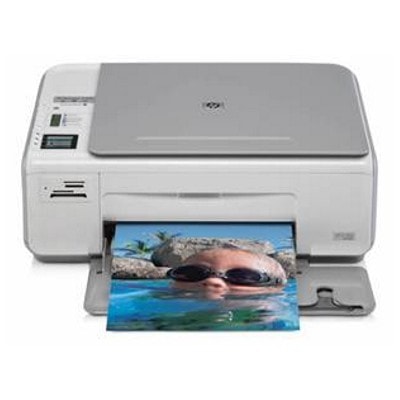
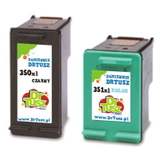
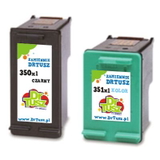
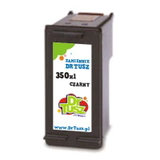
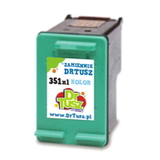
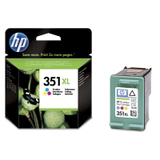
Reliable everyday printing with the HP Photosmart C4205 The HP Photosmart C4205 (also found as HP C4205 or HP Photosmart C4200 Series) is a popular all‑in‑one inkjet printer designed for home use: documents for school and work, colorful graphics, and occasional photo prints. To keep this device performing at its best, you need the right ink cartridge for HP Photosmart C4205—matched to the printer, fresh, and ready to print clean text and vivid color whenever you need it. In this category we offer both Original OEM and Compatible options, so you can choose what fits your printing style and budget without sacrificing convenience. Which ink for HP Photosmart C4205? Cartridge system and key features The HP Photosmart C4205 uses two main cartridge families: HP 350 (black) and HP 351 (color). You’ll see them referenced by codes such as CB335EE (HP 350), CB336EE (HP 350 XL), CB337EE (HP 351), and CB338EE (HP 351 XL). Choosing the correct ink for HP Photosmart C4205 ensures proper recognition by the printer, stable ink flow, and consistent print quality. What you can expect from a good ink cartridge for HP C4205: - Sharp black text for invoices, homework, and everyday documents.
- Balanced color output for charts, presentations, and family photos.
- Smudge-resistant results on suitable paper and correct print settings.
- Convenient XL options for people who print more and want fewer replacements.
Original OEM and Compatible ink cartridges—your choice, same goal: great prints We know that customers search for both original ink for HP Photosmart C4205 and a cost-effective alternative. That’s why we keep the selection broad and easy to navigate. - Original OEM ink cartridge – created by the printer manufacturer, ideal if you prefer manufacturer-branded consumables and predictable performance across various papers.
- Compatible ink cartridge – a smart alternative when you want to reduce printing costs. Our compatible cartridges from the DrTusz.pl offer are designed to be as good as the originals in everyday use: clear text, vivid colors, and reliable page-to-page results.
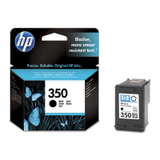
No matter which path you choose, the goal is the same: dependable ink for printer HP Photosmart C4205 that prints cleanly and consistently. Popular cartridges in this category (HP 350 / HP 351 and XL options) To make shopping simpler, we highlight the most frequently chosen items for ink for HP Photosmart C4205: - Original OEM Ink Cartridge HP 350 (CB335EE) (Black) – dependable black for everyday documents.
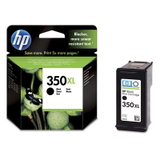
- Original OEM Ink Cartridge HP 350 XL (CB336EE) (Black) – higher capacity for frequent printing.
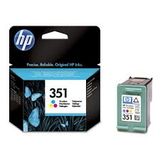
- Original OEM Ink Cartridge HP 351 (CB337EE) (Color) – color cartridge for photos and graphics.
- Original OEM Ink Cartridge HP 351 XL (CB338EE) (Color) – more color prints with fewer changes.
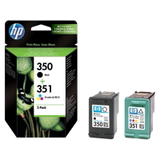
- Original OEM Ink Cartridges HP 350 + 351 (SD412EE) (multi pack) – a convenient OEM set for balanced black and color printing.
- Compatible Ink Cartridge 350 (CB335EE) (Black) – budget-friendly black for daily use.
- Compatible Ink Cartridge 350 XL for HP (CB336EE) (Black) – compatible XL option for heavier workloads.
- Compatible Ink Cartridge 351 for HP (CB337EE) (Color) and Compatible Ink Cartridge 351 XL for HP (CB338EE) (Color) – vivid color with excellent value.
- Compatible Ink Cartridges 350 XL + 351 XL for HP (DT-AH-350XL/K) (multi pack) and Compatible Ink Cartridges 350 XL + 351 XL for HP (SD412EE) (multi pack) – popular multipacks when you want to stock up and save.
If you’re searching by printer labeling, you may also come across CC279B or the broader family name HP Photosmart C4200 Series—this page is exactly where you want to be. How to choose the right ink cartridge for HP Photosmart C4205 (and avoid common issues) When selecting ink for HP C4205, we recommend a quick checklist: - Match the code: Black is typically HP 350 (CB335EE / CB336EE), color is HP 351 (CB337EE / CB338EE).
- Decide on standard vs XL: If you print regularly, an XL ink cartridge for HP Photosmart C4205 is often the most economical choice.
- Choose OEM vs compatible: OEM for manufacturer-branded consistency; compatible when you want excellent value—our compatible options are built to deliver results comparable to originals.
- Consider a multipack: If you print both text and color, a set can be the most convenient way to avoid running out at the wrong time.
Common user situations with the HP Photosmart C4205 include “cartridge not recognized,” faded prints, or streaks after a long break in printing. In many cases, the fix is simple: - Make sure protective tapes are removed and the cartridge is seated firmly.
- Run the printer’s cleaning/alignment utility after replacing the cartridge.
- If you print infrequently, choose fresh cartridges and print a small color page occasionally to keep ink flowing.
If you ever feel unsure which ink cartridge for HP Photosmart C4205 is best for your needs, we’re here to help you choose quickly and correctly. Order your ink for HP Photosmart C4205 with confidence We encourage you to explore the full range of ink for printer HP Photosmart C4205 in both Original OEM and Compatible versions—standard and XL, single cartridges and multipacks. Choose the option that fits your printing habits, add it to your cart, and get your HP Photosmart C4205 back to producing crisp documents and vivid color prints. CTA: Browse the cartridges above and order today—if you have questions about compatibility (HP Photosmart C4205 / HP C4205 / HP Photosmart C4200 Series, CB335EE, CB336EE, CB337EE, CB338EE), contact us and we’ll help you pick the right ink quickly. |