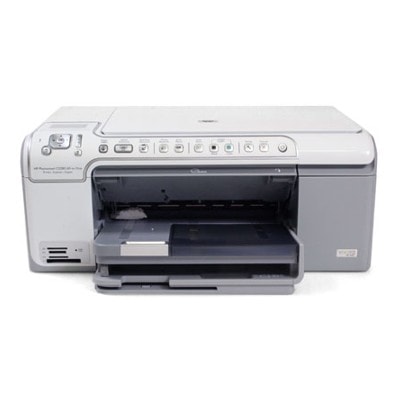
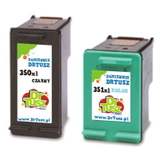
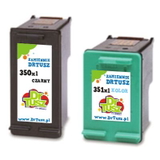
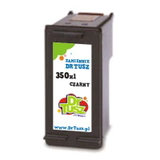
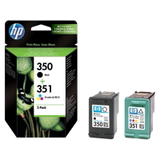
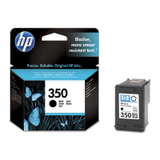
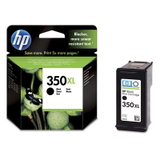
Reliable printing with the HP Photosmart C5293 (C5200 Series) If you use the HP Photosmart C5293 (also searched as HP C5293, HP Photosmart C5200 Series, or code Q8335C), you know it’s a versatile all‑in‑one designed for everyday home printing—documents, school materials, web pages, and, of course, colorful photos. To keep this printer performing at its best, choosing the right ink for HP Photosmart C5293 is essential. In this category we offer both Original OEM and high-quality Compatible ink cartridges, so you can match your printing style and budget without compromise. What ink cartridge does the HP Photosmart C5293 use? The HP Photosmart C5293 uses two main cartridges: black and tri‑color. In practice, you’ll be looking for the well-known series: - HP 350 / HP 350 XL – black ink cartridge for HP Photosmart C5293 (codes: CB335EE, CB336EE)
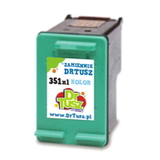
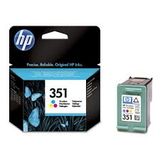
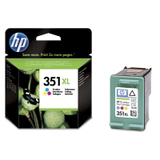
- HP 351 / HP 351 XL – color ink cartridge for HP Photosmart C5293 (codes: CB337EE, CB338EE)
Whether you print occasionally or in larger volumes, we make it easy to choose the right ink cartridge for HP Photosmart C5293—standard versions for lighter use and XL versions for better efficiency and fewer replacements. Print quality, color, and everyday convenience Good ink for HP Photosmart C5293 affects more than just color intensity. It also impacts text sharpness, photo smoothness, and how reliably the printer works day to day. With the right cartridge, you can expect: - clear black text for documents and homework,
- natural color transitions in photos and graphics,
- consistent results across multiple pages,
- fewer interruptions caused by fading prints or uneven color coverage.
If you often print mixed content (documents plus photos), choosing a good tri‑color cartridge—especially an XL option—can be a real time-saver. Our selection: Original OEM and Compatible cartridges We offer a wide range of options in one place—so you can shop exactly the way you prefer. In this category you’ll find popular choices such as: - Original OEM Ink Cartridge HP 350 (CB335EE) (Black) – a dependable standard black option
- Original OEM Ink Cartridge HP 350 XL (CB336EE) (Black) – higher capacity for frequent printing
- Original OEM Ink Cartridge HP 351 (CB337EE) (Color) and Original OEM Ink Cartridge HP 351 XL (CB338EE) (Color) – great for photos and color documents
- Compatible Ink Cartridge 350 for HP (CB335EE) (Black) and Compatible Ink Cartridge 351 for HP (CB337EE) (Color) – budget-friendly everyday printing
- Compatible Ink Cartridge 350 XL for HP (CB336EE) (Black) and Compatible Ink Cartridge 351 XL for HP (CB338EE) (Color) – efficient, high-yield alternatives
- Convenient multipacks like Original OEM Ink Cartridges HP 350 + 351 (SD412EE) (multi pack) or Compatible Ink Cartridges 350 XL + 351 XL for HP (DT-AH-350XL/K) (multi pack) and Compatible Ink Cartridges 350 XL + 351 XL for HP (SD412EE) (multi pack)
Thanks to this variety, you can quickly match the cartridge set to your printing habits—single replacements when one color runs out, or multipacks when you want to stock up. Original OEM vs Compatible: how to choose the best option Many customers ask us which ink cartridge for HP Photosmart C5293 is “the best.” The honest answer: it depends on how you print. Here’s a practical way to decide: - Choose Original OEM if you want the manufacturer’s solution, consistent quality, and you print photos often or need maximum predictability.
- Choose Compatible if you want excellent value for money and print a lot—documents, school materials, or mixed everyday content.
Our compatible cartridges from DrTusz.pl are designed to be just as reliable in daily use as original cartridges—great print quality, stable performance, and a smart way to lower the cost per page. If you’re looking for affordable ink for HP C5293 without sacrificing results, compatible options (especially XL) are a strong choice. Common user issues with the HP Photosmart C5293—and how the right ink helps Over time, users of the HP Photosmart C5200 Series may encounter a few typical situations. We recommend these simple approaches: - Faded prints or streaks – often caused by low ink levels or cartridges nearing the end; replacing with a fresh HP 350/351 cartridge usually solves it.
- Color looks “off” in photos – a worn tri‑color cartridge can affect tones; consider a new HP 351 XL for more consistent photo output.
- Frequent replacements – if you print regularly, switching to XL cartridges (black and color) reduces downtime and improves efficiency.
- One cartridge runs out faster – very common with tri‑color; multipacks can be convenient so you’re not stuck mid‑print.
If you’re unsure which cartridge you need for your printer, tell us the model (HP Photosmart C5293 / Q8335C) and we’ll help you choose the right ink cartridge quickly. Order ink for HP Photosmart C5293 with confidence We encourage you to explore our full selection of ink for HP Photosmart C5293—Original OEM cartridges, reliable compatible replacements, XL versions, and value multipacks. Choose the option that fits your printing style, add it to your cart, and enjoy a smooth shopping experience with fast delivery and helpful customer support. If you have any questions before buying, contact us—we’ll gladly help you pick the perfect ink cartridge for HP Photosmart C5293. |