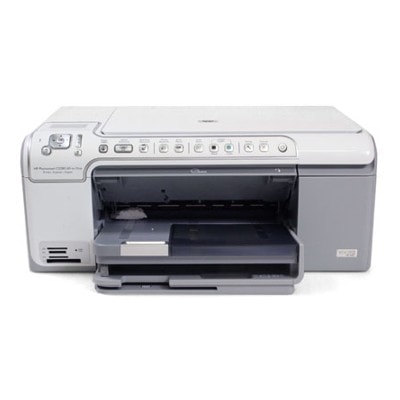
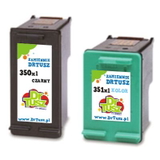
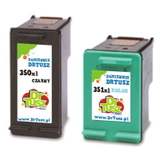
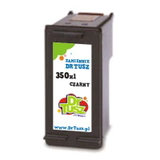
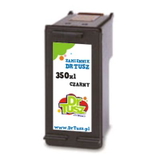
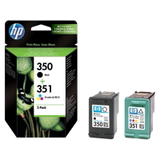
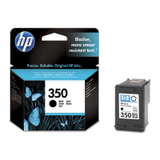
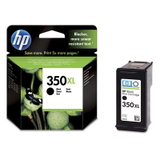
Reliable printing with the HP Photosmart C5270 HP Photosmart C5270 (also found as HP C5270, HP Photosmart C5200 Series or code Q8334B) is a versatile home all‑in‑one printer designed for everyday documents and family photos. To keep it producing crisp text and vivid colour, you need the right ink for HP Photosmart C5270—fresh, properly sealed and fully compatible with your device. In this category we bring together both Original OEM and Compatible ink cartridges, so you can choose the option that best fits your printing habits and budget. What ink cartridges fit HP Photosmart C5270? The HP Photosmart C5270 uses a two-cartridge system: one black cartridge and one tri-colour cartridge. In practice, that means you can replace only what you need—black for documents or colour for photos—without paying for unnecessary replacements. When you choose ink for HP C5270, pay attention to the cartridge codes: - HP 350 / HP 350 XL – black (codes: CB335EE, CB336EE)
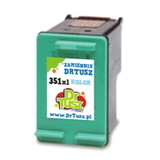
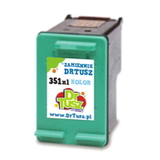
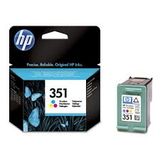
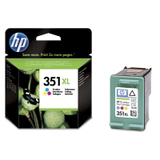
- HP 351 / HP 351 XL – colour (codes: CB337EE, CB338EE)
Whether you print school materials, invoices, scans, or photo projects, choosing the right ink for printer HP Photosmart C5270 ensures sharp lettering, stable greys and natural skin tones—especially important for photo paper output. Original OEM vs Compatible: choose what suits you We know customers often ask whether it’s better to choose Original OEM or Compatible ink cartridges. Both are available here—and both are sensible, depending on what you expect. - Original OEM ink cartridge – made by HP, ideal if you want to stick to the manufacturer’s solution, consistent results, and straightforward replacement routines.
- Compatible ink cartridge – a cost-effective alternative. The compatible cartridges in our offer (DrTusz.pl selection) are designed to work just as well as the originals: reliable fit, strong print quality and everyday dependability for home and office printing.
If you print frequently, XL versions are often the best value. A higher capacity cartridge typically means fewer replacements, fewer interruptions and a more convenient printing workflow. Popular ink for HP Photosmart C5270 in our offer To help you choose quickly, here are some best‑picked products from this category—covering both Original OEM and Compatible options: - Original OEM Ink Cartridge HP 350 (CB335EE) (Black) – a classic choice for clean, readable documents.
- Original OEM Ink Cartridge HP 350 XL (CB336EE) (Black) – higher yield for people who print a lot of text.
- Original OEM Ink Cartridge HP 351 (CB337EE) (Color) – reliable tri-colour cartridge for everyday colour prints.
- Original OEM Ink Cartridge HP 351 XL (CB338EE) (Color) – great for frequent colour printing and photos.
- Original OEM Ink Cartridges HP 350 + 351 (SD412EE) (multi pack) – a convenient set when you want to replace both at once.
- Compatible Ink Cartridge 350 for HP (CB335EE) (Black) and Compatible Ink Cartridge 351 for HP (CB337EE) (Color) – practical, budget-friendly everyday choices.
- Compatible Ink Cartridge 350 XL for HP (CB336EE) (Black) and Compatible Ink Cartridge 351 XL for HP (CB338EE) (Color) – more pages, fewer cartridge changes.
- Compatible Ink Cartridges 350 XL + 351 XL for HP (DT-AH-350XL/K) (multi pack) – one of the most popular options for balanced printing at a great cost per page.
- Compatible Ink Cartridges 350 XL + 351 XL for HP (SD412EE) (multi pack) – another convenient set for those who prefer buying in pairs.
Thanks to this variety, you can easily match the cartridge to your usage: occasional printing, heavy document work, or colour-heavy photo output. Helpful tips and common issues with the HP C5270 To make sure your new ink for HP Photosmart C5270 works smoothly, we recommend a few simple checks: - Match the code: CB335EE/CB336EE for black and CB337EE/CB338EE for colour are the safest identifiers.
- Choose XL when you print a lot: it’s usually the easiest way to lower your cost per page.
- Install carefully: if the printer shows a cartridge recognition message, remove and re-seat the cartridge firmly. Also check protective elements have been removed (where applicable).
- Fix faded colour or streaks: run the printer’s built-in cleaning/alignment utility. This often resolves issues after long breaks between prints.
- Prevent drying: if you print rarely, it helps to print a small colour test page every so often to keep the nozzles in good condition.
If you’re unsure which cartridge you need for the HP Photosmart C5200 Series, we’re here to help you choose the correct option quickly—original or compatible—based on how and how often you print. Order ink today and get your HP Photosmart C5270 back to full quality We encourage you to explore our full selection of ink cartridges for HP Photosmart C5270—both Original OEM and carefully selected Compatible options that print as well as the originals. Add the right cartridge (or multipack) to your basket and enjoy comfortable shopping, fast delivery options and expert support if you have questions. CTA: Choose your ink for HP C5270 now—compare OEM and compatible versions, pick the best capacity (standard or XL), and contact us if you’d like a quick recommendation tailored to your printing needs. |