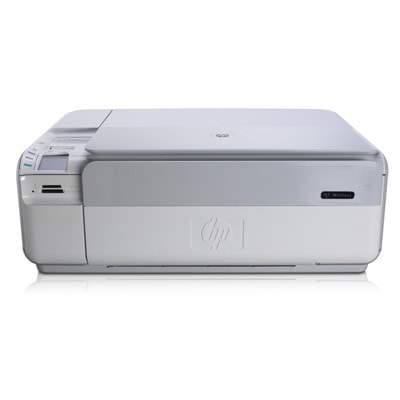
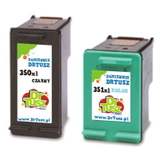
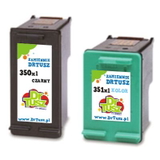
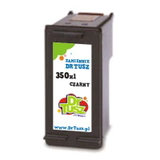
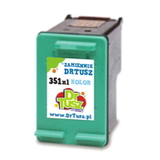
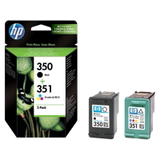
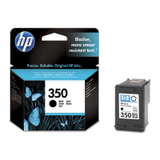
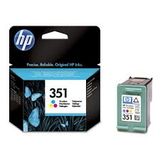
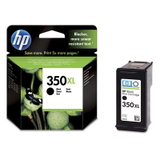
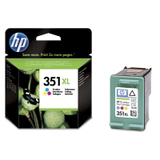
| If you use the HP Photosmart C4580 (also searched as HP C4580, HP Photosmart C4500 Series or model code Q8401A), you already know why this all‑in‑one is still so popular: it prints crisp documents, handles everyday home photos, and offers convenient scanning and copying in one compact device. To keep it working at its best, you simply need reliable ink for HP Photosmart C4580—and that’s exactly what we offer in this category, with both Original OEM and high‑quality compatible ink cartridge options. We’ve prepared this selection so you can quickly find the right ink cartridge for HP Photosmart C4580 without guessing, whether you print occasionally or you run through pages every week. Here you’ll find the well‑known cartridge family used by this printer: HP 350 (black) and HP 351 (color), including standard and XL versions. Everyday printing that looks clean, sharp, and consistent The right ink for HP C4580 makes a real difference in daily use: black text stays readable and professional, while color prints remain vivid and balanced. The HP Photosmart C4580 is often used for a mix of tasks—school assignments, invoices, forms, web printouts, as well as occasional photos—so it’s important that your ink cartridge can handle both documents and graphics without streaking or fading. In this category we focus on what customers of the C4500 series need most: - Black ink cartridge for clean text and sharp lines (HP 350 / 350 XL).
- Color ink cartridge for natural colors and smooth gradients (HP 351 / 351 XL).
- Multipack ink to replace both cartridges at once—convenient and often more cost‑effective.
Compatible vs Original OEM ink—choose the option that fits your needs We offer both Original OEM ink cartridge and compatible ink cartridge solutions for the HP Photosmart C4580. If you want the manufacturer’s cartridge, choose Original OEM. If you want excellent value without compromising print quality, our compatible cartridges from DrTusz.pl are a smart choice—built to match the printer’s requirements and deliver results that are as good as the originals in everyday use. - Original OEM: best for customers who prefer manufacturer-branded cartridges, predictable performance, and official labeling.
- Compatible: ideal when you want lower printing costs while keeping reliable output—great for frequent printing and home offices.
- XL versions: recommended if you print more and want fewer replacements.
Popular ink cartridges for HP Photosmart C4580 in our range We keep the offer clear and practical—these are the most frequently chosen products for ink for HP Photosmart C4580: - Compatible Ink Cartridge 350 XL for HP (CB336EE) (Black) – a great option for heavier black text printing.
- Compatible Ink Cartridge 351 XL for HP (CB338EE) (Color) – strong everyday color output for graphics and photos.
- Compatible Ink Cartridges 350 XL + 351 XL for HP (SD412EE) (multi pack) – convenient replacement set for both cartridges.
- Compatible Ink Cartridges 350 XL + 351 XL for HP (DT-AH-350XL/K) (multi pack) – another popular multipack choice for balanced printing.
- Original OEM Ink Cartridge HP 350 (CB335EE) (Black) – standard capacity manufacturer cartridge.
- Original OEM Ink Cartridge HP 350 XL (CB336EE) (Black) – higher yield OEM option for frequent document printing.
- Original OEM Ink Cartridge HP 351 (CB337EE) (Color) – standard OEM color cartridge for everyday use.
- Original OEM Ink Cartridge HP 351 XL (CB338EE) (Color) – XL OEM color for more pages and fewer changes.
- Original OEM Ink Cartridges HP 350 + 351 (SD412EE) (multi pack) – the classic OEM set for quick full replacement.
- Compatible Ink Cartridge 350 for HP (CB335EE) (Black) and Compatible Ink Cartridge 351 for HP (CB337EE) (Color) – practical standard capacity choices.
How to pick the right cartridge: quick tips for stress-free shopping To choose the correct ink cartridge for HP Photosmart C4580, start with two simple questions: do you print mostly text or a mix of text and color, and how often do you print? - If you print often: choose 350 XL and 351 XL (or an XL multipack) to reduce replacement frequency.
- If you print occasionally: standard HP 350 and HP 351 may be enough, especially if you prefer smaller upfront cost.
- If you want convenience: choose a multipack so both black and color are ready to go.
Common issues reported by users of the HP Photosmart C4580 and the C4500 series usually come down to everyday maintenance rather than the printer itself. If you notice faded prints, missing colors, or streaks, it often helps to run the printer’s head cleaning utility and make sure the cartridges are properly seated. And if you print rarely, using the printer at least once in a while can help prevent ink from drying in the nozzles. Order ink for HP Photosmart C4580 with confidence We make it easy to choose the right ink for HP Photosmart C4580—whether you prefer Original OEM ink cartridge solutions or our trusted compatible ink cartridge alternatives that deliver excellent results and real savings. If you’re unsure whether you need HP 350, 350 XL, 351, 351 XL, or a multipack, we’re here to help. Call to Action: We encourage you to browse the products in this category, compare OEM and compatible options, and pick the best cartridge set for your printing style. Add your chosen ink cartridges to the cart and enjoy fast, convenient delivery—or contact us for friendly support in selecting the perfect ink for your HP C4580. |