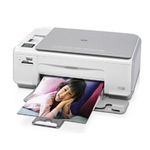
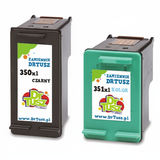
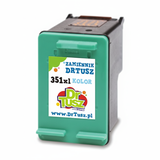
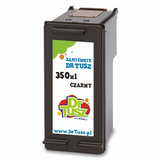
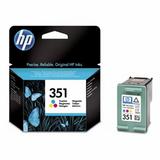
HP Photosmart C4280 – a versatile home all‑in‑one The HP Photosmart C4280 (also found as HP C4280 or HP Photosmart C4200 Series, incl. CC210A) is a popular inkjet multifunction printer designed for everyday home use. It handles printing, copying, and scanning, and it’s especially appreciated for family documents and occasional photo prints. To keep it working smoothly and to maintain consistent print quality, it’s essential to choose the right ink for HP Photosmart C4280—matched to your needs and print volume. Ink cartridges for HP Photosmart C4280 – what you get with the right set This model uses two cartridges: one black and one tri-color. In our category you’ll find both Original OEM cartridges and high-quality compatible ink cartridges that deliver excellent results. Whether you print text-heavy school materials, invoices, forms, or colorful graphics, the right ink cartridge for HP Photosmart C4280 helps you achieve: - Clear, readable text in black—ideal for documents and everyday printing
- Vibrant color for photos, presentations, and graphics
- Reliable page yield—choose standard or XL depending on how much you print
- Stable operation and fewer interruptions thanks to properly matched cartridges
Looking for a practical way to reduce costs without sacrificing quality? Our compatible cartridges from DrTusz.pl are designed to be as good as originals—dependable, efficient, and made for the HP Photosmart C4280 platform. Compatible vs Original OEM – how to choose the best ink for HP C4280 When buying ink for printer HP Photosmart C4280, you can select between Original OEM (manufactured by HP) and compatible cartridges (a cost-effective alternative). Here’s how to decide: - Original OEM ink cartridge – great if you want the manufacturer’s solution, predictable results, and you prefer to stay with the HP-branded supply chain.
- Compatible ink cartridge – ideal if you want a better cost-per-page and a smart alternative for everyday printing. Our compatible cartridges are tested for performance and are made to work smoothly with your printer.
- XL vs standard – if you print frequently, choose XL to reduce cartridge changes and lower your cost per page; if you print occasionally, standard capacity is often enough.
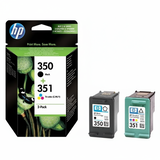
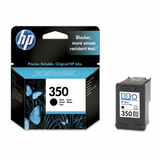
If you often print both documents and color pages, a multi pack is the most convenient option—one purchase, both colors covered, and you’re ready to print. Popular cartridges in this category – a wide choice for every printing style We’ve built this category around the most commonly used and best-matched cartridges for the C4280. You’ll find, among others: - Original OEM Ink Cartridge HP 350 (CB335EE) (Black) – a solid choice for crisp text and everyday documents.
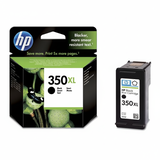
- Original OEM Ink Cartridge HP 350 XL (CB336EE) (Black) – higher yield for more frequent black printing.
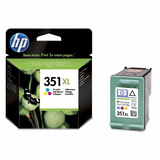
- Original OEM Ink Cartridge HP 351 (CB337EE) (Color) and Original OEM Ink Cartridge HP 351 XL (CB338EE) (Color) – for bright color output, photos, and graphics.
- Compatible Ink Cartridge 350 for HP (CB335EE) (Black) and Compatible Ink Cartridge 350 XL for HP (CB336EE) (Black) – cost-effective black printing without compromising readability.
- Compatible Ink Cartridge 351 for HP (CB337EE) (Color) and Compatible Ink Cartridge 351 XL for HP (CB338EE) (Color) – for everyday color pages and photo printing at a better price.
- Multi packs like Compatible Ink Cartridges 350 XL + 351 XL for HP (DT-AH-350XL/K) (multi pack) or Original OEM Ink Cartridges HP 350 + 351 (SD412EE) (multi pack) – the easiest way to restock both cartridges at once.
No matter whether you type “ink for HP Photosmart C4280”, “ink for HP C4280”, or search by cartridge codes like CB335EE, CB336EE, CB337EE, or CB338EE—you’re in the right place. Helpful tips and common issues – keep your HP Photosmart C4200 Series printing smoothly Users of the HP Photosmart C4280 sometimes run into a few typical situations. Here’s how we recommend handling them when choosing and using ink cartridges for HP Photosmart C4280: - Printer reports “cartridge problem” or “cartridge not detected” – remove and reseat the cartridge, ensure protective tapes are removed, and gently clean the electrical contacts if needed.
- Streaks or faded colors – run the printer’s cleaning/alignment utility; if printing is infrequent, ink can dry slightly—regular small prints help keep nozzles clear.
- Color looks off in photos – use the right paper settings and consider an XL color cartridge if you print photos often, as consistent ink flow helps maintain stable color.
- Ink runs out quickly – choose XL versions (350 XL / 351 XL) or a multi pack to improve cost efficiency and reduce downtime.
If you’re unsure which cartridge to pick, remember the simplest rule: HP 350 is black, HP 351 is color, and both come in standard and XL. We’re always happy to help you match the right option to your printing habits. Order ink for HP Photosmart C4280 with confidence We make it easy to choose the best ink for HP Photosmart C4280—whether you prefer Original OEM supplies or want to save with a proven compatible ink cartridge that performs like the original. Browse the products listed in this category, compare standard vs XL and single vs multi pack options, and pick the setup that fits your needs. Call to action: We encourage you to explore our full range of ink cartridges for the HP Photosmart C4280 and place your order today. If you have any questions about compatibility, XL capacity, or choosing between OEM and compatible cartridges, contact us—together we’ll select the best option and get your printer back to perfect printing as quickly as possible. |