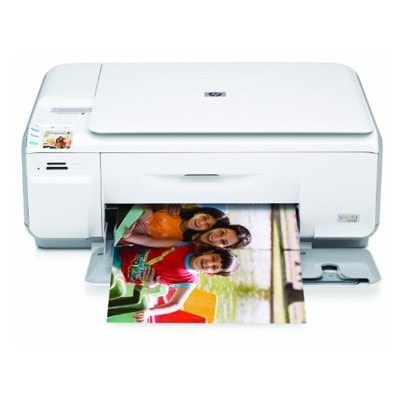
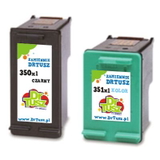
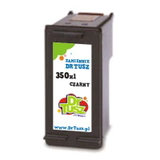
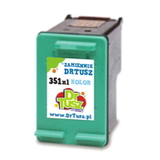
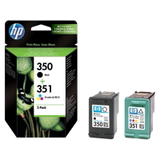
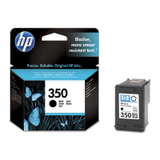
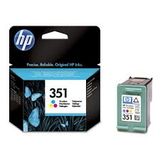
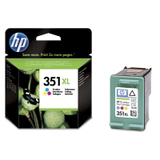
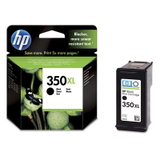
| If you use the HP Photosmart C4480 (also known as HP C4480 or HP Photosmart C4400 Series, incl. Q8388A), you already know why this compact all‑in‑one is still appreciated: it prints sharp documents, handles everyday home tasks, and delivers surprisingly nice colour photos. To keep it performing at its best, you simply need the right ink for HP Photosmart C4480—reliable cartridges that produce consistent black text and vivid colour without hassle. Ink for HP Photosmart C4480 – what you need to know The ink cartridge for HP Photosmart C4480 family is based on two key cartridges: HP 350 for black and HP 351 for colour (also available in high-yield XL versions). Choosing the right cartridge affects not only print quality, but also everyday comfort: fewer interruptions, smoother page output, and better value per page when you print more often. Whether you print homework, invoices, recipes, boarding passes, or family photos, well-matched ink for HP C4480 should provide: - clear, readable black text with good contrast,
- balanced colours for graphics and photo prints,
- stable performance and predictable results from the first page to the last,
- compatibility with the HP Photosmart C4400 Series printing system.
Compatible and Original OEM cartridges – one printer, two smart options In our category you will find both Original OEM cartridges and carefully selected compatible replacements. Original OEM is the classic choice for users who prefer manufacturer-branded supplies. Compatible cartridges are ideal when you want excellent results and a more budget-friendly cost per page—especially if you print frequently. Importantly: our compatible ink cartridge for HP Photosmart C4480 is designed to work just as well as the original. We focus on dependable quality, good page yield, and trouble-free daily printing—so you can choose based on your needs, not worries. Popular choices in this category (HP 350 / HP 351) To make shopping easier, we offer the most commonly chosen combinations for the C4480 platform—both standard and XL capacity. Here are some customer favourites: - Compatible Ink Cartridges 350 XL + 351 XL for HP (SD412EE) (multi pack) – a convenient high-yield set for regular printing.
- Compatible Ink Cartridges 350 XL + 351 XL for HP (DT-AH-350XL/K) (multi pack) – another cost-effective XL multipack option.
- Compatible Ink Cartridge 350 XL for HP (CB336EE) (Black) – for heavy black-text printing with fewer replacements.
- Compatible Ink Cartridge 351 XL for HP (CB338EE) (Color) – strong choice for colour graphics and photos.
- Original OEM Ink Cartridge HP 350 (CB335EE) (Black) and Original OEM Ink Cartridge HP 351 (CB337EE) (Color) – trusted OEM classics for everyday use.
- Original OEM Ink Cartridges HP 350 + 351 (SD412EE) (multi pack) – an OEM multipack for users who like to keep both cartridges ready.
- Original OEM Ink Cartridge HP 350 XL (CB336EE) (Black) and Original OEM Ink Cartridge HP 351 XL (CB338EE) (Color) – OEM high-yield options for more frequent printing.
How to choose the right ink cartridge for HP Photosmart C4480 When selecting ink for HP Photosmart C4480, start with two simple questions: how much you print and what you print most often. - Mostly documents? Choose a HP 350 black cartridge—ideally XL if you print regularly.
- Colour and photos? Add a HP 351 colour cartridge; XL is great if you print many images.
- Balanced home use? A 350 + 351 multipack is the most convenient and usually the best value.
Differences you’ll notice in practice: - Original OEM – manufacturer-branded, consistent output, a familiar choice for many users.
- Compatible – excellent everyday printing and a very attractive cost per page; our compatible cartridges are made to perform as well as the originals.
Common HP C4480 user issues – and easy ways to prevent them With the HP Photosmart C4480, most printing problems are simple maintenance issues rather than printer faults. If you want your ink for HP C4480 to last and perform well, keep these tips in mind: - Streaks or missing colours – run the printer’s head cleaning/aligning utility and ensure the cartridge is properly seated.
- Cartridge not recognised – remove and reinstall the cartridge, check protective tape was fully removed, and clean the contacts gently if needed.
- Infrequent printing dries ink – print a small colour page once every 1–2 weeks to keep the system active.
- Faded photos – use the right paper settings and consider XL colour if you print photos often.
And if you’re unsure whether your printer is the HP Photosmart C4400 Series variant or you want to confirm the correct cartridge code (CB335EE, CB336EE, CB337EE, CB338EE), we’re here to help you choose confidently. Order ink for HP Photosmart C4480 with confidence We encourage you to explore our full selection of ink cartridges for HP Photosmart C4480—both Compatible and Original OEM. Choose a single black or colour cartridge, or save time with a practical multipack. If you have questions, contact us and we’ll help you match the best ink for HP Photosmart C4480 to your printing style. Add your chosen cartridges to the basket and enjoy fast delivery and a smooth, reliable shopping experience. |