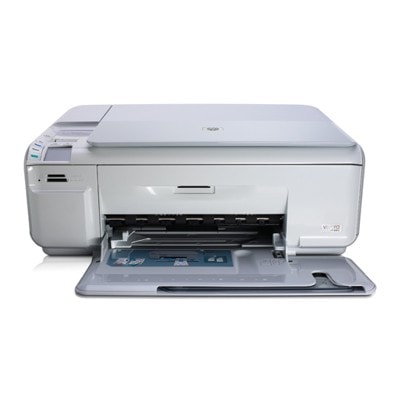
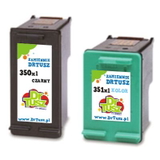
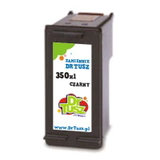
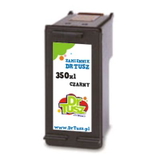
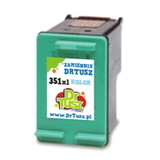
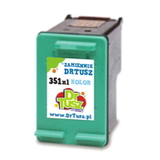
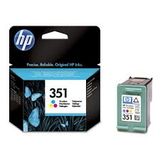
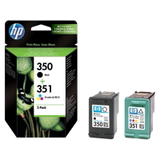
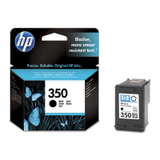
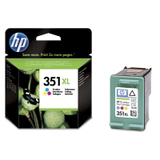
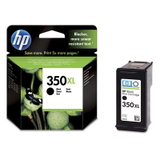
HP Photosmart C4585 – a versatile home printer that deserves reliable ink The HP Photosmart C4585 (also found as HP C4585 or HP Photosmart C4500 Series) is a popular all‑in‑one inkjet designed for everyday printing, scanning, and copying at home. It handles everything from quick black text documents to colorful school projects and photo prints. To keep this printer working smoothly and to maintain consistent quality, choosing the right ink for HP Photosmart C4585 is essential—especially if you print regularly or want predictable results. What ink cartridges does the HP Photosmart C4585 use? This model works with the well-known HP 350 black and HP 351 color cartridges, also available in high-capacity versions: HP 350 XL and HP 351 XL. In our category you will find both Original OEM and compatible ink cartridges, so you can match your choice to your budget and printing habits. If you search by cartridge codes such as CB335EE, CB336EE, CB337EE, CB338EE or multipack code SD412EE (also referenced by some users as Q8405B), you are in the right place. - HP 350 (CB335EE) – standard black ink cartridge
- HP 350 XL (CB336EE) – high-capacity black ink cartridge for more pages
- HP 351 (CB337EE) – standard tri-color ink cartridge
- HP 351 XL (CB338EE) – high-capacity tri-color ink cartridge for more pages
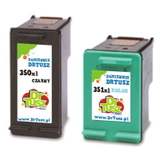
Print quality, everyday comfort, and real savings Good ink for HP Photosmart C4585 means sharp black text, clean lines, and lively colors—without streaks or faded areas. If you print mostly documents (invoices, homework, forms), the black cartridge will be your main choice. If you print graphics, presentations, or photos, the color cartridge matters just as much. For frequent printing, XL versions are a practical option because they reduce how often you need to replace cartridges and help keep the printer ready for use. We offer both approaches: Original OEM ink cartridges for those who prefer manufacturer solutions and compatible ink cartridges for those who want strong value. Our compatible options from DrTusz.pl are designed to be just as dependable in daily use as originals—so you can print more while keeping costs under control. Popular choices in our offer (Original OEM and Compatible) To make selection easier, we highlight a few frequently chosen products from this category. You can order a single cartridge when you need one color, or choose a multipack to refresh your whole set at once. - Compatible Ink Cartridges 350 XL + 351 XL for HP (DT-AH-350XL/K) (multi pack) – a convenient high-capacity set for everyday printing and color projects
- Compatible Ink Cartridges 350 XL + 351 XL for HP (SD412EE) (multi pack) – an alternative compatible multipack for users who prefer buying a complete set
- Compatible Ink Cartridge 350 XL for HP (CB336EE) (Black) – high-capacity black for frequent documents
- Compatible Ink Cartridge 351 XL for HP (CB338EE) (Color) – high-capacity color for graphics and photos
- Original OEM Ink Cartridge HP 350 XL (CB336EE) (Black) – OEM quality and consistency for black printing
- Original OEM Ink Cartridge HP 350 (CB335EE) (Black) – standard capacity OEM black
- Original OEM Ink Cartridge HP 351 (CB337EE) (Color) – standard capacity OEM color
- Original OEM Ink Cartridge HP 351 XL (CB338EE) (Color) – high-capacity OEM color for more pages
- Original OEM Ink Cartridges HP 350 + 351 (SD412EE) (multi pack) – a classic OEM set when you want both cartridges together
- Compatible Ink Cartridge 350 for HP (CB335EE) (Black) and Compatible Ink Cartridge 351 for HP (CB337EE) (Color) – practical standard-capacity compatible options
How to choose the right ink for HP Photosmart C4585 When choosing an ink cartridge for HP Photosmart C4585, start with two simple questions: how much do you print, and what do you print most often? - For frequent printing (home office, school, lots of documents): choose HP 350 XL black and consider HP 351 XL color.
- For occasional printing: standard HP 350 and HP 351 can be enough.
- For convenience: pick a multipack (350 + 351 or 350 XL + 351 XL) so you do not run out at the worst time.
- For best value: our compatible ink for HP C4585 gives you excellent day-to-day results and attractive savings.
Original OEM vs compatible cartridges – clear differences, smart choice Original OEM ink cartridges are produced by the printer manufacturer and are often chosen for maximum predictability. Compatible ink cartridges are an excellent alternative when you want to reduce printing costs without giving up quality. We carefully select our compatible cartridges so they are as good as originals for typical home and office use—clean printing, stable performance, and strong page efficiency. In short: if you want the manufacturer’s solution, choose OEM. If you want a cost-effective solution with great everyday quality, choose our compatible ink for HP Photosmart C4585. Common issues with the HP Photosmart C4585 and how the right cartridge helps Many users of the HP Photosmart C4500 Series report similar situations: prints coming out faded after longer breaks, missing lines, or color looking uneven. In most cases, it’s related to low ink, an aging cartridge, or printing very rarely. Our advice: - Print regularly (even a small test page) to keep ink flowing smoothly.
- Choose XL cartridges if you print a lot—fewer replacements means fewer interruptions.
- Replace the cartridge in time when you notice fading, streaks, or persistent missing colors.
- Keep a spare multipack if you rely on your printer for school or work deadlines.
Order today and keep your HP C4585 ready whenever you need it We invite you to explore our full selection of ink cartridges for HP Photosmart C4585—both compatible and Original OEM. Choose a single black or color cartridge, or go for a multipack to save time and stay prepared. If you are not sure whether you need CB335EE, CB336EE, CB337EE, CB338EE, or a set like SD412EE, contact us— we will help you match the right ink for HP Photosmart C4585 to your printing needs. CTA: Add your selected cartridge to the cart now, or reach out to us for quick, friendly support. We offer fast delivery and careful packing, so your new ink arrives ready to install and print. |