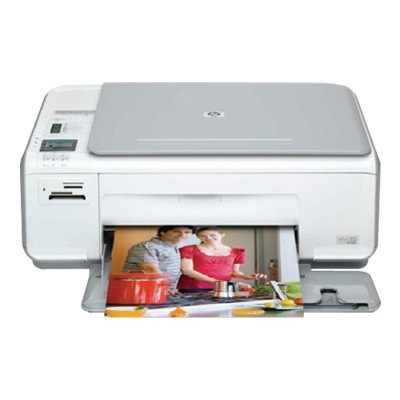
Reliable everyday printing with the HP Photosmart C4340 HP Photosmart C4340 (also found as HP C4340 or HP Photosmart C4300 Series, device code CC271B) is a popular home all‑in‑one designed for comfortable printing of documents, school materials and family photos. To keep this compact inkjet working at its best, choosing the right ink for HP Photosmart C4340 is essential—especially when you want sharp black text, vivid colours and trouble‑free operation from the first page to the last. Ink cartridges for HP Photosmart C4340 – what matters most The HP Photosmart C4340 uses a black cartridge plus a tri‑colour cartridge, so you can match your purchase to the way you print. If you mainly print text, a higher‑capacity black cartridge can be the most cost‑effective solution. If you print photos or colourful school projects, a fresh colour cartridge makes a visible difference in colour depth and smooth gradients. In our store you will find both Original OEM and Compatible options—so you can choose the best balance of price, yield and everyday convenience. When you select ink for printer HP Photosmart C4340, pay attention to: - Capacity (standard vs XL) – XL versions are ideal for more frequent printing and fewer replacements.
- Print purpose – crisp black for documents, rich colour for photos and graphics.
- Consistency and reliability – stable performance helps avoid streaks, faded prints and repeated cleaning cycles.
Original OEM and Compatible ink – two smart ways to print We know customers shopping for ink for HP Photosmart C4340 often compare original cartridges with compatible ones. Original OEM cartridges are produced by HP and are a great choice for users who want to keep everything strictly brand‑matched. At the same time, our compatible cartridges from the DrTusz.pl offer are designed to deliver prints that are as good as originals—while helping you reduce printing costs without sacrificing everyday quality. Key differences you’ll notice: - Original OEM ink cartridge – manufacturer’s solution, predictable results, ideal for those who prefer HP-branded consumables.
- Compatible ink cartridge – excellent alternative for daily printing, attractive price per page, and a practical option for home and student use.
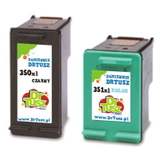
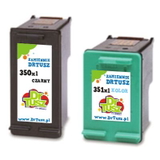
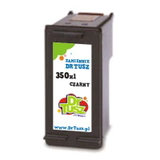
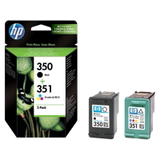
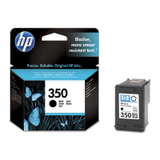
Popular cartridges in this category (HP 350 / HP 351) To make choosing easier, we stock the most frequently selected items for the HP Photosmart C4340: - Original OEM Ink Cartridge HP 350 (CB335EE) (Black) – dependable black for everyday documents.
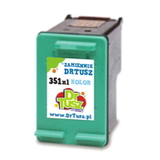
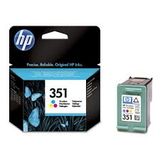
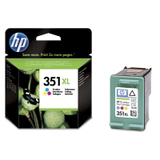
- Original OEM Ink Cartridge HP 351 (CB337EE) (Color) – tri-colour cartridge for photos and colour graphics.
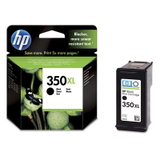
- Original OEM Ink Cartridge HP 350 XL (CB336EE) (Black) and Original OEM Ink Cartridge HP 351 XL (CB338EE) (Color) – higher capacity for frequent printing.
- Original OEM Ink Cartridges HP 350 + 351 (SD412EE) (multi pack) – convenient set for a full refresh.
- Compatible Ink Cartridge 350 (CB335EE) (Black) and Compatible Ink Cartridge 351 (CB337EE) (Color) – cost-effective choices for regular use.
- Compatible Ink Cartridge 350 XL (CB336EE) (Black) and Compatible Ink Cartridge 351 XL (CB338EE) (Color) – more pages, fewer replacements.
- Compatible Ink Cartridges 350 XL + 351 XL for HP (DT-AH-350XL/K) (multi pack) and Compatible Ink Cartridges 350 XL + 351 XL for HP (SD412EE) (multi pack) – popular sets for maximum convenience and savings.
Whether you search by model name (HP Photosmart C4340, HP Photosmart C4300 Series) or by cartridge codes (CB335EE, CB337EE, CB336EE, CB338EE, SD412EE), you’ll find the right ink cartridge for HP Photosmart C4340 in one place. How to choose the right ink for HP C4340 – practical tips Dear Customer, if you’re unsure what to buy, we recommend starting with your printing habits: - Mainly text printing – choose a black cartridge, preferably 350 XL, to lower the cost per page.
- Frequent colour printing or photos – consider a fresh 351 or 351 XL to keep colours vibrant and consistent.
- Best all-around option – a multi pack (black + colour) is the simplest way to avoid “one cartridge empty” downtime.
Common issues reported by users of the HP Photosmart C4340 are usually linked to consumables and maintenance rather than the printer itself: streaks after long breaks, faded colours, or messages about cartridge recognition. In many cases, replacing the cartridge with a new one (original or our proven compatible), running a nozzle/printhead cleaning from the printer utility, and printing regularly (even one small page per week) restores smooth operation. Order ink cartridges for HP Photosmart C4340 with confidence We encourage you to explore our full range of ink for HP Photosmart C4340—Original OEM and Compatible—so you can print exactly the way you want: economically, reliably, and with great-looking results. Add your chosen cartridges to the cart and enjoy fast delivery options. If you need help matching the right cartridge to HP C4340 or HP Photosmart C4300 Series, contact us—we’re here to help you choose quickly and correctly. CTA: Check the available cartridges above, choose your preferred OEM or compatible set, and place your order today—your HP Photosmart C4340 will thank you with clean, sharp prints. |