Haven't found what you were looking for? Click here! ▼
Describe below exactly what you are looking for and we will see how we can help. You will receive a reply to your e-mail address by 09:15 at the latest
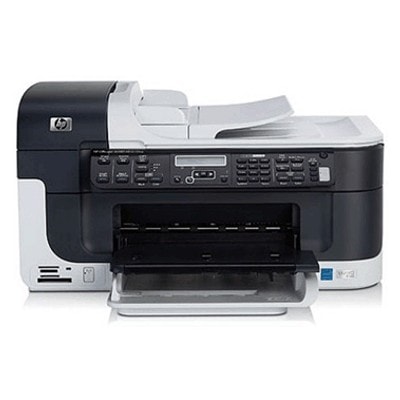
Ink cartridges for HP OfficeJet J6415 - compatible and original OEM
Keep your HP OfficeJet J6415 printing sharp and reliable with our selection of inkjet ink cartridges designed for the HP J6415 / HP Officejet J6400 Series (CB035A). Choose the performance level that fits your needs—every option in this category is made to match your printer for clean text, smooth graphics, and consistent everyday results.
We stock both Original OEM cartridges and high-value compatible ink cartridges in the most popular series: HP 350 (Black) and HP 351 (Color), including standard and high-yield XL versions (CB335EE/CB336EE and CB337EE/CB338EE). Need convenience and savings? Pick a multipack like 350 XL + 351 XL, or add specialty color with HP 348 Photo (C9369EE) for better photo prints.
Whether you choose OEM for brand-original output or compatibles for cost-efficient printing, you’ll find dependable options that fit your printer and printing habits. Stock up today and keep your HP OfficeJet J6415 ink cartridges ready—explore the full range and find the perfect match for your next print run.
Product Number: CB035A Other names: All-In-One Printer HP OfficeJet J6415
Reliable everyday printing with HP OfficeJet J6415
HP OfficeJet J6415 (also known as HP J6415 or HP Officejet J6400 Series, product code CB035A) is a practical all‑in‑one inkjet printer designed for home and small office work. It’s valued for clear text, convenient copying/scanning, and efficient handling of everyday documents. To keep it running smoothly, choosing the right ink cartridge for HP OfficeJet J6415 is essential—especially when you print frequently and expect consistent quality from the first page to the last.
What ink for HP OfficeJet J6415: performance, quality, and applications
In this category you’ll find ink for HP OfficeJet J6415 in both Original OEM and high-quality Compatible versions. The printer uses the popular HP cartridge family: black for crisp text, color for graphics, and a dedicated photo cartridge for photo-focused printing.
Good ink for printer HP OfficeJet J6415 helps you achieve:
sharp black text for invoices, homework, and office documents,
clean color output for charts, presentations, and forms,
better page-to-page consistency and fewer interruptions.
If you want more pages per cartridge and fewer replacements, choose XL versions—an easy way to lower the cost per page while keeping your HP OfficeJet J6415 ready to print.
Compatible and Original OEM cartridges—choose what suits you best
We offer two smart paths: Original OEM cartridges for users who prefer manufacturer supplies, and Compatible cartridges for customers who want excellent value without sacrificing quality. Our compatible cartridges available at DrTusz.pl are designed to be just as good as the originals in everyday printing—reliable, efficient, and ready for your typical home or office needs.
Original OEM ink cartridge for HP J6415 – manufacturer-standard output and predictable results.
Compatible ink cartridge for HP OfficeJet J6415 – great value and strong performance for frequent printing.
Popular ink cartridges for HP J6415 in our range
To make shopping easier, here are some of the most chosen options in this category:
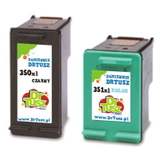
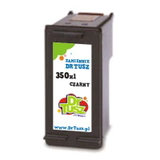
Compatible Ink Cartridge 350 XL for HP (CB336EE) (Black) – high-yield black for frequent document printing.
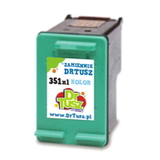
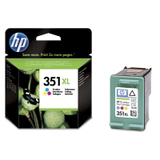
Compatible Ink Cartridge 351 XL for HP (CB338EE) (Color) – vivid color output with XL efficiency.
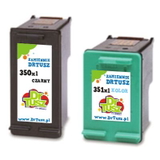
Compatible Ink Cartridges 350 XL + 351 XL for HP (DT-AH-350XL/K) (multi pack) – a cost-effective set for balanced black + color printing.
Compatible Ink Cartridges 350 XL + 351 XL for HP (SD412EE) (multi pack) – convenient multipack option for regular users.
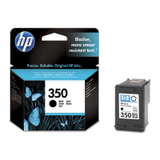
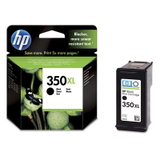
Original OEM Ink Cartridge HP 350 (CB335EE) (Black) and Original OEM Ink Cartridge HP 350 XL (CB336EE) (Black) – classic OEM black in standard or XL capacity.
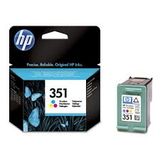
Original OEM Ink Cartridge HP 351 (CB337EE) (Color) and Original OEM Ink Cartridge HP 351 XL (CB338EE) (Color) – OEM color for documents and graphics.
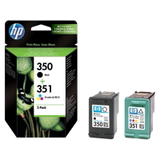
Original OEM Ink Cartridges HP 350 + 351 (SD412EE) (multi pack) – OEM multipack for convenient replenishment.
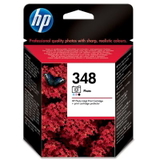
Original OEM Ink Cartridge HP 348 (C9369EE) (Foto) – photo-focused cartridge for selected photo tasks.
Compatible Ink Cartridge 350 for HP (CB335EE) (Black) and Compatible Ink Cartridge 351 for HP (CB337EE) (Color) – standard capacity compatibles for occasional printing.
How to choose the right cartridge and avoid common issues
When selecting ink for HP OfficeJet J6415, start with your printing habits:
If you print a lot of text: choose HP 350 XL (black).
If you print color charts and images: add HP 351 or HP 351 XL (color).
If you want fewer replacements and better value: pick a 350 XL + 351 XL multipack.
Common user issues with the HP Officejet J6400 Series include quick ink depletion (especially with frequent cleaning cycles), streaks or faded output after longer breaks, and “cartridge not recognized” alerts. In many cases, choosing the correct model code (for example CB335EE / CB336EE / CB337EE / CB338EE) and installing the cartridge carefully resolves the issue. If you’re unsure which ink cartridge for HP J6415 is best, we’re here to help you match the cartridge to your needs.
Order ink for HP OfficeJet J6415 and keep printing without interruptions
We encourage you to explore our full selection of ink cartridges for HP OfficeJet J6415—both Compatible and Original OEM. Choose a single cartridge or a multipack and enjoy dependable printing at home or in the office. Add your preferred cartridge to the cart now, and if you have questions, contact us—we’ll help you pick the best ink for printer HP OfficeJet J6415 and get it delivered quickly and safely.