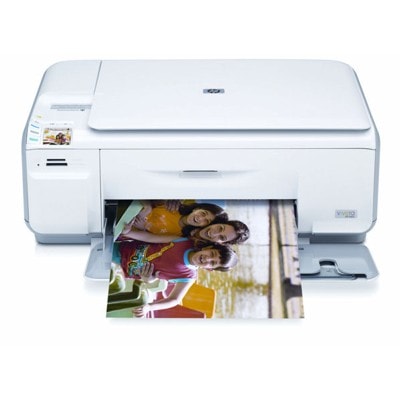
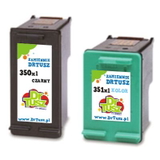
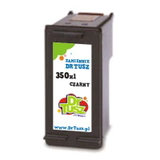
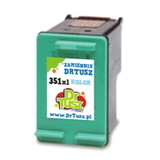
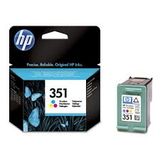
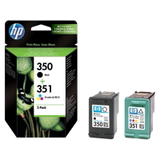
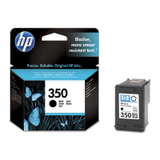
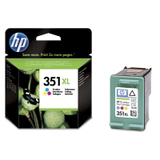
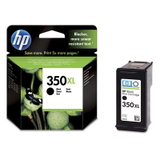
Reliable printing with the HP Photosmart C4383 Dear Customer, the HP Photosmart C4383 (also searched as HP C4383 or HP Photosmart C4300 Series) is a popular home all‑in‑one designed for everyday printing, copying and scanning. It’s valued for simple operation and good photo capabilities, but like every inkjet device it delivers its best results only with the right cartridge. In this category we offer carefully selected ink cartridges for HP Photosmart C4383—both Original OEM and proven compatible replacements—so you can print exactly the way you want: reliably, economically, and with great quality. What ink for HP Photosmart C4383 uses and why it matters This printer works with the well-known cartridge set: HP 350 (black) and HP 351 (color), including their high-capacity versions HP 350 XL and HP 351 XL. Choosing the right ink for HP Photosmart C4383 directly impacts: - Text sharpness for documents, schoolwork and invoices (black cartridge HP 350 / 350 XL),
- Color accuracy for photos, charts and everyday color prints (HP 351 / 351 XL),
- Cost per page—XL versions are a smart choice if you print more often,
- Printhead condition—fresh, good-quality cartridges help prevent clogging and streaks.
If you’re searching using codes like CB335EE, CB336EE, CB337EE, CB338EE, or the multipack marking SD412EE (also seen as CC281C in device searches), you’re in the right place—this category is dedicated specifically to matching cartridges for this printer family. Compatible and Original OEM ink cartridges—wide choice in one place We know that customers have different priorities, so we provide both options: Original OEM ink cartridge for HP Photosmart C4383 for those who want the manufacturer’s solution, and compatible ink for HP C4383 for those who want excellent quality with better savings. Our assortment includes single cartridges as well as convenient sets, so you can restock exactly what you need. Popular picks in this category include: - Compatible Ink Cartridges 350 XL + 351 XL for HP (DT-AH-350XL/K) (multi pack) – a practical high-yield bundle for frequent printing,
- Compatible Ink Cartridge 350 XL for HP (CB336EE) (Black) – strong choice for crisp black text and everyday documents,
- Compatible Ink Cartridges 350 XL + 351 XL for HP (SD412EE) (multi pack) – a ready-to-print XL set when you want both colors and black together,
- Original OEM Ink Cartridge HP 350 XL (CB336EE) (Black) and Original OEM Ink Cartridge HP 350 (CB335EE) (Black) – classic OEM options,
- Original OEM Ink Cartridge HP 351 (CB337EE) (Color) and Original OEM Ink Cartridge HP 351 XL (CB338EE) (Color) – for vibrant color printing,
- Original OEM Ink Cartridges HP 350 + 351 (SD412EE) (multi pack) – an OEM multipack for convenient replacement,
- Compatible Ink Cartridge 351 for HP (CB337EE) (Color) and Compatible Ink Cartridge 351 XL for HP (CB338EE) (Color) – dependable alternatives for photos and color documents,
- Compatible Ink Cartridge 350 for HP (CB335EE) (Black) – a budget-friendly solution for everyday printing.
How to choose the best ink for HP C4383 When selecting ink for printer HP Photosmart C4383, we recommend focusing on your printing style: - Mostly text, lots of pages: choose HP 350 XL (black) to reduce replacement frequency.
- Photos, colorful graphics, school materials: add HP 351 or HP 351 XL (color).
- Convenience and best value: go for a 350 + 351 multipack—especially in XL if you print regularly.
Original OEM vs compatible ink cartridges for HP Photosmart C4383: Original OEM cartridges come directly from the printer manufacturer. Our compatible cartridges are an excellent alternative—carefully selected to deliver print quality and reliability comparable to OEM while offering a more cost-effective way to print. If you want to keep expenses under control without sacrificing results, compatible cartridges from DrTusz.pl are a smart, proven choice. Common user issues with the HP Photosmart C4383—and quick tips This model is straightforward, but users sometimes report typical inkjet challenges. Here’s how the right ink cartridge for HP Photosmart C4383 and a few habits can help: - Streaks or faded prints: run a printer cleaning cycle and make sure the cartridge is correctly seated; replace old, dried-out ink.
- Printer not detecting the cartridge: remove and reinsert the cartridge, gently clean the contacts, and verify you’re using the correct series (HP 350/351).
- Color looks “off” on photos: choose fresh color ink (HP 351 / 351 XL) and use proper paper settings in the driver.
- Ink runs out too fast: consider switching to XL versions or multipacks for better efficiency.
And one practical reminder: inkjet printers like the C4383 stay in better condition when they print regularly—occasional use can lead to drying ink. If you print sporadically, it’s worth doing a small test page once in a while. Choose your cartridge and start printing today We encourage you to explore our full selection of ink cartridges for HP Photosmart C4383—compatible and Original OEM. Whether you need a single black cartridge, a color refill, or an XL multipack for everyday printing, we’ll help you match the right product quickly and confidently. CTA: Add the right ink for HP Photosmart C4383 to your cart and enjoy comfortable printing again. If you’re unsure whether to choose CB335EE, CB336EE, CB337EE, CB338EE or a SD412EE multipack, contact us—our team will help you pick the best option. We also make sure your order is processed efficiently, with fast delivery options so you can get back to printing without unnecessary downtime. |