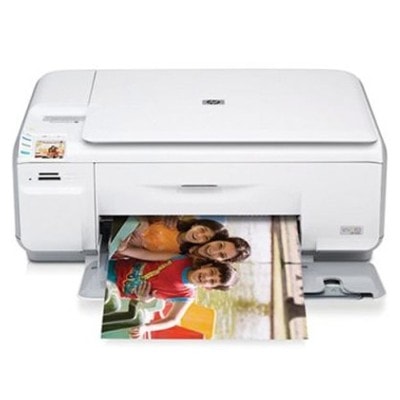
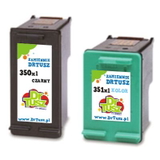
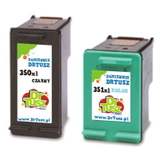
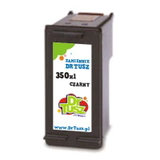
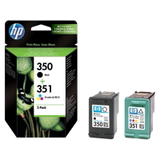
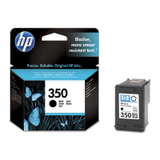
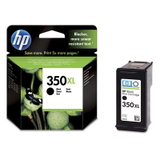
HP Photosmart C4472 – a compact photo all‑rounder for everyday printing The HP Photosmart C4472 (also found as HP C4472, HP Photosmart C4400 Series or model code Q8394B) is a popular inkjet multifunction device designed for home use: documents, school prints and occasional colour photos. To keep this printer delivering crisp black text and vivid colour graphics, you need the right ink for HP Photosmart C4472—reliable, fresh and properly matched to the printhead system. In this category we offer both Original OEM and Compatible ink cartridges, so you can choose exactly what fits your expectations and budget. Ink for HP Photosmart C4472 – what matters in daily use The HP Photosmart C4472 uses two-cartridge printing: one black and one tri-colour. That means choosing the right ink cartridge for HP Photosmart C4472 has a direct impact on print quality, colour balance and running costs. For this model, the key cartridges are the HP 350 (black) and HP 351 (colour), available in standard and XL versions. - HP 350 / HP 350 XL – for sharp text, clear lines and reliable monochrome printing.
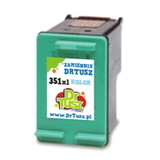
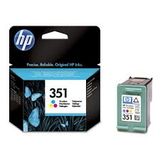
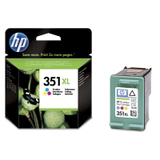
- HP 351 / HP 351 XL – for colour documents, graphics and photo prints with smooth transitions.
- Multipacks 350 + 351 – convenient sets for balanced replacement and better value.
If you print frequently, we usually recommend XL capacity. An ink for printer HP Photosmart C4472 in an XL version reduces how often you replace cartridges, helps avoid unexpected “out of ink” moments, and typically lowers cost per page. Original OEM and Compatible cartridges – a wide choice in one place We built this category so you can quickly find the exact ink for HP C4472 you need—whether you prefer manufacturer cartridges or want a high-quality compatible alternative. Here are some of the most popular options customers choose: - Original OEM Ink Cartridge HP 350 (CB335EE) (Black) – dependable everyday black for neat documents.
- Original OEM Ink Cartridge HP 351 (CB337EE) (Color) – consistent colour for graphics and photos.
- Original OEM Ink Cartridge HP 350 XL (CB336EE) (Black) and Original OEM Ink Cartridge HP 351 XL (CB338EE) (Color) – higher yield for frequent printing.
- Compatible Ink Cartridge 350 (CB335EE) (Black) and Compatible Ink Cartridge 351 (CB337EE) (Color) – practical choice for everyday home printing.
- Compatible Ink Cartridge 350 XL (CB336EE) (Black) and Compatible Ink Cartridge 351 XL (CB338EE) (Color) – great for higher volumes and lower running costs.
- Compatible Ink Cartridges 350 XL + 351 XL for HP (DT-AH-350XL/K) (multi pack) – a convenient set for users who print both text and colour regularly.
- Original OEM Ink Cartridges HP 350 + 351 (SD412EE) (multi pack) and Compatible Ink Cartridges 350 XL + 351 XL for HP (SD412EE) (multi pack) – ready-to-go bundles when you want to replace both cartridges at once.
Thanks to this range, you can tailor your purchase: maximum predictability with Original OEM, or excellent value with Compatible cartridges—without compromising your everyday results. How to choose ink for HP Photosmart C4472 (and avoid common problems) When selecting an ink cartridge for HP Photosmart C4472, start with how you print: - Mainly text: choose HP 350 XL (black) for fewer replacements and better economy.
- Text + colour charts: consider a 350 + 351 multipack so both cartridges stay balanced.
- Photos and colourful prints: opt for HP 351 XL (colour) to keep colours stable for longer.
Many users of the HP Photosmart C4400 Series ask about issues like “cartridge not recognized”, streaks, faded prints, or colours printing incorrectly. In practice, these are often caused by: - cartridges running too low (especially colour),
- printing very rarely (ink can dry in the nozzles),
- improper seating of the cartridge after replacement.
Our tip: if you print occasionally, run a small colour test page from time to time. It keeps the ink system active and reduces streaking. And if you want the best cost-to-quality ratio, our Compatible cartridges available at DrTusz.pl are designed to be as good as the originals in everyday use—clear text, strong blacks and vivid colours—while giving you a more budget-friendly way to keep your printer working. Order ink today and keep your HP C4472 ready whenever you need it We encourage you to browse the full selection of ink for HP Photosmart C4472 in Original OEM and Compatible versions, including XL cartridges and practical multipacks. If you are unsure whether you need CB335EE, CB336EE, CB337EE or CB338EE, we are here to help—contact us and we’ll guide you to the right option for your printing style. Add your chosen cartridges to the cart and enjoy a smooth purchase, fast delivery options and support from a store that specializes in inks and printer consumables. Choose your ink for printer HP Photosmart C4472 now—and print with confidence from the first page to the last. |