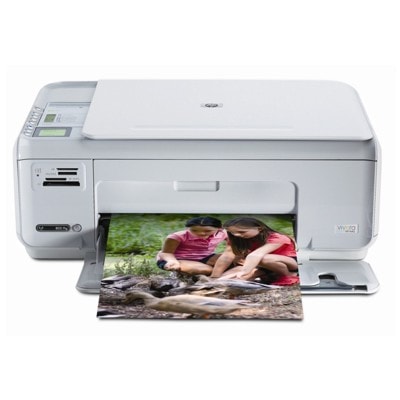
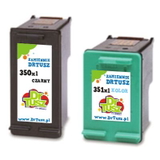
Reliable everyday printing with the HP Photosmart C4388 The HP Photosmart C4388 (also found as HP C4388 or HP Photosmart C4300 Series) is a popular home all‑in‑one designed for convenient printing, copying and scanning. It’s a great choice for school materials, office documents and colour photos on demand. To keep this model working at its best, choosing the right ink for HP Photosmart C4388 is key—especially when you want consistent text sharpness, natural colours and trouble‑free cartridge recognition. What to expect from ink cartridges for HP Photosmart C4388 This printer uses a proven two‑cartridge system: one black cartridge and one tri‑colour cartridge. In practice, it means you can easily match your set to how you print—more black for documents, more colour for photos and graphics. In our category you’ll find ink cartridges for HP Photosmart C4388 in both Original OEM and Compatible versions, including standard and high‑yield XL options. When you choose the right ink for HP C4388, you gain: - Crisp black text for everyday documents, forms and homework,
- Vivid colour output for charts, presentations and photos,
- Better efficiency with XL cartridges—fewer replacements, more printing,
- Convenient multipacks that reduce cost per page and keep you stocked.
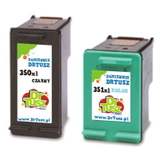
If you’re looking for the correct cartridge family by code, the most common matches for this model include HP 350 black and HP 351 colour (also referenced by cartridge codes such as CB335EE, CB336EE, CB337EE, CB338EE, and searches like CC281D). Original OEM and Compatible ink—choose what fits your needs We offer two smart paths for your ink for HP Photosmart C4388: - Original OEM ink cartridges – designed by the printer manufacturer for predictable performance and consistent results, especially valued for photo printing and users who prefer manufacturer branding.
- Compatible ink cartridges – a cost‑effective alternative. Our compatible cartridges from the DrTusz.pl offer are made to deliver print quality and reliability that are as good as the originals, while helping you significantly reduce printing costs.
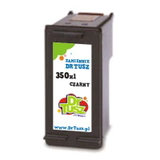
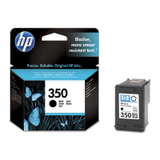
Both options are available in standard and XL yields, so you can tailor your purchase to your print volume instead of overpaying for capacity you don’t need. Popular cartridges in this category (black, colour and multipacks) To make shopping quicker, we keep the most frequently chosen configurations for the HP Photosmart C4388 ink cartridge system in one place. Customers often pick: - Original OEM Ink Cartridge HP 350 (CB335EE) (Black) – a classic choice for reliable everyday black printing.
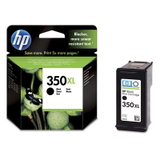
- Original OEM Ink Cartridge HP 350 XL (CB336EE) (Black) – for higher print volumes and fewer cartridge swaps.
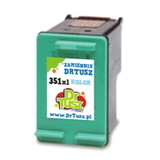
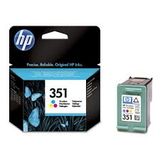
- Original OEM Ink Cartridge HP 351 (CB337EE) (Color) – tri‑colour cartridge for graphics and photo prints.
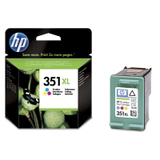
- Original OEM Ink Cartridge HP 351 XL (CB338EE) (Color) – ideal if you print colour frequently.
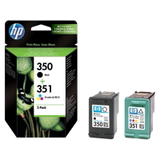
- Original OEM Ink Cartridges HP 350 + 351 (SD412EE) (multi pack) – a convenient OEM set to cover both black and colour in one purchase.
- Compatible Ink Cartridge 350 for HP (CB335EE) (Black) and Compatible Ink Cartridge 351 for HP (CB337EE) (Color) – practical everyday replacements with excellent value.
- Compatible Ink Cartridge 350 XL for HP (CB336EE) (Black) and Compatible Ink Cartridge 351 XL for HP (CB338EE) (Color) – smart picks for frequent printing.
- Compatible Ink Cartridges 350 XL + 351 XL for HP (DT-AH-350XL/K) (multi pack) and Compatible Ink Cartridges 350 XL + 351 XL for HP (SD412EE) (multi pack) – our bestsellers for customers who want XL capacity and a ready‑to‑go set.
Thanks to this range, you can choose exactly the ink for HP Photosmart C4300 Series that matches your printing habits—without compromises. How to choose the right ink for HP Photosmart C4388 We encourage you to decide using three simple questions: - Do you print mostly text? Choose black HP 350 or HP 350 XL—XL is usually the most economical for regular use.
- Do you print colour often (school projects, photos, graphics)? Consider HP 351 XL to reduce colour cartridge replacements.
- Do you want the easiest option? Pick a 350 + 351 multipack—one order, full coverage.
Common issues reported by users of the C4388/C4300 series are usually simple to solve: “cartridge not recognised”, printouts with streaks, or faded colours after a longer break in printing. In many cases, replacing an old cartridge with a fresh HP Photosmart C4388 ink cartridge (especially an XL), running the printer’s cleaning cycle, and ensuring the protective tape was fully removed are enough to restore perfect output. If anything looks unclear, we’re here to help you choose the correct cartridge and avoid mismatches. Order your HP Photosmart C4388 ink today We make it easy to buy the right ink for HP Photosmart C4388—whether you prefer Original OEM cartridges or want to save with Compatible ones that perform like originals. Browse the products in this category, choose black, colour, or a multipack, and enjoy smooth printing again. CTA: We encourage you to explore our full selection of ink cartridges for HP C4388 and place your order now. If you need assistance with choosing between OEM and compatible ink, or selecting XL vs standard capacity, contact us—we’ll help you pick the best option and arrange fast delivery. |