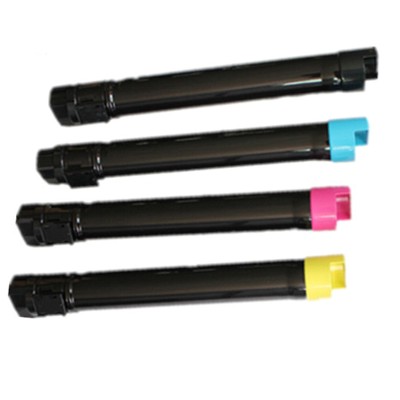
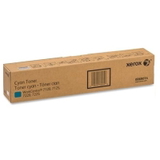
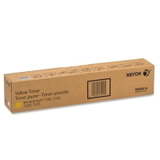
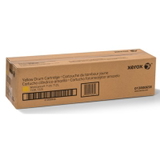
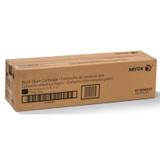
Keep Your Xerox WorkCentre 7120/7220 Printing Like New Dear Customer, when your office depends on smooth, professional colour printing, the last thing you want is streaks, faded graphics, or unexpected downtime. In this category we’ve gathered everything you need for the Xerox 7120/7220 toner cartridge series—a complete set of Original OEM consumables designed to keep your device running reliably and your documents looking sharp. Whether you print contracts every day or create colour presentations that must impress at first glance, choosing the right toner for printer Xerox WorkCentre 7120 or toner for printer Xerox WorkCentre 7220 is the quickest way to restore consistent, high-quality output. These supplies are made for the Xerox WorkCentre family, including models such as Xerox WorkCentre 7120 and Xerox WorkCentre 7220 (also commonly used in the 7125/7225 line). The result: predictable performance, stable colour, and a printing system that feels dependable day after day. What You’ll Find Here: Toner, Drum Units, Waste Toner Tank and Fuser Unit This is not just a “toner shelf”—it’s a full maintenance-ready category for your machine. Along with colour toners, you’ll find the key components that directly affect print quality and device stability: - Original OEM Toner Xerox 7120/7220 in four colours: Black (006R01461), Yellow (006R01462), Magenta (006R01463), Cyan (006R01464)
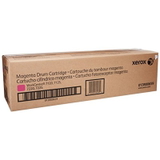
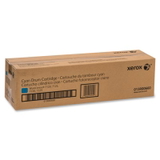
- Original OEM Drum Unit Xerox 7120/7220 in four colours: Black (013R00657), Yellow (013R00658), Magenta (013R00659), Cyan (013R00660)
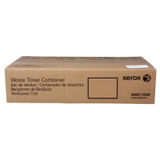
- Original OEM Waste Toner Tank Xerox 7120/7220 (008R13089)
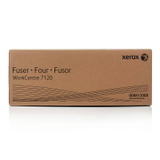
- Original OEM Fuser Unit Xerox 7120/7220 (008R13088)
Thanks to this complete set, you can manage your printing proactively—replacing not only the toner for Xerox 7120/7220 when it runs out, but also the parts that prevent background haze, smudging, and recurring error messages. Why Print Quality Changes Over Time (and How These Parts Fix It) Many users assume that any decline in print quality is “just low toner.” In reality, colour laser devices like the WorkCentre 7120/7220 rely on several elements working together. When one component wears out, the whole image can suffer. Here are common issues and what usually solves them: - Faded prints or uneven colour – often linked to a low or aging toner for printer Xerox 7220, but may also indicate a drum nearing the end of its life.
- Streaks, repeating marks, or grainy backgrounds – frequently caused by a worn drum unit Xerox 7120/7220.
- Toner spills inside the device or “waste toner full” alerts – a clear sign it’s time for the waste toner tank Xerox 7120/7220.
- Smudging, poor toner adhesion, wrinkled output – often related to a tired fuser unit Xerox 7120/7220, especially in high-volume environments.
When your device is properly maintained, you get that satisfying effect: crisp black text, smooth gradients, and colours that look deliberate—not accidental. That’s exactly what Original OEM consumables are built to deliver. How to Choose the Right Toner for Xerox 7120/7220 (and Avoid Costly Mistakes) We encourage you to choose based on both your current need and your printing habits. A smart selection prevents interruptions and protects your hardware: - Match the code, not just the model name – for example Black toner is 006R01461, while drums use the 013R… numbering. This prevents ordering the wrong item when you’re in a hurry.
- Think in sets for colour consistency – if your colours are drifting, replacing only one colour toner may not restore uniform results. Consider the condition of each drum and toner.
- Don’t ignore maintenance alerts – messages about the waste toner tank or fuser are there to protect print quality and reduce internal contamination.
- Plan for your workflow – if you print a lot of graphics, your Cyan/Magenta/Yellow may run out faster than expected. Keeping a spare toner for printer Xerox WorkCentre 7120 can save your deadline.
In short: toner creates the image, the drum transfers it with precision, the fuser bonds it permanently to paper, and the waste toner tank keeps the interior clean. When you treat them as one system, your Xerox WorkCentre rewards you with stable output and fewer surprises. Original OEM vs Compatible: What to Know Before You Decide This specific category page focuses on Original OEM supplies for the Xerox 7120/7220 series—ideal if you want manufacturer-specified parts, repeatable results, and a straightforward maintenance path. At the same time, we know many customers compare options carefully. Here’s our practical guidance: - Original OEM is the classic choice for offices that want manufacturer-grade predictability and a “set it and forget it” experience.
- Compatible options (available in our wider DrTusz.pl offer) are also a strong solution for customers looking to optimize print costs—without sacrificing quality. We select compatible consumables so they perform on par with originals and meet real everyday expectations.
If you’re unsure which route is best, we recommend considering your monthly volume, the importance of colour accuracy in your documents, and whether you’re currently troubleshooting print defects (in which case OEM can be a great baseline for diagnosis). Why Buy Xerox 7120/7220 Consumables from Us? We designed this category to be simple: everything here fits the Xerox 7120/7220 series, and every product is clearly identified by name and code. That means less time searching, fewer ordering errors, and a faster path back to smooth printing. When you choose the right toner for Xerox WorkCentre 7220, pair it with the correct drum unit, and stay ahead of fuser and waste toner replacements, you protect both print quality and the rhythm of your workday. Get Back to Crisp Text and Confident Colour — Choose Your Xerox 7120/7220 Toner Now Your printer should support your work, not interrupt it. Select the Xerox 7120/7220 toner, drum unit, waste toner tank, or fuser unit you need today and keep your Xerox WorkCentre 7120/7220 ready for every invoice, report, and presentation. Add the right Original OEM consumable to your cart and print with confidence again. |