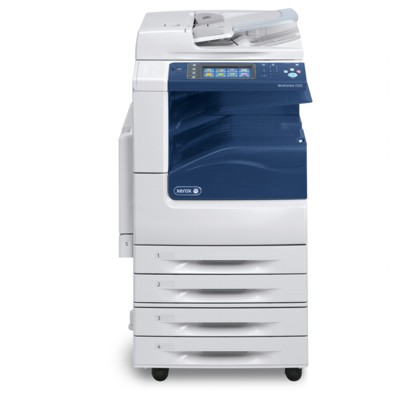
Xerox WorkCentre 7225 – a reliable workhorse for busy offices Dear Customer, the Xerox WorkCentre 7225 (also searched as Xerox 7225, WC7225 or simply Xerox WorkCentre) is a popular multifunction A3 color device designed for everyday office productivity: printing, copying and scanning in one compact workflow hub. When it’s used for reports, contracts, presentations or marketing materials, print consistency matters—and that’s why choosing the right toner for printer Xerox WorkCentre 7225 and the right maintenance parts is key to keeping your device fast, clean and dependable. Toner and maintenance parts for Xerox 7225 – what matters most In this category we focus on Original OEM laser consumables that help you maintain factory-level quality and predictable performance. A professional toner for Xerox WorkCentre 7225 is responsible for sharp text, smooth gradients and stable color reproduction, while service components protect the printer from streaks, backgrounding and paper-jam downtime. For the Xerox WorkCentre 7225 family, the most important consumables include: - Toner cartridges – the colorant that creates the image on the page (Black, Cyan, Magenta, Yellow).
- Drum units – imaging components that transfer toner precisely; crucial for crisp lines and clean halftones.
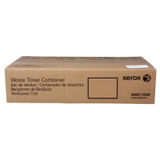
- Waste toner tank – collects excess toner; a full tank can trigger errors and stop printing at the worst moment.
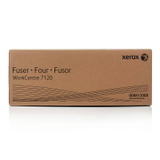
- Fuser unit – fixes toner to paper using heat and pressure; worn fusers can cause smearing, wrinkling or poor adhesion.
Original OEM range for WC7225 – popular products in this category We’ve prepared a clear selection of proven, in-demand OEM items, so you can quickly match the right part to your needs. Customers most often choose these products for their Xerox 7225: - Original OEM Toner Xerox 7120 K (006R01461) (Black) – for sharp everyday text and strong black density.
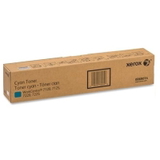
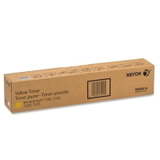
- Original OEM Toner Xerox 7120 C (006R01464) (Cyan), M (006R01463) (Magenta), Y (006R01462) (Yellow) – for accurate color output in charts, presentations and graphics.
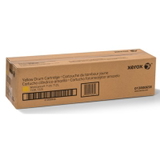
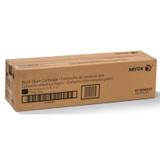
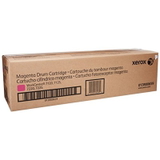
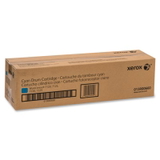
- Original OEM Drum Unit Xerox 7120 K (013R00657), C (013R00660), M (013R00659), Y (013R00658) – for stable image transfer and consistent page quality.
- Original OEM Waste Toner Tank Xerox 7120 (008R13089) – an often-overlooked component that prevents interruptions and error messages.
- Original OEM Fuser Unit Xerox 7120 (008R13088) – essential for proper toner bonding, especially in high-volume environments.
Because offices print in different patterns (mostly black, heavy color, or mixed), we keep the offer broad—so you can build a complete set of toner for printer Xerox WorkCentre 7225 and the right service parts without guesswork. How to choose the right toner for Xerox WorkCentre 7225 If you want trouble-free shopping, we recommend verifying the printer name (Xerox WorkCentre 7225 / Xerox 7225 / WC7225) and then matching the part number shown in the product title. This is the safest method when ordering a toner for Xerox 7225, a drum unit, or a fuser. Also consider your real usage: - Frequent color printing (presentations, brochures): keep Cyan/Magenta/Yellow toners and the relevant drum units on hand.
- Mainly documents and invoices: Black toner will be replaced most often—plan your stock accordingly.
- Higher monthly volumes: don’t ignore the waste toner tank and fuser unit—these parts prevent unexpected stops.
Original OEM vs compatible – what’s the difference? In this category you’ll find Original OEM consumables—manufactured to Xerox specifications for predictable results. Many customers choose OEM when they want maximum repeatability in color, minimal risk in demanding environments, or when maintenance schedules are strict. At the same time, we know that many buyers look for value. That’s why it’s worth noting: compatible cartridges available in the DrTusz.pl offer are engineered to deliver results that are as good as the originals—with a strong focus on reliable yield, clean printing and safe operation. If you’re comparing options across our store, we’re happy to help you choose the best route for your budget and printing profile. Common Xerox WorkCentre 7225 printing issues – and what usually fixes them The Xerox WorkCentre series is robust, but like any office machine it can show typical wear symptoms. Here are frequent issues and the consumables that often solve them: - Faded prints or uneven density – usually time to replace the relevant toner for Xerox WorkCentre 7225 or check the matching drum unit.
- Streaks, spots, or background “haze” – often linked to a worn drum unit or an internal maintenance part reaching end-of-life.
- Smearing / toner rubbing off – a classic sign of a fuser unit that needs replacement.
- Error messages or sudden stops – a full waste toner tank can halt printing until replaced.
If you tell us what you see on the page (and which color is affected), we can suggest the most likely component—quickly and accurately. Order your toner for Xerox 7225 with confidence We encourage you to explore the full selection of toner for printer Xerox WorkCentre 7225, drum units, waste toner tanks and fuser units in this category and choose the set that matches your workload. We focus on clear product identification, practical guidance, and fast order handling—so your office stays productive. CTA: Add the right OEM toner or maintenance part to your cart today, and if you have any doubts about compatibility or part numbers, contact us—together we’ll pick the best solution for your Xerox WorkCentre 7225. |