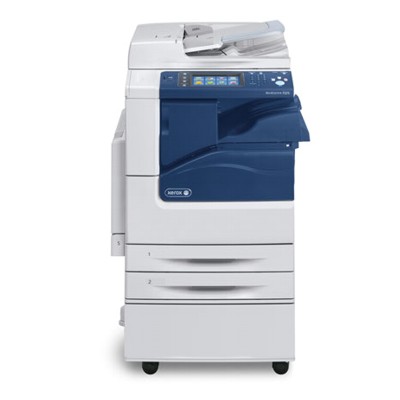
Xerox WorkCentre 7200 – reliable colour printing for busy offices The Xerox WorkCentre 7200 (also searched as Xerox 7200, Xerox WorkCentre, WC7200 or simply 7200) is a robust, office-grade multifunction device designed for everyday document workflows: sharp text, consistent colour graphics, and dependable performance under regular load. To keep this machine working at its best, it’s crucial to use the right toner for printer Xerox WorkCentre 7200 and to replace key maintenance parts on time—especially the drum unit, waste toner tank and fuser unit. What matters most in toner and maintenance parts for WC7200 Choosing the correct toner for Xerox WorkCentre 7200 is about more than colour. A good cartridge ensures stable coverage, clean gradients and predictable page yield—important when you print presentations, invoices, reports or marketing materials. Equally important are the components that support the print process: drum unit transfers the image, waste toner tank collects used toner, and the fuser unit permanently bonds toner to paper. When you select ink for Xerox WorkCentre 7200 (in laser devices this means toner), you’re investing in: - Consistent print quality – crisp text, clear lines and stable colour output.
- Device reliability – fewer interruptions caused by worn consumables.
- Predictable operating costs – better control of office printing expenses.
- Long-term performance – well-matched parts help protect the printer mechanism.
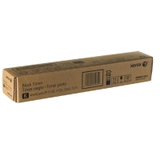
Original OEM cartridges and units – proven Xerox quality In this category we offer Original OEM solutions that match Xerox specifications for the WorkCentre family. OEM consumables are designed to work seamlessly with the device, helping maintain the expected quality and reducing the risk of compatibility alerts. If you need dependable, repeatable results for a busy work environment, an Original OEM toner for printer Xerox WorkCentre 7200 is a safe and popular choice. Popular products for Xerox 7200 available in our store We’ve prepared a clear selection of frequently chosen consumables for toner for Xerox 7200 and key maintenance parts. Here are the highlights from this category: - Original OEM Toner Xerox 7120/7220 (006R01461) (Black) – deep blacks for sharp office text and clear charts.
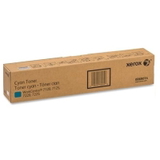
- Original OEM Toner Xerox 7120/7220 (006R01464) (Cyan) – clean blues and smooth colour areas.
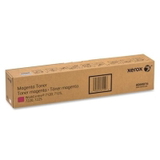
- Original OEM Toner Xerox 7120/7220 (006R01463) (Magenta) – vivid magenta for graphics and branding.
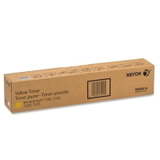
- Original OEM Toner Xerox 7120/7220 (006R01462) (Yellow) – bright yellow tones and balanced colour mixes.
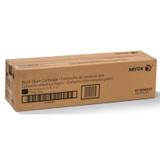
- Original OEM Drum Unit Xerox 7120/7220 (013R00657) (Black) – supports sharp monochrome output.
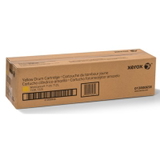
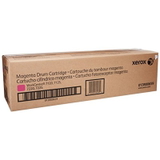
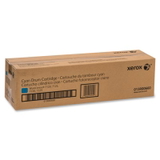
- Original OEM Drum Unit Xerox 7120/7220 (013R00658) (Yellow), (013R00659) (Magenta), (013R00660) (Cyan) – stable colour transfer and consistent image quality.
- Original OEM Waste Toner Tank Xerox 7120/7220 (008R13089) – essential for error-free operation when the tank is full.
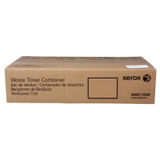
- Original OEM Fuser Unit Xerox 7120/7220 (008R13088) – helps prevent smearing and ensures toner is fixed properly to the page.
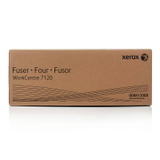
Thanks to this range, you can conveniently match the right toner for printer Xerox WorkCentre 7200 with the maintenance parts your device may require, all in one place. How to choose the right toner for Xerox WorkCentre 7200 Dear Customer, if you want to avoid downtime, we recommend choosing consumables based on the exact part number and colour. For WC7200, always verify the code printed on the cartridge label (for example 006R01461 for black toner) and the unit type (toner vs drum vs waste tank vs fuser). This simple step prevents ordering mistakes and ensures your toner for Xerox WorkCentre arrives ready to install. Also consider how your office prints: - If you mostly print text: prioritise black toner for Xerox WorkCentre 7200 and monitor the black drum.
- If you print colour documents regularly: keep a balanced set of CMYK toners and plan drum replacements to maintain colour consistency.
- If the printer displays maintenance messages: check whether it calls for a waste toner tank or fuser unit replacement.
Original OEM vs compatible – what’s the difference? OEM means the consumable is produced to Xerox’s original specifications. Compatible solutions are alternative replacements designed to match those specifications. Many customers ask which to choose for toner for printer Xerox 7200. If you value brand-certified consistency, OEM is an excellent option. At the same time, we want you to know that compatible cartridges from DrTusz.pl offer are as good as the originals—they are a smart choice when you want to optimise costs without sacrificing quality. If you’re unsure which route is best for your print volume, we encourage you to contact us; we’ll help you pick the most cost-effective option for your needs. Common WC7200 printing issues and which consumable may help The Xerox WorkCentre series is dependable, but like any laser device it can show symptoms when consumables are nearing end of life. The right toner for Xerox WorkCentre 7200 and timely replacement of maintenance units can solve most day-to-day problems: - Faded prints or uneven colour – often linked to low toner or a drum unit nearing replacement.
- Spots, streaks or background haze – may indicate a worn drum unit or the need for maintenance.
- Toner not fixed / smudging – can point to a fuser unit issue (especially if it persists across multiple prints).
- Error message about waste toner – usually means the waste toner tank is full and needs replacing.
If you describe what you see on the page (and whether it happens in one colour or all colours), we can guide you to the correct product quickly. Order your Xerox 7200 toner and units with confidence We encourage you to explore our selection of toner for printer Xerox WorkCentre 7200, including OEM toners, drum units, waste toner tanks and fuser units. We focus on clear product identification, practical support and a wide offer, so you can restore your WC7200 to peak performance without guesswork. Browse the available products in this category and choose the consumable you need today. If you have any questions about compatibility, part numbers or which unit to replace first, contact us—we’ll be happy to help. We also provide fast delivery options so your office printing can get back on track as soon as possible. |