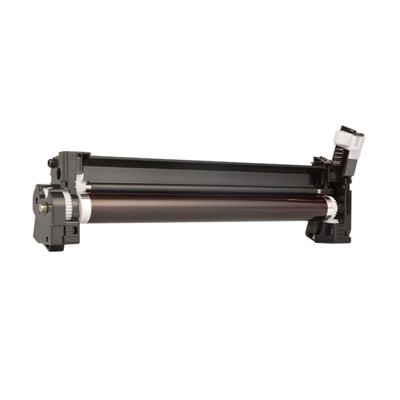
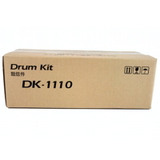
Reliable Printing Starts with Kyocera DK-1110 Drum Unit When your documents must look crisp, clean, and professional every single time, the drum is the silent hero behind the scenes. In this category we offer Toner cartridges Kyocera DK-1110—a precision Drum Unit designed to keep your Kyocera laser printer producing sharp text, smooth greys, and consistent black prints from the first page to the last. If you’ve noticed fading, background haze, repeating marks, or uneven density, it’s often not the toner itself—your printer may simply be asking for a fresh Kyocera DK-1110 drum. What’s Included in This Category This subpage focuses on one proven original component: Original OEM Drum Unit Kyocera DK-1110 (302M293012) (Black). It’s an Original OEM laser drum unit built to match Kyocera’s technical requirements, helping you maintain stable print quality and reliable device operation. - Category: Laser cartridges / consumables
- Type: Drum Unit (not a toner container)
- Class: Original OEM
- Color: Black (imaging system for black printing)
Why the Drum Unit Matters (and Why DK-1110 Is So Important) Many users search for “toner for printer Kyocera” when print quality drops—but in Kyocera laser devices the drum unit plays a key role in transferring toner cleanly and precisely onto paper. A worn drum can cause issues that look like “bad toner,” including: - Repetitive spots or lines at regular intervals
- Grey background or “foggy” pages
- Uneven blacks and poor contrast
- Smudging or inconsistent coverage
Replacing the Kyocera DK-1110 drum unit can restore that “fresh printer” effect—deep blacks, clean margins, and a confident look for invoices, reports, labels, and everyday office documents. Compatible Kyocera Printers: Built for Popular Office Workhorses The DK-1110 drum unit is used in a range of widely deployed Kyocera printers and multifunction devices. It’s a common match for reliable models found in homes, small businesses, and busy offices—such as the Kyocera FS-1120D, Kyocera FS-1041, or multifunction devices like the Kyocera FS-1025MFP and Kyocera FS-1325MFP. If your device is in this family, choosing the correct drum unit for printer Kyocera is one of the fastest ways to keep printing uninterrupted and professional. Original OEM vs Compatible: How to Choose Wisely In this specific category, we present an Original OEM Kyocera DK-1110 drum unit—ideal if you want the exact factory specification and manufacturer-grade consistency. For customers comparing options, here’s the practical decision guide we recommend: - Choose Original OEM when you want maximum predictability, factory alignment, and a “set it and forget it” experience—especially in business printing workflows.
- Choose a compatible drum when you want the best value and excellent results. At DrTusz.pl we focus on compatibles that are as good as the originals in everyday use—stable quality, clean prints, and dependable performance.
Whichever route you take, the key is to match the correct series. If your printer requires Kyocera DK-1110, don’t substitute with a similar-looking unit—using the right drum protects print quality and helps prevent premature wear of other components. Tips to Avoid Common Printing Problems To get the most from your Kyocera DK-1110 and keep your “toner for printer Kyocera” working at its best, we encourage you to follow a few simple habits: - Replace the drum when print defects repeat consistently—this is a classic sign of drum wear.
- Use good-quality paper to reduce dust and improve toner transfer.
- Keep the printer in a dry, stable environment—humidity can affect print consistency.
- If you replace toner but defects remain, consider the drum unit next.
Keep Your Kyocera Printing Clean, Sharp, and Stress-Free With the Original OEM Drum Unit Kyocera DK-1110 (302M293012) (Black), you’re investing in clarity you can see—black text that looks bold, pages that look tidy, and print quality that supports your professional image. We encourage you to choose the right Kyocera DK-1110 drum unit today and bring back the crisp output your printer was designed to deliver. Order your Kyocera DK-1110 drum unit now and enjoy consistent, confidence-building prints from the very next page. |