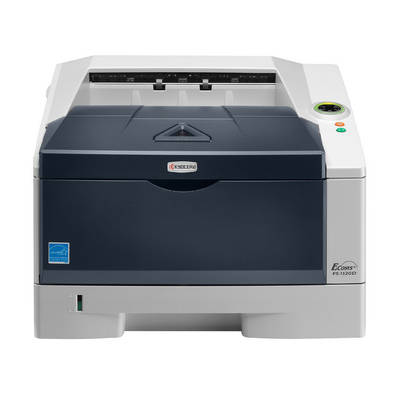
Kyocera FS-1120D – a reliable mono laser for everyday printing If you use the Kyocera FS-1120D (also searched as Kyocera FS, FS-1120D, FS1120D, FS 1120 D or FS-1120 d), you probably value one thing most: predictable, economical black-and-white printing. This compact laser printer is a popular choice for offices, home offices and small businesses, thanks to its fast workflow, sharp text quality and durable construction. To keep it running at its best, it’s worth choosing the right toner for Kyocera FS-1120D and matching service components. What “ink” really means here: toner, drum unit, developer and waste toner tank In laser printers, “ink for Kyocera FS-1120D” usually means a set of consumables that influence both print quality and reliability. In this category we offer laser cartridges in two classes: Original OEM and Compatible. Depending on what your printer needs, you can choose: - Toners – the key consumable responsible for dense black and crisp letters; the most frequently replaced part.
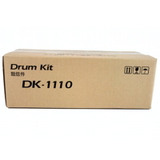
- Drum Units – important for transferring the image to paper; worn drums can cause streaks, repeating marks or faded areas.
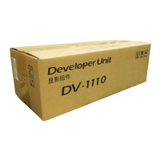
- Developers – help evenly apply toner to the drum; crucial for consistent coverage and stable print quality.
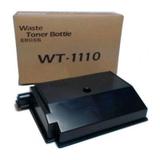
- Waste Toner Tanks – collect excess toner; a full container may trigger messages and stop printing until replaced.
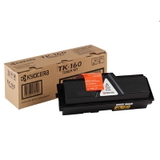
With the right toner for printer Kyocera FS-1120D and well-matched maintenance parts, you protect the printer mechanism, reduce downtime and keep pages looking professional. Our range for FS-1120D: Original OEM and trusted Compatible options We make it easy to choose exactly what your Kyocera FS-1120D needs—whether you prefer OEM components or want a high-value alternative. Among the most popular items in this category you’ll find: - Original OEM Toner Kyocera TK-160 (1T02LY0NL0) (Black) – a dependable choice for users who want manufacturer specification and repeatable results.
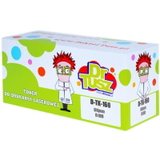
- Compatible Toner TK-160 for Kyocera (1T02LY0NL0) (Black) – a cost-effective solution for everyday printing; our compatible cartridges from the DrTusz.pl offer are designed to be just as good as the originals in practical use.
- Original OEM Drum Unit Kyocera DK-1110 (302M293012) (Black) – recommended when you notice typical drum wear symptoms such as ghosting or repeating marks.
- Original OEM Waste Toner Tank Kyocera WT-1110 (302M293030) – helps keep the printer clean and ready to print; ideal when the device reports a full waste container.
- Original OEM Developer Kyocera DV-1110 (302M293020) (Black) – supports consistent toner application and stable, uniform blacks over time.
Thanks to this variety, you can order a single toner for Kyocera FS-1120D for immediate needs, or build a complete set for longer, uninterrupted operation. How to choose the right toner for Kyocera FS-1120D (and avoid common issues) When selecting toner for printer Kyocera FS-1120D, start with the cartridge code and the type of problem you want to solve. The FS-1120D commonly uses the TK-160 toner, while image quality or service warnings may indicate a need for a drum unit, developer or waste toner tank. - Printer message about toner / low yield: choose a new TK-160 toner for Kyocera FS-1120D (OEM or Compatible).
- Faded prints, uneven black, gray background: first verify toner, then consider the developer (DV-1110) if the issue persists.
- Streaks, repeating marks at regular intervals, ghosting: this often points to the drum unit (DK-1110).
- Printer stops and indicates waste toner is full: replace the waste toner tank (WT-1110).
Original OEM cartridges are made to the manufacturer’s specification and are a solid “set and forget” choice. Compatible cartridges, on the other hand, are ideal if you print a lot and want to optimize costs without sacrificing quality—our compatible toners from the DrTusz.pl offer are developed so you can expect clean text, strong blacks and reliable performance comparable to OEM in everyday work. Order today and keep your FS-1120D printing without interruptions We encourage you to browse the full selection of toner for Kyocera FS-1120D and matching components—OEM and Compatible—so you can print confidently and avoid unnecessary downtime. If you’re not sure whether you need a toner, drum unit, developer or waste toner tank, contact us—we’ll help you choose the right item for your exact Kyocera FS-1120D / FS1120D configuration. Add your products to the cart and enjoy fast delivery and friendly support from a store that specializes in printer consumables. CTA: Check the available TK-160 toners, DK-1110 drum units, WT-1110 waste toner tanks and DV-1110 developers now—or message us for a quick recommendation tailored to your printing needs. |