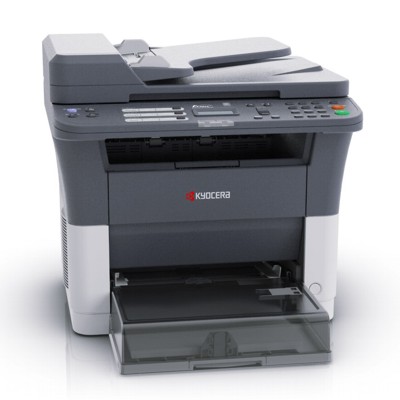
Reliable printing with the Kyocera FS-1025MFP Kyocera FS-1025MFP is a compact, proven multifunction laser device designed for everyday office and home-office work. It combines printing, copying and scanning in one unit, focusing on efficiency and clear black text output. If you want your device to keep working smoothly and economically, the right toner for printer Kyocera FS-1025MFP and properly selected service consumables are key—especially when you print regularly or depend on predictable results. What matters in a toner for Kyocera FS-1025MFP? When you choose toner for Kyocera FS-1025MFP, you’re choosing more than just “black powder”. The cartridge influences print sharpness, page yield, and how stable the printer runs over time. A good toner for FS-1025MFP should deliver crisp text, even coverage and reliable performance from the first page to the last—without backgrounding, streaks or faded areas. This category is tailored specifically to Kyocera FS-1025MFP users (also searched as FS-1025 mfp, FS 1025 MFP or FS1025MFP). Alongside toner cartridges, we also offer components that support long-term print quality and device longevity: drum units, waste toner tanks and developers. Thanks to that, you can match the exact consumable to what your printer needs right now—without guesswork. Laser cartridges and maintenance parts in one place In this subpage we focus on Cartridges Laser for the Kyocera FS series. You’ll find both Original OEM and Compatible options, so you can balance cost, printing volume and preferences. Many customers appreciate having everything in one category—because when print quality drops, the cause is not always the toner alone. - Toners – the primary consumable responsible for black print output.
- Drum Units – crucial for transferring the image onto paper; worn drums can cause repeating marks or loss of sharpness.
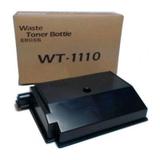
- Waste Toner Tanks – collect excess toner; when full, the printer may stop and ask for replacement.
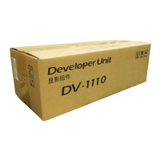
- Developers – help deliver stable density and consistent coverage, especially in demanding office use.
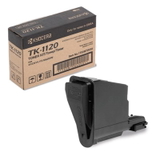
Popular products for Kyocera FS-1025MFP (OEM and Compatible) We keep the offer clear and practical—these are some of the most frequently chosen items in this category: - Original OEM Toner Kyocera TK-1120 (1T02M70NX0) (Black) – the manufacturer’s cartridge for users who prefer OEM supplies and predictable operation.
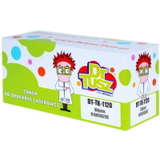
- Compatible Toner TK-1120 for Kyocera (1T02M70NX0) (Black) – a cost-effective alternative; our compatible cartridges from DrTusz.pl are designed to be just as good as originals in everyday printing.
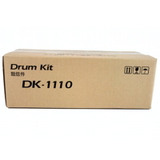
- Original OEM Drum Unit Kyocera DK-1110 (302M293012) (Black) – helpful when you see repeating spots, shadows or reduced sharpness.
- Original OEM Waste Toner Tank Kyocera WT-1110 (302M293030) – essential when the device signals a full waste container or stops printing.
- Original OEM Developer Kyocera DV-1110 (302M293020) (Black) – supports stable print density and consistent results over time.
Whether you type “toner for printer FS-1025MFP”, “toner for Kyocera FS”, or “ink for Kyocera FS-1025MFP” (even though it’s a laser device), you’re in the right place—this category is built specifically for that model and its consumable system. How to choose: Original OEM vs Compatible cartridges Dear Customer, the best choice depends on how you print and what you value most: - Original OEM – a great option for users who want manufacturer-branded supplies and a classic OEM purchasing approach.
- Compatible – ideal if you print a lot and want to reduce costs without giving up quality. Our compatible toner for Kyocera FS-1025MFP is prepared to deliver clean text, solid blacks and reliable page yield, making it a smart everyday choice.
Most importantly: don’t select by name alone. Always match the exact symbol (for example TK-1120 / 1T02M70NX0) to ensure full compatibility with your Kyocera FS-1025MFP / FS-1025MFP device. Common printing issues on FS-1025MFP—and what usually helps If your toner for FS-1025MFP is new but the print still doesn’t look right, the printer may be asking for another consumable. The most common situations include: - Faded prints or uneven black – may indicate a toner nearing its end, or the need to check the developer in heavy-use environments.
- Repeating marks/spots at regular intervals – often linked to the drum unit condition; consider DK-1110.
- Printer message about waste toner – replace the waste toner tank, e.g., WT-1110.
- Streaks or backgrounding – can be related to toner quality, drum wear, or contamination; it’s worth verifying the whole set of consumables.
If you’re unsure which component to choose, we encourage you to contact us—based on the symptoms and your print volume, we can help you select the right toner for printer Kyocera FS-1025MFP or the correct maintenance part. Choose your Kyocera FS-1025MFP toner and print with confidence We make it easy to buy the right toner for Kyocera FS-1025MFP—whether you prefer Original OEM supplies or a high-quality Compatible cartridge from DrTusz.pl. Browse the products available in this category, compare options, and complete your set with a drum unit, waste toner tank or developer when needed. CTA: We encourage you to explore our selection and order today. If you have any questions about TK-1120, DK-1110, WT-1110 or DV-1110, contact us—our team will help you choose quickly, so your Kyocera FS-1025MFP can get back to printing without delays. |