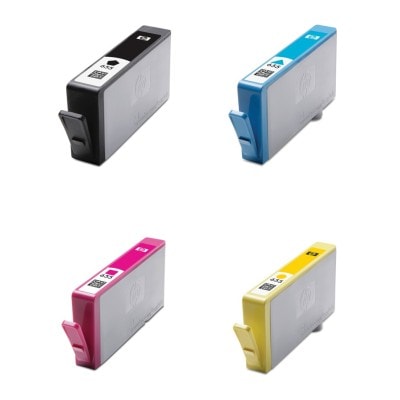
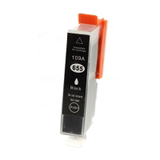
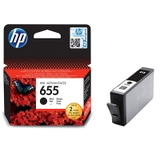
Print with Confidence: HP 655 ink cartridge solutions for everyday life Dear Customer, when your printer stops mid-task, it rarely happens at a convenient moment. A school worksheet waiting for the morning, invoices needed “right now”, a photo you promised to print—suddenly everything depends on one small element: the cartridge. In our category Ink cartridges HP 655 – compatible and original OEM, we bring together reliable options that restore smooth printing and protect your comfort: trusted Original OEM HP 655 cartridges, and our carefully selected compatible HP 655 ink cartridge alternatives that deliver results as good as the originals—while helping you keep costs under control. This category is designed for popular home and home-office devices from the HP DeskJet Ink Advantage family (for example HP DeskJet Ink Advantage 3525, HP DeskJet Ink Advantage 5525 or HP DeskJet Ink Advantage 6525). If you’re looking for ink for printer HP DeskJet Ink Advantage models using the 655 series, you’re in the right place. What you’ll find in the HP 655 series: colors, multipacks, and cleaning support To make choosing easy, we offer the full range of colors and practical sets—because printing is not only about black text. The HP 655 ink cartridge series includes black for crisp documents and CMY colors for vivid charts, school projects, and photos on everyday paper. - Black: Compatible Ink Cartridge 655 for HP (CZ109AE) (Black) and Original OEM Ink Cartridge HP 655 (CZ109AE) (Black)
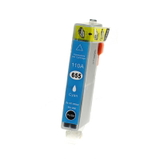
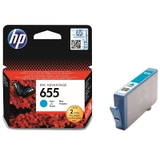
- Cyan: Compatible Ink Cartridge 655 for HP (CZ110AE) (Cyan) and Original OEM Ink Cartridge HP 655 (CZ110AE) (Cyan)
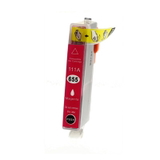
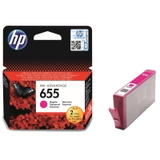
- Magenta: Compatible Ink Cartridge 655 for HP (CZ111AE) (Magenta) and Original OEM Ink Cartridge HP 655 (CZ111AE) (Magenta)
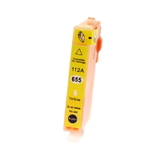
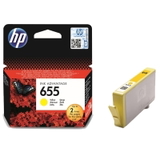
- Yellow: Compatible Ink Cartridge 655 for HP (CZ112AE) (Yellow) and Original OEM Ink Cartridge HP 655 (CZ112AE) (Yellow)
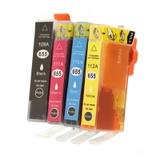
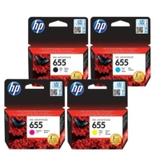
- Multipacks: Compatible Ink Cartridges 655 for HP (655CMYK) (multi pack) and Original OEM Ink Cartridges HP 655 (CZ112A, CZ111A, CZ110A, CZ109A) (multi pack)
- Maintenance: Specialistic Fluid for Cleaning Heads HP 250 ml (Universal) – ideal when print quality needs a refresh
So whether you want one color, a complete CMYK set, or support products like printer head cleaning fluid, we keep everything in one clear place. Original OEM vs compatible HP 655: how to choose the best option Many customers ask us: “Should I choose an Original OEM HP 655 or a compatible HP 655 ink cartridge?” The best answer depends on how you print and what you value most—maximum brand continuity or maximum cost-efficiency with equally strong results. - Original OEM HP 655 ink cartridge – a natural choice if you want to stay fully within the manufacturer’s ecosystem, often preferred for business routines where “known and consistent” is key.
- Compatible HP 655 ink cartridge from our DrTusz.pl offer – the smart option when you want excellent print quality and reliable performance while paying less per page. We select compatibles so you can print confidently without compromising everyday results.
If you print a lot (homework, forms, emails, shipping labels), compatible cartridges are often the most budget-friendly path. If you print occasionally and want to keep everything strictly OEM, original cartridges can feel like the simplest choice. Either way, you’ll find the right ink for HP 655 here. Common HP 655 printing problems—and how this category helps Inkjet printers are brilliant for color and convenience, but they have one weakness: if they sit unused, ink can dry in the nozzles. That’s why we built this category not only around cartridges, but also around solutions to typical issues seen in devices using the HP 655 ink cartridge series. - Faded prints or missing lines – often caused by partially clogged nozzles or a cartridge nearing the end. Replacing the cartridge or running a cleaning cycle can help.
- Colors look “off” – typically happens when one color (cyan/magenta/yellow) runs out first. A CMYK multipack can prevent interruptions.
- Streaks after a long break from printing – this is where a cleaning fluid for print heads (like our Specialist Fluid 250 ml) can be a practical addition, especially for recurring issues.
Our goal is simple: keep your printer producing clean text and lively color, not frustration and wasted paper. Practical buying tips: pick the right cartridge once, print calmly for weeks To make sure you choose the correct ink cartridge HP 655 quickly, we recommend a short checklist: - Match the code: CZ109AE (Black), CZ110AE (Cyan), CZ111AE (Magenta), CZ112AE (Yellow). These names appear on the cartridge and packaging.
- Consider a multipack: If you print in color, a CMYK set reduces the chance that one empty cartridge stops everything.
- Think about your printing rhythm: If you print rarely, do a small test page every 1–2 weeks to help prevent drying.
- Add maintenance support if needed: If you’ve struggled with clogs or streaks before, a printer cleaning fluid can be a helpful safety net.
And if you’re unsure whether you need ink for printer HP DeskJet Ink Advantage 3520 or ink for printer HP DeskJet Ink Advantage 6520 in the 655 series—check your current cartridge symbol (655) and the CZ code, then choose the matching item in this category. Why shop HP 655 cartridges with us at DrTusz.pl? We know that printing is often a background task—until it fails. That’s why we focus on clarity, choice, and quality. In one place, we offer Original OEM HP 655, strong and dependable compatible HP 655 ink cartridge options (as good as originals in everyday use), convenient multipacks, and a practical head-cleaning fluid for maintenance. The result is fewer interruptions, better looking pages, and a calmer workday at home or in the office. Ready to print again? Choose your HP 655 ink cartridge today Your printer deserves ink that keeps up with your pace—whether you value OEM continuity or want a cost-smart compatible solution with excellent results. Choose the right HP 655 ink cartridge (black or color), consider a CMYK multipack for convenience, and add cleaning support if you want extra reliability. Pick your HP 655 cartridges now and get back to smooth, sharp, worry-free printing. |