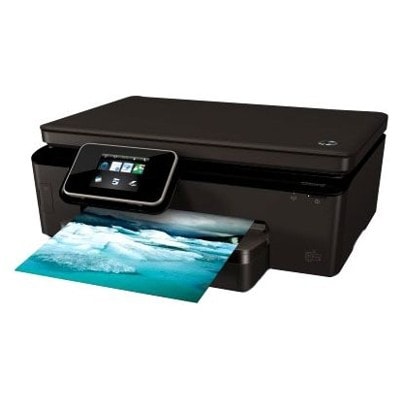
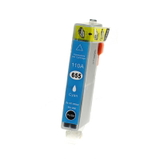
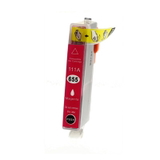
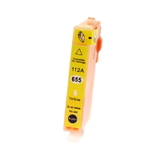
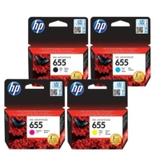
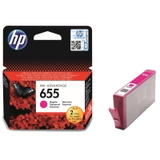
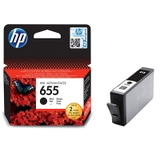
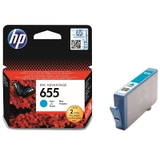
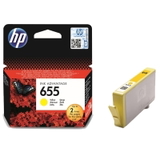
Everyday printing with the HP DeskJet Ink Advantage 6525 e-All-in-One The HP DeskJet Ink Advantage 6525 e-All-in-One (also searched as HP 6525, CZ276A or the HP Deskjet Ink Advantage 6000 Printer series) is a versatile home-and-small-office device designed for comfortable daily work. It combines printing, scanning and copying in one compact unit, and thanks to wireless connectivity and e-services, it fits naturally into a modern, mobile workflow. To keep it performing at its best, you need one thing that truly matters: reliable ink for HP DeskJet Ink Advantage 6525 e-All-in-One. What matters most in ink for HP 6525: quality, efficiency and trouble-free work In this category you will find ink cartridges for HP DeskJet Ink Advantage 6525 e-All-in-One in two proven options: Original OEM and high-quality Compatible. The printer uses the popular HP 655 series, available in black and in three colours (cyan, magenta, yellow). Choosing the right ink for HP 6525 means sharp text, vivid graphics and stable colour reproduction—whether you print invoices, school materials, photos, forms or everyday documents. Good ink cartridges for this model should offer: - clean, readable black text (ideal for documents and homework),
- consistent colour layers (important for charts, presentations and images),
- smooth operation with the printer—no unnecessary interruptions,
- cost control: the ability to match printing volume to the right cartridge set.
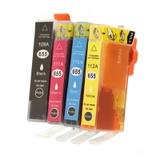
Compatible and Original OEM: a wide selection of HP 655 cartridges in one place We stock both Original OEM ink cartridges for HP DeskJet Ink Advantage 6525 e-All-in-One and carefully selected compatible ink cartridges—so you can choose exactly what fits your needs and budget. If you want the convenience of replacing everything at once, we also offer practical multi-packs. Popular products in this category include: - Compatible Ink Cartridges 655 CMYK for HP (DT-AH-655/K) (multi pack) – a complete set for everyday home and office printing,
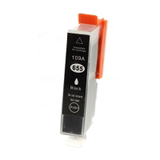
- Compatible Ink Cartridge 655 for HP (CZ109AE) (Black) – a great choice if you print lots of text,
- Original OEM Ink Cartridges HP 655 CMYK (CZ112A, CZ111A, CZ110A, CZ109A) (multi pack) – an OEM set for users who prefer manufacturer cartridges,
- Original OEM Ink Cartridge HP 655 (CZ109AE) (Black) – classic OEM black for documents,
- single colours: Compatible Ink Cartridge 655 and Original OEM Ink Cartridge HP 655 in Cyan (CZ110AE), Magenta (CZ111AE) and Yellow (CZ112AE).
Thanks to this range, you can easily complete your set, replace just one colour, or pick a multi-pack to keep a spare on the shelf. How to choose the right ink cartridge for HP DeskJet Ink Advantage 6525 e-All-in-One When selecting ink for HP DeskJet Ink Advantage 6525 e-All-in-One, start with your printing style: - Mainly text? Choose a black cartridge (HP 655 black) or add a spare.
- Colour printing (school materials, graphics)? Keep cyan, magenta and yellow ready—colour cartridges often run out unevenly.
- Want convenience and balance? A CMYK multi-pack is usually the easiest and most economical route.
Also double-check the cartridge code: for this model, it’s the HP 655 family, including CZ109AE (black), CZ110AE (cyan), CZ111AE (magenta) and CZ112AE (yellow). If you searched by HP 6525 or CZ276A, you’re in the right place—these are common identifiers for the same device line. Original OEM vs Compatible: what’s the difference, and what do we recommend? Original OEM ink cartridges are made by the printer manufacturer and are a natural choice for users who want to stick with OEM supplies. They offer predictable performance and are often chosen for formal documents or brand-sensitive prints. Compatible ink cartridges are a smart option for customers who want to reduce printing costs without sacrificing day-to-day quality. The compatible cartridges we offer—such as the DT-AH-655/K multi-pack and individual compatible HP 655 colours—are designed to deliver results that are as good as the originals in typical home and office use. If you print frequently, a compatible cartridge can be the best way to keep your ink for HP 6525 affordable and always available. Common user issues with HP 6525 ink—and how to avoid them Users of the HP DeskJet Ink Advantage 6525 e-All-in-One most often report issues that are easy to prevent with good habits and the right cartridge choice: - Printer doesn’t print after replacement – make sure protective seals are removed and the cartridge clicks into place.
- Faded colours or streaks – run the printer’s built-in head cleaning/alignment; replace the colour that is running low (often only one colour causes the issue).
- Ink dries out due to rare use – if you print occasionally, print a small colour page every 1–2 weeks to keep ink flowing.
- Frequent cartridge changes – consider a CMYK multi-pack so you can replace colours immediately and avoid downtime.
If you’re unsure which ink cartridge for HP DeskJet Ink Advantage 6525 e-All-in-One will solve your exact problem, we’re here to help—tell us what the printer displays or how the printout looks, and we’ll recommend the right cartridge. Choose your HP 655 ink today and keep printing without interruptions We encourage you to browse our selection of compatible and Original OEM ink cartridges for HP DeskJet Ink Advantage 6525 e-All-in-One and choose the set that matches your printing habits. Order today to keep your HP 6525 ready for school tasks, work documents and everything in between. If you have questions about the right cartridge code, multi-pack selection, or colour replacement, contact us—we’ll guide you quickly and clearly. We also offer fast shipping options so you can get back to printing as soon as possible. CTA: Check the available HP 655 compatible and OEM cartridges in this category, pick your black or CMYK set, and place your order—if you need support, message us and we’ll help you choose the best ink for your HP 6525. |