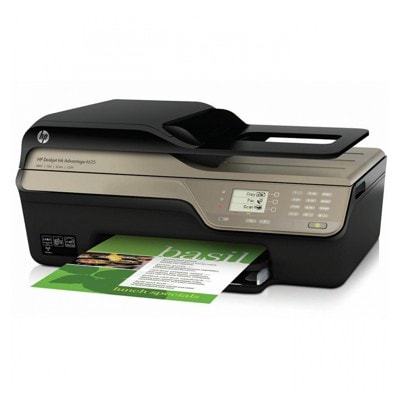
HP DeskJet Ink Advantage 4625 e-All-in-One – everyday printing that simply works The HP DeskJet Ink Advantage 4625 e-All-in-One (also found as HP 4625, HP Deskjet Ink Advantage 4000 Printer series, code CZ284A) is a practical all‑rounder designed for home and small-office use. It combines printing, scanning and copying in one compact device, and thanks to ePrint/Wi‑Fi capabilities it’s great for quick documents, school materials, forms and occasional color graphics. To keep this printer reliable and cost‑effective, it’s worth choosing the right ink for HP DeskJet Ink Advantage 4625 e-All-in-One—matched to your needs and printing habits. Which ink cartridges fit HP 4625? (HP 655 series) This category gathers ink cartridges for HP DeskJet Ink Advantage 4625 e-All-in-One based on the popular HP 655 series. You’ll find both Original OEM cartridges and proven Compatible alternatives—so you can print exactly the way you want: prioritizing maximum OEM consistency or optimizing cost per page without sacrificing quality. In practice, HP 655 ink is used for: - Black text—contracts, invoices, homework, notes, office documents,
- Color printing—charts, presentations, simple marketing materials, school projects,
- Occasional photos—especially when paired with good paper and correct settings.
When you choose the right ink for HP 4625, you get crisp text, stable color reproduction and fewer interruptions—exactly what an e-All-in-One printer is meant for. Original OEM and Compatible ink – one page, every option We know customers shopping for ink for HP DeskJet Ink Advantage 4625 e-All-in-One usually want two things: a cartridge that works immediately and a price that makes sense. That’s why we offer both paths: - Original OEM ink cartridge HP 655—the manufacturer’s cartridge, ideal if you want to keep everything strictly OEM and consistent with HP’s specifications.
- Compatible ink cartridge 655 for HP—a smart alternative for everyday printing. Our compatible cartridges are carefully selected to deliver printing results as good as the originals, with excellent value for money.
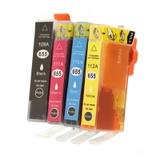
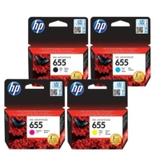
Regardless of the choice, you’ll find the correct ink for printer HP 4625 quickly: black for sharp documents or CMYK sets for complete color printing. Popular picks in this category (single cartridges and multipacks) To make shopping easier, we include both individual colors and ready-to-go sets. Among the most frequently chosen products are: - Original OEM Ink Cartridges HP 655 CMYK (CZ112A, CZ111A, CZ110A, CZ109A) (multi pack) – a convenient OEM set when you want to stock up on all colors at once.
- Compatible Ink Cartridges 655 CMYK for HP (DT-AH-655/K) (multi pack) – a cost-effective compatible multipack for frequent printing at home or in a small office.
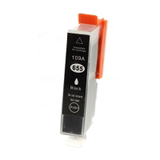
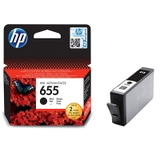
- Original OEM Ink Cartridge HP 655 (CZ109AE) (Black) and Compatible Ink Cartridge 655 for HP (CZ109AE) (Black) – the go-to choice for text-heavy printing.
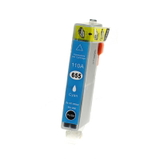
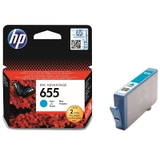
- Original OEM Ink Cartridge HP 655 (CZ110AE) (Cyan) / Compatible Ink Cartridge 655 for HP (CZ110AE) (Cyan) – for strong blues and balanced color mixes.
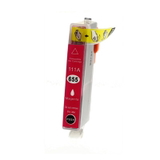
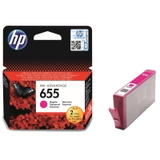
- Original OEM Ink Cartridge HP 655 (CZ111AE) (Magenta) / Compatible Ink Cartridge 655 for HP (CZ111AE) (Magenta) – for vivid reds and purples in graphics.
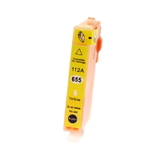
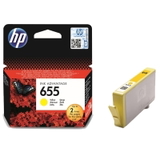
- Original OEM Ink Cartridge HP 655 (CZ112AE) (Yellow) / Compatible Ink Cartridge 655 for HP (CZ112AE) (Yellow) – for clean highlights and warm tones.
Thanks to this mix, you can buy exactly what you need: a single black cartridge, one missing color, or a full CMYK multipack that keeps your printer ready for weeks. How to choose the best ink for HP DeskJet Ink Advantage 4625 e-All-in-One If you’re wondering which ink for HP DeskJet Ink Advantage 4625 e-All-in-One will be best, we suggest a simple approach: - You print mainly text → choose HP 655 Black (CZ109AE) (Original OEM) or our compatible 655 black for better economy.
- You print color regularly → a CMYK multipack is usually the most convenient and helps keep color balance consistent.
- You print occasionally → consider buying only the colors you actually need now; it reduces unused stock and keeps your setup tidy.
Original OEM vs compatible ink cartridge 655 for HP—what’s the difference? OEM is the manufacturer’s solution, while compatible cartridges are an alternative designed for the same printer model. The key point: the compatible cartridges we offer are tested and selected so you can expect printing quality as good as the originals—clean text, stable colors and dependable performance—while paying less per page. Common HP 4625 printing issues and quick, practical tips Many problems blamed on the printer are actually cartridge- or maintenance-related. If your HP DeskJet Ink Advantage 4625 e-All-in-One starts acting up, these quick tips often help: - Streaks or faded prints – run the printer’s head cleaning utility and check ink levels; replace the specific color that’s running low.
- Cartridge not recognized – remove and reinsert the cartridge, ensure protective tape is fully removed, and restart the printer.
- Colors look “wrong” – use the correct paper type and quality settings; replacing an empty color often restores normal tones.
- Ink dries after long breaks – print a small test page weekly; it keeps the system ready, especially for color inks.
If you’re not sure which ink for printer HP 4625 you need—or you want to confirm codes like CZ109AE, CZ110AE, CZ111AE, CZ112AE—we’re here to help you choose quickly and correctly. Choose your HP 655 ink today – we’ll help you print more for less We encourage you to explore the full selection of ink cartridges for HP DeskJet Ink Advantage 4625 e-All-in-One in both Original OEM and Compatible versions. Add a black cartridge for everyday documents or grab a CMYK multipack to stay ready for any task. If you have questions about compatibility with HP 4625 or the HP Deskjet Ink Advantage 4000 Printer series, contact us—together we’ll pick the best cartridge and get your printer back to perfect performance. Order now and enjoy fast, convenient delivery and support from a team that knows printers and inks inside out. |