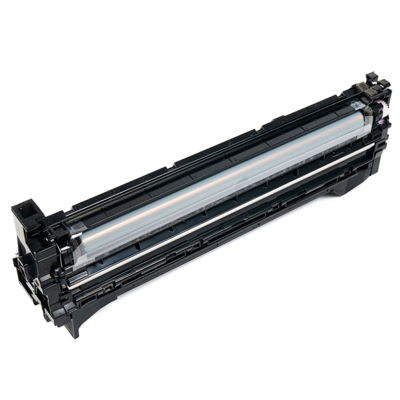
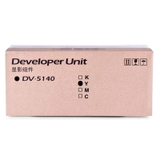
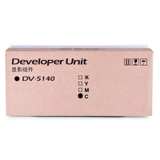
Precision Starts Here: Kyocera DV-5140 Developer Units for Consistently Brilliant Prints Dear Customer, when your Kyocera color laser printer is expected to deliver sharp text, smooth gradients, and reliable color day after day, the “invisible” components matter just as much as the toner itself. The Kyocera DV-5140 series is a set of developer units (laser cartridge class: Original OEM) designed to keep your device running with the stability and print quality you bought it for. If you’re experiencing faded areas, uneven color density, background haze, or color imbalance, the right developer for Kyocera DV-5140 can be the key step toward restoring factory-level performance. What the DV-5140 Does (and Why It Matters More Than You Think) In Kyocera laser systems, the developer unit plays a crucial role in transporting and conditioning toner so it can be placed accurately on the page. Think of it as the “metering and delivery” system behind every crisp line and consistent fill. Choosing the correct DV-5140 developer unit helps maintain: - Stable color and density across long print runs
- Cleaner backgrounds with fewer specks and haze
- Smoother gradients and more natural-looking graphics
- Reliable operation that supports the printer’s intended duty cycle
If you print presentations, invoices, marketing materials, or internal documents where consistency counts, investing in the correct original OEM Kyocera DV-5140 is a direct investment in professional results. Available Products in This Category: OEM Black + CMYK Color Developers This category includes four Original OEM DV-5140 developer units—one for each color channel used by compatible Kyocera devices. We offer: - Original OEM Developer Kyocera DV-5140 (302NR93022) (Black)
- Original OEM Developer Kyocera DV-5140 (302NR93052) (Cyan)
- Original OEM Developer Kyocera DV-5140 (302NR93042) (Magenta)
- Original OEM Developer Kyocera DV-5140 (302NR93032) (Yellow)
By selecting the correct color developer, you target the exact channel responsible for the issue—helping you avoid guesswork and ensuring your toner system for Kyocera works in harmony with the printer’s imaging process. Compatible Printers: Built for Kyocera EcoSys Workhorses The Kyocera DV-5140 series is used in popular Kyocera EcoSys color models designed for office productivity and dependable output. You’ll commonly find DV-5140 developer units paired with devices such as Kyocera EcoSys M6030cdn, Kyocera EcoSys M6530cdn, and Kyocera EcoSys P6130cdn (among other compatible models). If your workplace depends on these machines for daily printing, replacing the right DV-5140 unit helps protect print consistency and reduces interruptions. Common User Issues DV-5140 Can Help Solve Over time, developer components naturally wear as they handle countless imaging cycles. When performance drops, you may notice symptoms that look like “toner problems” even when the toner itself is fine. A properly matched Kyocera DV-5140 developer can address issues such as: - Uneven or “patchy” color blocks
- Washed-out prints despite new toner
- Color channel imbalance (e.g., cyan looks weak, magenta oversaturates)
- Increased background shading or light streaks
- Declining sharpness in fine text and lines
When your printer is calibrated to deliver consistent output, the developer unit is a key part of that promise—especially in color printing where precision matters in every layer. How to Choose the Right DV-5140 Developer: Practical Buying Advice We encourage you to choose your DV-5140 based on two simple criteria: printer compatibility and the color you need. First, confirm your printer model (for example, Kyocera EcoSys M6530cidn). Next, match the developer color to the issue you’re seeing—or replace a set if you want uniform performance across all channels. Always verify the OEM code to avoid mistakes: - Black: 302NR93022
- Cyan: 302NR93052
- Magenta: 302NR93042
- Yellow: 302NR93032
If you’re building a reliable supply plan for the office, pairing the right developer with the right toner for printer Kyocera EcoSys helps maintain predictable results and reduces “surprise” downtime. Original OEM vs Compatible: What to Know (and How We Help) In this specific category, we focus on Original OEM developer units—ideal when you want manufacturer-spec performance and tight consistency. At the same time, we understand many customers compare OEM with compatible solutions when optimizing print costs. As a store, we always aim to make that choice easy: when we offer compatible alternatives in other categories, our compatible products from the DrTusz.pl offer are designed to be as good as the originals—so you can choose the option that best fits your budget and printing expectations without compromising on quality. Summary + Call to Action: Restore Clean Color, Confidence, and Control With Kyocera DV-5140 developer units, you’re not just replacing a part—you’re restoring the consistent, professional output your Kyocera EcoSys printer was built to deliver. Choose the correct OEM developer (Black, Cyan, Magenta, or Yellow), match it to your printer, and enjoy smoother graphics, clearer text, and fewer print-quality surprises. Order your Kyocera DV-5140 Original OEM developer today and bring your prints back to their best—page after page. |