Haven't found what you were looking for? Click here! ▼
Describe below exactly what you are looking for and we will see how we can help. You will receive a reply to your e-mail address by 09:15 on monday (5 October 2026) at the latest
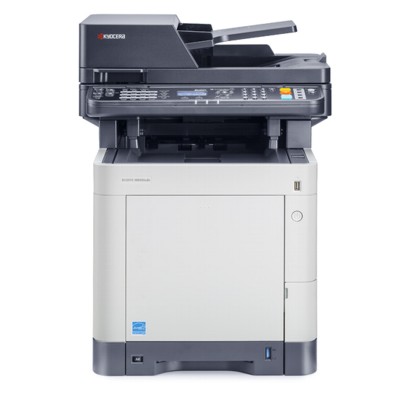
Toner cartridges for Kyocera EcoSys M6530cdn - compatible and original OEM
Keep your Kyocera EcoSys M6530cdn printing at its best with our complete range of laser cartridges and maintenance units—available as both Original OEM and compatible options. Whether you search for Kyocera M6530cdn, M6530cdn, or M6530CDN, you’ll find the right supplies designed for consistent colour output and smooth everyday operation.
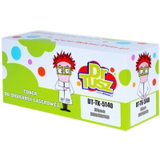
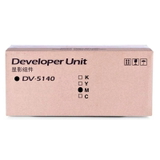
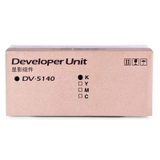
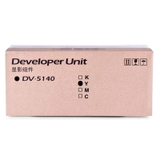
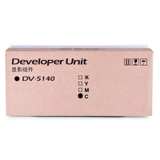
Choose from Original OEM toners Kyocera TK-5140 in Black (TK-5140K), Cyan (TK-5140C), Magenta (TK-5140M), and Yellow (TK-5140Y), or save with reliable compatible toner cartridges with the same TK-5140 references. For long-term performance, we also stock essential components for the Kyocera EcoSys series: DK-5140 Drum Unit, WT-5140 Waste Toner Tank, DV-5140 Developer Units (all colours), and the FK-5140 Fuser Unit—ideal for maintaining print quality and preventing downtime.
Every item in this selection is chosen for dependable compatibility with Kyocera EcoSys M6530cdn toner cartridges and related units, helping you print confidently page after page. Pick your OEM precision or cost-effective compatible alternative—then stock up today and explore the full range to keep your Kyocera EcoSys M6530cdn running flawlessly.
Kyocera EcoSys M6530cdn – reliable colour printing for office and business
Dear Customer, the Kyocera EcoSys M6530cdn (also searched as Kyocera M6530cdn, M6530cdn, M6530 CDN or M6530CDN) is a popular colour laser multifunction printer designed for fast, economical work in offices and service points. It’s valued for sharp text, vivid colour documents and a durable EcoSys design made for high monthly workloads. To keep this device performing at its best, you need the right toner for printer Kyocera EcoSys M6530cdn and the correct service components—matched precisely to this model.
Toner and service components for Kyocera M6530cdn – what matters in everyday use
Choosing the right toner for Kyocera EcoSys M6530cdn is about more than colour. Proper cartridges ensure consistent coverage, clean lines and stable colour reproduction across invoices, reports, presentations and marketing materials. In this category you will find both Original OEM and Compatible solutions, so you can decide what best fits your budget and printing habits.
For this printer, we offer not only toner cartridges, but also key maintenance parts that influence print quality and reliability:
Toners – black and colour printing; the core consumable for daily use.
Drum Units – responsible for transferring the image; crucial when you notice backgrounding or loss of sharpness.
Waste Toner Tanks – collect excess toner; a full container can stop printing even if the toner is new.
Developers – support stable colour density and uniform coverage; important for consistent results over time.
Fuser Units – heat-fix toner onto paper; essential when prints smudge or toner doesn’t bond properly.
Our range: Original OEM and Compatible cartridges for Kyocera EcoSys M6530cdn
We make it easy to find the exact toner for printer Kyocera EcoSys M6530cdn—in black and in colour—without guesswork. Popular choices in this category include:
Original OEM Toner Kyocera TK-5140K (1T02NR0NL0) (Black)
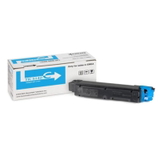
Original OEM Toner Kyocera TK-5140C (1T02NRCNL0) (Cyan)
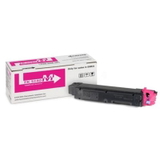
Original OEM Toner Kyocera TK-5140M (1T02NRBNL0) (Magenta)
Original OEM Toner Kyocera TK-5140Y (1T02NRANL0) (Yellow)
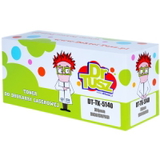
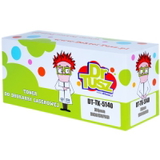
Compatible Toner TK-5140K for Kyocera (1T02NR0NL0) (Black)
Compatible Toner TK-5140C for Kyocera (1T02NRCNL0) (Cyan)
Compatible Toner TK-5140M for Kyocera (1T02NRBNL0) (Magenta)
Compatible Toner TK-5140Y for Kyocera (1T02NRANL0) (Yellow)
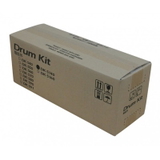
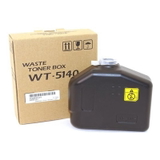
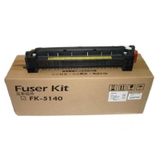
And when your device requires maintenance components, you can also choose original parts such as Original OEM Drum Unit Kyocera DK-5140 (302NR93012), Original OEM Waste Toner Tank Kyocera WT-5140 (302NR93150), Original OEM Developers Kyocera DV-5140 (Black/Cyan/Magenta/Yellow), and the Original OEM Fuser Unit Kyocera FK-5140 (302NR93092). Thanks to this broad range, you can manage both day-to-day printing and long-term service needs in one place.
How to choose: Original OEM vs Compatible toner for Kyocera EcoSys M6530cdn
If you print critical business documents and want factory-standard predictability, Original OEM cartridges are a natural choice. They are made by the printer manufacturer and provide stable results in demanding environments.
If you want to reduce cost per page without sacrificing quality, our Compatible toner for Kyocera EcoSys M6530cdn is a smart alternative. We select compatible solutions designed to deliver print quality and reliability comparable to original cartridges—so you can print confidently, keep colours vivid and maintain sharp black text while optimising your budget.
What should you check before adding to cart?
Printer naming: your device may appear as Kyocera EcoSys M6530cdn, Kyocera M6530cdn or M6530CDN—it’s the same family, but always match the cartridge code.
Cartridge symbol: for toner, look for TK-5140K/TK-5140C/TK-5140M/TK-5140Y.
Colour needs: offices often replace black first; graphic-heavy printing uses more cyan/magenta/yellow.
Common issues on M6530cdn and what usually fixes them
Many users searching for “toner for M6530cdn” also want to solve practical printing problems quickly. Here are the most frequent scenarios we help with:
Printer says “Replace waste toner box” – the solution is typically a new WT-5140 waste toner tank.
Faded prints or uneven colour blocks – check whether a specific colour TK-5140 toner is low; if the issue persists, the relevant DV-5140 developer may be required.
Background shading / loss of crispness – often linked to the DK-5140 drum unit nearing the end of its life.
Smudging or toner rubbing off – can indicate a worn FK-5140 fuser unit, especially after heavy use.
If you’re unsure which consumable is responsible, we encourage you to contact us—we’ll help you match the right component to the symptoms and your printer’s service message.
Choose your toner for Kyocera EcoSys M6530cdn and order with confidence
We’ve built this category so you can quickly find the right ink for Kyocera EcoSys M6530cdn—and yes, in laser printers it’s the toner for Kyocera EcoSys M6530cdn that matters most—plus all key maintenance parts that keep your device working smoothly. Browse our Original OEM and Compatible options, compare variants, and choose what fits your printing style.
Call to action: We encourage you to explore the full selection in this category and place your order today. If you need help selecting TK-5140 toner colours or service parts like DK-5140, WT-5140, DV-5140 or FK-5140, contact us—our team will guide you and help you choose the best solution. We also offer fast delivery options so you can get back to printing without unnecessary downtime.