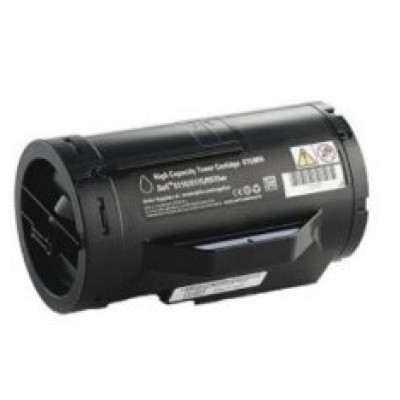
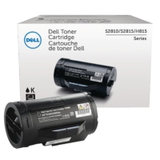
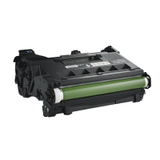
Print with Confidence – Dell 593-BBM toner cartridges for Everyday Business Quality When your documents represent your business, there’s no room for smudges, streaks, or “good enough” black. In this category we bring together reliable, office-ready solutions built for Dell laser printers: Toner cartridges Dell 593-BBM – including both toner and imaging components that keep your device performing like it should. Whether you print invoices, contracts, shipping labels, or reports, the right toner for Dell printer helps you maintain crisp text, deep black density, and consistent output from the first page to the last. Here you’ll find the key items from this series: Original OEM Toner Dell 593-BBMM (Black), Original OEM Toner Dell 593-BBMH (Black), and the matching Original OEM Drum Unit Dell 724-BBJX. We encourage you to choose the set that fits your workload—so your printer stays fast, clean, and dependable. What’s in the Series: Toner vs Drum Unit (and Why It Matters) A frequent source of confusion is the difference between a toner cartridge and a drum unit—especially when a printer starts printing faintly or with repeating marks. In simple terms: the toner for Dell S2810dn or toner for Dell S2815cdn provides the порошок (toner powder) used to create the image on paper, while the drum unit is the precision imaging component that transfers that image accurately onto the page. - Dell 593-BBMM (Black toner) – a standard option for regular office printing and predictable page volumes.
- Dell 593-BBMH (Black toner) – a higher-capacity option designed for heavier printing, helping reduce cartridge changes.
- Dell 724-BBJX (Drum Unit) – the imaging unit that supports sharp detail and stable print quality over time.
Choosing the correct component saves time and prevents wasted purchases—because sometimes the issue is not “low toner” but a worn drum unit. Original OEM or Compatible? How to Choose the Best Option for You In this category you’ll see Original OEM products—made to Dell’s specifications for predictable results and seamless compatibility. OEM is a great choice if you want the manufacturer’s solution end-to-end, especially in environments where repeatable output and standardized supplies matter. At the same time, many customers also ask us about compatible alternatives. And it’s a good question—because a well-made compatible cartridge can be just as satisfying in daily use. We want you to feel confident: compatible cartridges available in the DrTusz.pl offer are designed to deliver print quality and reliability comparable to originals, while often being a smarter choice for budget control. The key is buying from a proven source, so the toner for printer Dell doesn’t become a gamble. Our advice when choosing: - If you print occasionally: consider a standard-capacity toner (like 593-BBMM) to keep things simple.
- If you print a lot: choose a higher-capacity toner (like 593-BBMH) to reduce downtime and interruptions.
- If you notice repeating marks, background haze, or consistent streaks: check whether you need a drum unit Dell 724-BBJX rather than another toner.
Common Print Problems This Series Helps Solve We often hear the same frustrations from busy offices: prints come out too light, the first page looks fine but the next ones fade, or black text loses its crisp edge. Using the correct Dell 593-BBM toner and a healthy drum unit can help address the most common issues, such as: - Faded or uneven black – often linked to low toner or a cartridge nearing end of life.
- Streaks or repeating spots – frequently a sign the drum unit needs replacement.
- Dusting or smudging – can happen with worn components or incorrect supplies.
- Too-frequent replacements – solved by choosing a higher-yield option like 593-BBMH for high-volume printing.
With the right match, your printer goes back to what it should be: a quiet workhorse producing clean, professional pages on demand. Compatible Printers and Everyday Use This series is designed for Dell laser devices used in home offices and business settings. It’s commonly chosen by customers printing on models such as Dell S2810dn and Dell S2815cdn. If you’re searching specifically for toner for printer Dell S2810dn or toner for printer Dell S2815cdn, you’re in the right place—this category groups the matching supplies so you can shop faster and with certainty. We recommend confirming the cartridge code before ordering: 593-BBMM or 593-BBMH for toner, and 724-BBJX for the drum unit. That small step ensures perfect fit and trouble-free installation. Why Buy Your Dell 593-BBM Toner Here? We know that buying a cartridge isn’t exciting—it’s supposed to be simple, safe, and effective. That’s why we focus on clear product selection, dependable availability, and options that fit both performance expectations and budget planning. Whether you choose Original OEM toner Dell 593-BBMM, Original OEM toner Dell 593-BBMH, or the Original OEM drum unit Dell 724-BBJX, you’re choosing a path to consistent print quality and fewer interruptions. Ready for Sharp Black Text Again? Choose Your Cartridge and Get Back to Work Your printer deserves supplies that keep up with your pace. Select the right Dell 593-BBM toner cartridge or Dell 724-BBJX drum unit today and enjoy clean, professional results page after page. Order now and restore reliable printing—fast, crisp, and stress-free. |