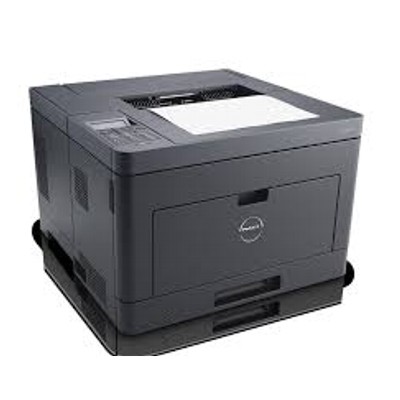
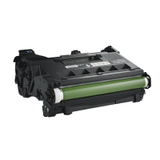
Dell S2810dn – a fast monochrome printer for everyday work The Dell S2810dn is a reliable monochrome laser printer designed for busy offices and home offices that value speed, sharp text, and efficient document handling. With automatic duplex printing and strong performance in high-volume environments, it’s a great choice for invoices, reports, shipping labels, and daily correspondence. To keep it running at its best, you need the right toner for printer Dell S2810dn and a properly matched drum unit for Dell S2810dn—and that’s exactly what we help you choose. What toners and drum units do in the Dell S2810dn In a laser printer like the Dell S2810DN, print quality depends on two key consumables: the toner for Dell S2810dn (powder that forms the text/image) and the drum unit for Dell S2810dn (the component that transfers the image to paper). If either part is worn or mismatched, you may notice fading, streaks, gray backgrounds, or inconsistent coverage. Choosing the correct ink for Dell S2810dn (in practice: toner, because this is a laser model) means you get: - crisp, high-contrast black text for professional documents,
- repeatable results from the first page to the last,
- fewer printer interruptions and error messages,
- clean printing with less risk of smudging or dusting.
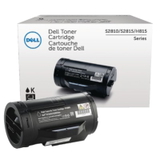
Original OEM cartridges for Dell S2810dn – our selection In this category, we focus on Original OEM supplies—perfect if you want manufacturer-grade consistency and predictable performance in business printing. We offer a clear, well-matched range so you can quickly pick the right toner for printer Dell S2810dn or replace the drum unit Dell S2810dn when print quality drops. Popular choices in this category include: - Original OEM Toner Dell 593-BBMM (Black) – a dependable everyday option for sharp monochrome output.
- Original OEM Toner Dell 593-BBMH (Black) – ideal when you want a performance-focused OEM solution for frequent printing.
- Original OEM Drum Unit Dell 724-BBJX (Black) – the key component to restore clean transfer, reduce streaking, and maintain consistent quality.
How to choose the right toner for Dell S2810DN (and when to replace the drum) When selecting toner for Dell S2810dn, always verify the exact code used by your device. This printer appears in searches under many variations (for example: Dell S2810dn, Dell S2810DN, Dell S2810, S2810DN, S2810 dn, S2810 DN, S2810dn). The safest approach is to match the cartridge symbol directly to the product name. Common situations reported by users of the Dell S2810dn include: - Faded prints or light text – often a low toner level or toner nearing the end of its life.
- Vertical streaks / repeated marks – frequently linked to a worn drum unit.
- Gray background or uneven black coverage – can indicate a drum unit that needs replacement or a toner that’s no longer performing properly.
- “Replace drum” / “Replace toner” prompts – the printer’s counter-based alerts are a good indicator that it’s time for a fresh consumable.
Original OEM vs compatible – what you should know In general, Original OEM supplies are chosen for their manufacturer-level repeatability, especially in business workflows where every page must look the same. At DrTusz.pl we also offer high-quality compatible options in many printer categories—our compatible cartridges are as good as the originals in terms of everyday usability and print results. If you’re comparing solutions, we’re happy to help you pick what fits your printing style and budget best. For this specific category page, you’ll find the Original OEM toner for printer Dell S2810dn and the matching Original OEM drum unit for Dell S2810dn. Order your Dell S2810dn toner and drum unit with confidence We encourage you to browse the products listed in this category and choose the exact toner for Dell S2810dn or drum unit for Dell S2810dn you need. If you’re unsure which cartridge code is correct or you’re troubleshooting print-quality issues, contact us—together we’ll match the right OEM consumable to your printer and get you back to clean, reliable printing. Add your choice to the cart and enjoy a smooth ordering process and fast delivery options. |