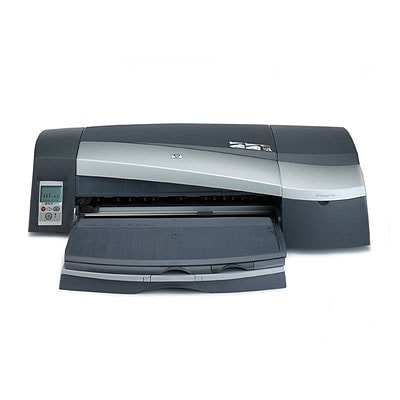
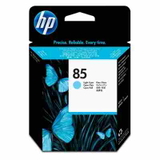
HP DesignJet 90gp – dependable photo and proof printing HP DesignJet 90gp (also searched as HP 90gp, HP Designjet 90 Series, 90GP or 90 gp) is a proven large-format printer designed for precise colour work. It’s a popular choice for photo labs, designers and studios that need repeatable results, smooth gradients and reliable line accuracy. To keep this standard every day, the right ink for HP DesignJet 90gp and properly matched printhead for HP DesignJet 90gp are essential. Ink cartridges and printheads – what matters in daily use In this category we focus on Original OEM solutions: Ink Cartridges and Printheads dedicated to the HP DesignJet 90gp platform. OEM ink for HP DesignJet 90gp is designed to work seamlessly with the printer’s colour management and maintenance routines, helping you achieve consistent saturation, accurate blacks and smooth transitions in light tones. Equally important are printheads. A fresh printhead for HP 90gp helps keep nozzles firing evenly, which directly affects sharpness, uniform fills and the lack of banding. If you print photos, proofs or graphics with subtle colour areas, the condition of the printhead is just as critical as the ink itself. - Stable colour reproduction for graphics and photo applications
- Clean lines and smooth gradients for professional output
- Compatibility tailored to HP Designjet 90 Series maintenance cycles
- Support for multiple colour channels (including light cyan and light magenta)
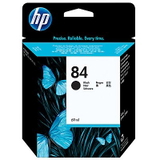
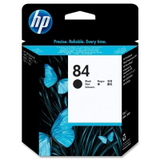
Original OEM products we stock for HP DesignJet 90gp We keep a practical, workshop-proven selection of HP supplies so you can quickly match what your printer needs. In the current range you will find, among others: - Original OEM Ink Cartridge HP 84 (C5016A) (Black)
- Original OEM Ink Cartridge HP 84 (C5019A) (Black)
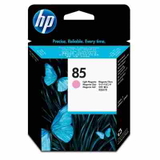
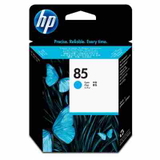
- Original OEM Printhead HP 85 (C9420A) (Cyan)
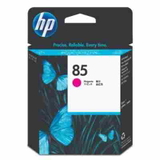
- Original OEM Printhead HP 85 (C9421A) (Magenta)
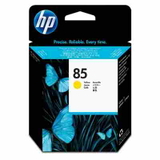
- Original OEM Printhead HP 85 (C9422A) (Yellow)
- Original OEM Printhead HP 85 (C9423A) (Light cyan)
- Original OEM Printhead HP 85 (C9424A) (Light magenta)
If you’re searching by code (for example Q6656C or “HP DesignJet 90 Series”), this page is also the right place to start—our offer is built specifically around the consumables that keep the 90gp running at its best. How to choose the right ink and printhead for HP 90gp When selecting ink for HP DesignJet 90gp, always match the exact cartridge and printhead symbols. The printer uses separate components, so it’s worth checking what is actually causing the issue: low ink, a worn printhead, or simply dried nozzles after downtime. - For weak black density or faded text/lines: verify the black ink cartridge (HP 84) level and condition.
- For missing colours or colour shifts: the relevant HP 85 printhead (C, M, Y, LC, LM) may require replacement.
- For banding or uneven fills: a printhead for HP DesignJet 90gp is often the key, especially after long breaks in printing.
- For start-up problems after storage: ensure cartridges are within date and stored properly; old ink can lead to nozzle issues.
Original vs compatible – what you should know This subpage is dedicated to Original OEM consumables, because many users of HP DesignJet 90gp prefer the predictability of manufacturer supplies—especially for colour-critical jobs. At the same time, we know many customers compare options before buying. In our store, compatible solutions (when available in other categories) are selected so they are as good as the originals in everyday printing—offering excellent value without compromising quality. If you want, we can help you choose the best option for your workload and budget. Order with confidence – we’re here to help We encourage you to explore the available ink for HP DesignJet 90gp and the matching printhead for HP 90gp in this category and choose the exact OEM codes your printer requires. If you’re unsure which component is responsible for a print defect, contact us—tell us what you see on the print (banding, missing colour, weak black, streaks) and we’ll suggest the most sensible solution. CTA: Add the right HP 84 ink cartridge or HP 85 printhead to your basket and keep your HP Designjet 90 Series working at full quality. We offer fast delivery options and friendly customer support—so you can get back to printing without delays. |