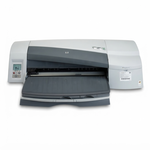
Reliable colour for the HP DesignJet 70 Series The HP DesignJet 70 (also searched as HP 70 or HP DesignJet 70 Series) is a proven large-format inkjet printer designed for precise graphics, presentations and photo-quality output. To keep this plotter working smoothly and delivering clean lines and consistent colours, you need the right ink for HP DesignJet 70 and—just as importantly—well-matched printheads and maintenance fluids. In this category we bring everything together in one place: compatible and Original OEM ink cartridges, Original OEM printheads and a specialistic fluid for cleaning heads. What makes ink for HP DesignJet 70 different? In the HP DesignJet 70 platform, printing quality depends on the cooperation of cartridges and printheads. That’s why choosing the correct ink cartridge for HP DesignJet 70 is not only about colour—it’s also about stability, proper flow, and reliable nozzle work. Whether you print architectural layouts, signage drafts or detailed colour graphics, the right inks help you achieve: - smooth gradients and accurate fills (especially in light cyan and light magenta),
- sharp text and line definition,
- repeatable colour from print to print,
- reduced risk of banding or fading caused by poor ink performance.
Customers often search by cartridge codes such as Q6655A or by the printer family name. If you’re looking for a safe match, focus on the cartridge symbols used in this device: HP 10, HP 11, HP 84 and the dedicated printheads HP 11 / HP 84 / HP 85. Cartridges, printheads and cleaning fluid – everything your plotter needs We designed this selection to cover the real-life needs of DesignJet users: day-to-day printing, colour replenishment, and maintenance when the plotter sits unused for a while. In the category you’ll find products in three classes: Compatible, Original OEM and Refill components, across these types: - Ink Cartridges – for regular ink supply in black and colours,
- Printheads – critical when you see missing lines, streaks or colour dropouts,
- Fluids for Cleaning – helpful when nozzles dry out or printing becomes inconsistent.
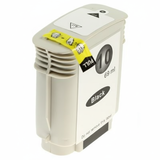
Popular ink choices for HP DesignJet 70 To make shopping easier, we highlight several frequently chosen items from this category. If you print a lot, keeping a spare set is a smart move—especially for colours that run out fastest in graphics work. - Original OEM Ink Cartridge HP 10 (C4844AE) (Black) and Compatible Ink Cartridge 10 for HP (C4844AE) (Black) – dependable black for text and linework.
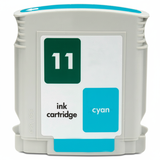
- Original OEM Ink Cartridge HP 11 (C4836AE) (Cyan) / Compatible Ink Cartridge 11 for HP (C4836AE) (Cyan) – key for cool tones and clean blues.
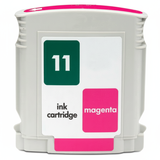
- Original OEM Ink Cartridge HP 11 (C4837AE) (Magenta) / Compatible Ink Cartridge 11 for HP (C4837AE) (Magenta) – for vibrant reds and balanced skin tones.
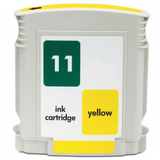
- Original OEM Ink Cartridge HP 11 (C4838AE) (Yellow) / Compatible Ink Cartridge 11 for HP (C4838AE) (Yellow) – essential for warm colours and accurate highlights.
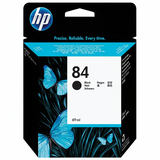
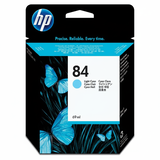
- Original OEM Ink Cartridge HP 84 (C5016A) (Black), HP 84 (C5017A) (Light cyan), HP 84 (C5018A) (Light magenta) – great when you care about smooth transitions and photo-style output.
Need more than cartridges? We also stock dedicated printheads such as Original OEM Printhead HP 11 (C4810AE/C4811AE/C4812AE/C4813AE) and the light-colour heads HP 84 and HP 85, as well as Specialistic Fluid for Cleaning Heads HP 250 ml (Uniwersalny) for maintenance and recovery. Original OEM vs compatible: how to choose the right cartridge When you buy ink for HP DesignJet 70, you generally have two great routes: - Original OEM – manufacturer ink cartridges and printheads, ideal if you want a straightforward OEM workflow.
- Compatible – a cost-effective alternative. Our compatible cartridges from the DrTusz.pl offer are designed to be as good as the originals in everyday printing: stable, reliable, and a smart choice for both office graphics and regular production.
What should guide your decision? If you print occasionally, choose what is most convenient and keep an eye on expiry and storage. If you print a lot, compatible cartridges can significantly reduce the cost per plot while maintaining excellent results. For colour-critical jobs, many customers mix: they use OEM where required by workflow and compatible for everyday volume. Common HP DesignJet 70 printing issues and how our products help Plotters are workhorses, but they also have typical challenges—especially after downtime. Here are issues reported by HP DesignJet 70 users and what usually helps: - Streaks, missing lines, banding – often related to printhead condition; consider replacing the correct printhead for HP DesignJet 70 (HP 11 / HP 84 / HP 85 depending on colour) and run maintenance.
- Colour dropouts after a long break – dried nozzles are common; use cleaning fluid for printheads and perform cleaning routines.
- Faded or inconsistent colour – check whether the cartridge is running low, seated correctly, and matched to the right slot; replacing with a fresh ink cartridge for HP DesignJet 70 often solves it.
- Unexpected colour shift – verify you’re using the correct cartridge codes (e.g., C4844AE, C4836AE, C4837AE, C4838AE, C5016A, C5017A, C5018A) and consider printhead health.
If you’re unsure which item you need, we encourage you to contact us—choosing the correct cartridge or printhead at the start is usually the fastest and most cost-effective solution. Order ink for HP DesignJet 70 with confidence We encourage you to explore the full selection of ink cartridges for HP DesignJet 70: compatible, Original OEM and refill components, plus the printheads and cleaning fluid that keep your plotter in top condition. Add the products you need to your cart and keep your printing uninterrupted—whether you’re preparing client presentations, colour boards or technical drawings. CTA: Browse the available HP DesignJet 70 ink, choose the best option for your workflow, and if you want a quick recommendation—contact us. We’ll help you match the right cartridge, printhead or maintenance fluid and arrange fast, convenient delivery. |