Haven't found what you were looking for? Click here! ▼
Describe below exactly what you are looking for and we will see how we can help. You will receive a reply to your e-mail address by 10:28 at the latest
Ink cartridges for Canon Pixma MG6850 - compatible and original OEM
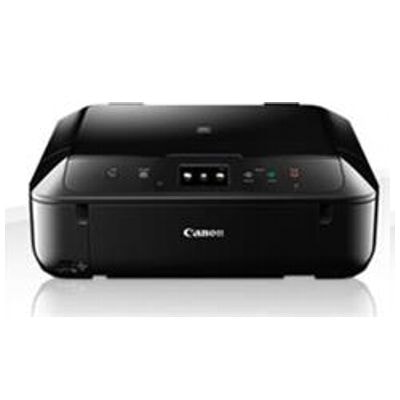
Find the right ink fast for your Canon Pixma MG6850 (also searched as Canon MG6850, Canon MG6000 Series, MG6850, 0519C006AA). This category brings together everything you need to keep your printer producing crisp text and rich photo colors—whether you prefer budget-friendly compatible options or the reassurance of original OEM cartridges.
Choose from Canon PGI-570 black cartridges and Canon CLI-571 color inks (Cyan, Magenta, Yellow, plus Black and Gray), available as standard or XL capacity, single colors or convenient multipacks (CMYK/4xpack). We offer both original OEM ink cartridges for factory-matched performance and compatible ink cartridges for Canon Pixma MG6850 designed for reliable fit and consistent print quality.
Need more than ink? You’ll also find the All-In-One Printer Canon Pixma MG6850 and the Original OEM Printhead Canon QY6-0082 to restore performance when maintenance is required. Pick your cartridge set now and get your Canon MG6850 printing at its best—explore the full selection and choose the option that fits your pages and your budget.
Product Number: 0519C006AA Other names: All-In-One Printer Canon Pixma MG6850
Looking for reliable ink for Canon Pixma MG6850? You’re in the right place. The Canon Pixma MG6850 (also searched as Canon MG6850 or Canon MG6000 Series) is a versatile all-in-one inkjet device designed for everyday home and small office use—printing, copying and scanning with very good photo quality. To keep it performing at its best, you need the right ink cartridge for Canon Pixma MG6850, whether you prefer Original OEM cartridges or our proven, high-quality compatible ink.
Ink system in Canon MG6850 – what you need to know
The MG6850 uses a multi-cartridge system based on the PGI-570 (pigment black for crisp text) and CLI-571 (dye colors for smooth gradients and photo prints). This setup is great for users who print a mix of documents and color graphics, because you replace only the color that runs out—saving time and reducing waste.
In this category you’ll find:
Ink cartridges for Canon MG6850 in standard and XL capacities
Color cartridges (Cyan, Magenta, Yellow, Black, and Gray where applicable)
Printheads for maintenance and long-term reliability
Even the All-in-One Printer Canon Pixma MG6850 if you’re replacing the device
What this ink is best for: documents, photos and everyday printing
Choosing the right ink for printer Canon Pixma MG6850 makes a noticeable difference in daily use. Pigment black (PGI) delivers sharp letters and clean lines—ideal for schoolwork, invoices, forms and office documents. Dye-based CLI colors bring vibrant output for presentations, family photos and creative projects.
When you print often, consider XL cartridges: they reduce how frequently you need to replace ink and are typically more cost-effective per page—especially for users printing a lot of black text or color pages.
Popular Canon MG6850 cartridges in our offer
We keep the range broad, so you can buy exactly what you need—single colors, XL versions, or convenient multipacks. Customers often choose these products:
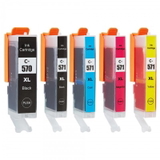
Compatible Ink Cartridges PGI-570/CLI-571 CMYK for Canon (0372C004) (multi pack) – a practical set for everyday mixed printing
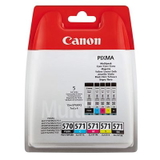
Original OEM Ink Cartridges Canon PGI-570/CLI-571 CMYK (0372C004) (multi pack) – the manufacturer’s set for users who prefer OEM from the start
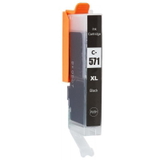
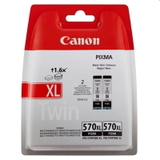
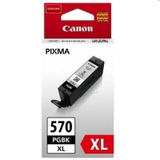
Compatible Ink Cartridge PGI-570 XL PGBK for Canon (0318C001) (Black) – high-yield black for frequent document printing
Original OEM Ink Cartridge Canon PGI-570 XL PGBK (0318C001) (Black) – OEM pigment black for consistently sharp text
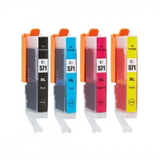
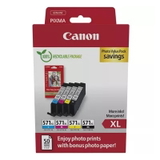
Compatible Ink Cartridges CLI-571 CMYK for Canon (0386C005) (4xpack) and Original OEM Ink Cartridges Canon CLI-571 CMYK (0386C005) (4xpack) – great when your printing is mostly color
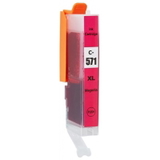
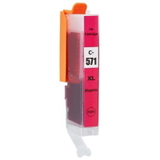
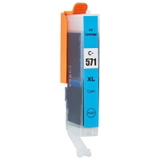
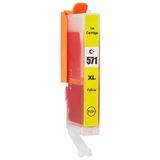
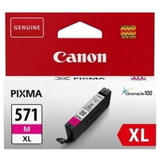
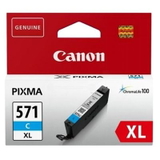
Single-color options like Compatible Ink Cartridge CLI-571 XL C (0332C001) (Cyan), Compatible Ink Cartridge CLI-571 XL M (0333C001) (Magenta), Compatible Ink Cartridge CLI-571 XL Y (0334C001) (Yellow)
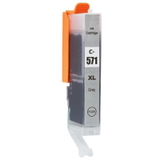
Extra tones such as Original OEM Ink Cartridge Canon CLI-571 XL G (0335C001) (Gray) and its counterpart Compatible Ink Cartridge CLI-571 XL G for Canon (0335C001) (Gray) – helpful for smoother photo shading
Service and repair option: Original OEM Printhead Canon QY6-0082 (QY6-0082)
Thanks to multipacks, you can quickly restock all key colors in one order and reduce the risk of your MG6850 stopping mid-print.
Original OEM vs compatible ink for Canon Pixma MG6850 – how to choose
Many customers ask us which option is “best.” The honest answer: it depends on your priorities. We offer both, because each approach makes sense for different users.
Original OEM ink for Canon MG6850 – designed by Canon for their print system; a safe choice if you want to stick with manufacturer consumables.
Compatible ink for Canon Pixma MG6850 – a smart alternative if you want to reduce running costs without compromising on quality. Our compatible cartridges from the DrTusz.pl offer are engineered to deliver results that are as good as the originals in everyday printing—sharp text, stable colors and reliable performance.
If you print frequently (school, home office, admin tasks), compatible XL black is often the most economical upgrade. If you print photos occasionally but want a full refresh, a CMYK multipack is typically the most convenient.
Common MG6850 printing issues and how the right cartridge helps
The Canon MG6850 is dependable, but like any inkjet, it can run into typical user issues—especially when ink is low or the printer sits unused.
Faded text or pale colors – often a sign of low ink or the wrong cartridge type (PGI black vs CLI black).
Streaks / missing lines – may require a nozzle check and cleaning; fresh, properly working cartridges help keep ink flow stable.
Color imbalance in photos – replacing a single depleted color (C/M/Y/Gray) usually restores natural tones.
Long-term heavy use – if cleaning cycles no longer help, a replacement such as Printhead Canon QY6-0082 can bring the printer back to full performance.
We encourage you to keep at least one black and one key color cartridge on hand—this simple habit prevents downtime when you need to print urgently.
Order ink for Canon Pixma MG6850 with confidence
Whether you’re topping up your current setup or buying supplies for the All-in-One Printer Canon Pixma MG6850, we make it easy to find the exact match by model name and codes like 0519C006AA. Choose Original OEM cartridges for manufacturer-branded consumables, or pick our compatible ink for Canon MG6850 for excellent quality and great value.
CTA: Browse the full selection of ink cartridges for Canon Pixma MG6850 in this category, choose a multipack or your missing color, and place your order today. If you’re unsure which cartridge you need (PGI-570 vs CLI-571, standard vs XL, or which color), contact us—we’ll help you select the right ink quickly and get it delivered to you without hassle.