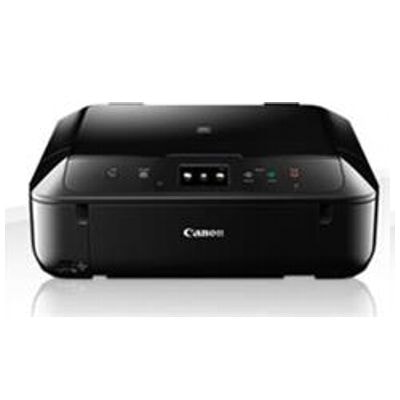
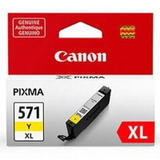
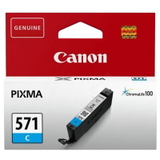
Canon Pixma MG6850 – a versatile home office and photo printer The Canon Pixma MG6850 (also searched as Canon MG6850 and Canon MG6000 Series) is a popular all-in-one inkjet device designed for everyday printing, copying and scanning—perfect for home, study and small-office tasks. It’s appreciated for sharp text, vivid colour graphics and very good photo output, which is why choosing the right ink for Canon Pixma MG6850 matters so much. In this category we’ve gathered everything you need: compatible ink cartridges, original OEM Canon cartridges, and even the dedicated printhead for long-term reliability. Ink for Canon MG6850 – what this printer needs for best results The MG6850 uses a multi-cartridge system based on PGI-570 (pigment black for crisp documents) and CLI-571 colours for smooth gradients and photos. That combination lets you print both professional-looking text and rich colour images without compromise. In our offer you’ll find standard and XL options, so you can tailor your choice to your printing style—occasional printing, school documents, or frequent colour projects. - PGBK (PGI-570) – pigment black for clear, durable text
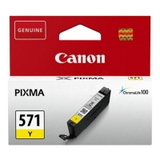
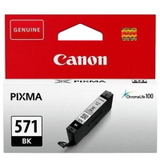
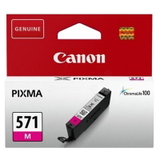
- BK/C/M/Y (CLI-571) – dye-based colours for photos and vivid graphics
- G (CLI-571 Gray) – improves tonal transitions in photos and monochrome prints
- XL cartridges – more ink, fewer replacements, better cost per page
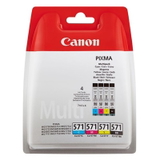
If you’re looking specifically for identifiers such as 0519C006AA or cartridge codes like 0372C004, you’re in the right place—this category is dedicated to supplies that match the Canon Pixma MG6850 family. Compatible and Original OEM cartridges – a wide, practical selection We stock both Original OEM ink for Canon Pixma MG6850 (Canon-branded) and our proven compatible ink for Canon MG6850. Whether you want the manufacturer’s cartridges or you want to reduce printing costs without sacrificing quality, you can select the option that fits your expectations. Popular choices in this category include: - Compatible Ink Cartridges PGI-570/CLI-571 CMYK for Canon (0372C004) (multi pack) – a convenient all-in-one set for everyday printing
- Original OEM Ink Cartridges Canon PGI-570/CLI-571 CMYK (0372C004) (multi pack) – the classic OEM bundle for balanced performance
- Compatible Ink Cartridges CLI-571 CMYK for Canon (0386C005) (4xpack) and Original OEM Ink Cartridges Canon CLI-571 CMYK (0386C005) (4xpack) – great when you print lots of colour
- Original OEM Ink Cartridges Canon CLI-571 XL CMYK (0332C006) (multi pack) – higher yield for frequent users
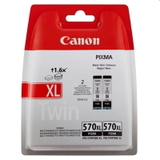
- Black options like Compatible Ink Cartridge PGI-570 XL PGBK (0318C001) and Original OEM Ink Cartridge Canon PGI-570 XL PGBK (0318C001) – ideal for document-heavy printing
- Individual colours: CLI-571 XL C/M/Y/BK in both compatible and OEM versions, so you can replace only what you need
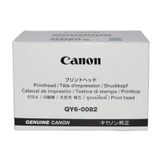
- Original OEM Printhead Canon QY6-0082 (QY6-0082) – for users who want to maintain or restore print quality over time
- All-In-One Printer Canon Pixma MG6850 – if you’re equipping a new workstation or replacing an older unit
How to choose ink for Canon Pixma MG6850 and avoid common issues Dear Customer, the best ink for Canon Pixma MG6850 depends on what you print most often. We recommend considering these simple rules: - For lots of text: choose PGI-570 PGBK or PGI-570 XL PGBK—pigment black is made for sharp documents.
- For photos and colour graphics: focus on CLI-571 colours (C/M/Y/BK) and consider CLI-571 XL for better efficiency.
- For best grayscale photos: add CLI-571 XL G (Gray)—it helps with smoother tonal transitions.
- For convenience: pick a multi pack (CMYK) to refresh your set in one step.
Users of the Canon MG6850 sometimes report issues that are usually easy to solve with the right supplies and maintenance: - Faded colours or missing lines – often caused by a partially clogged nozzle; replacing a low cartridge and running a cleaning cycle typically helps.
- Streaks on prints – can appear when ink is running low or after long breaks in printing; XL cartridges and regular use reduce the risk.
- Printer not recognising a cartridge – most often linked to installation or contact points; re-seating the cartridge and checking compatibility usually resolves it.
When it comes to the choice between OEM and compatible: Original OEM Canon ink for MG6850 is the manufacturer’s solution, while our compatible ink cartridges for Canon Pixma MG6850 are a smart alternative for customers who want excellent print quality and reliable performance at a better total cost. We select compatible solutions that are designed to match the printer’s requirements—so you can print confidently without compromising everyday results. Ready to print? Choose your Canon MG6850 cartridges today We encourage you to explore our full range of ink cartridges for Canon Pixma MG6850—from single colours to XL versions, from cost-effective compatible options to Original OEM sets, plus the dedicated QY6-0082 printhead and even the all-in-one printer itself. If you’re unsure which cartridge code you need (PGI-570 vs CLI-571, standard vs XL, or a CMYK multipack), contact us—together we’ll match the right ink for Canon Pixma MG6850 to your printing habits. CTA: Add the right cartridges to your cart now and enjoy smooth printing—choose compatible or Original OEM and keep your Canon MG6850 ready for every document and photo. We’re here to help with product selection, availability, and fast order handling. |