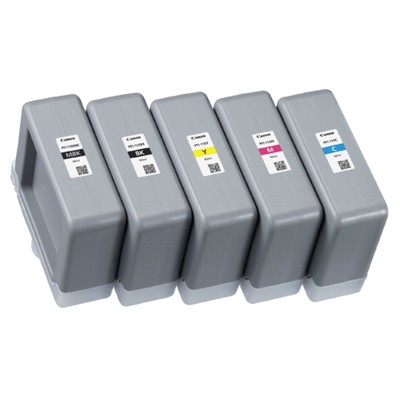
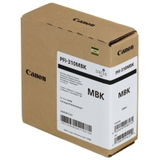
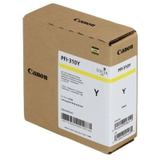
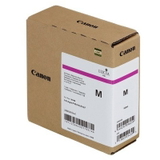
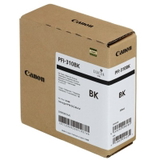
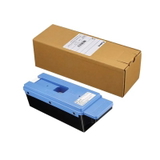
Canon PFI-310 ink cartridges – crisp CAD lines, deep blacks, and color you can trust Dear Customer, when every millimeter matters and deadlines are tight, you need ink for Canon imagePROGRAF that prints predictably—page after page, plot after plot. The Canon PFI-310 ink cartridge series was designed for professional large-format printing where sharp technical lines, readable small text, and stable color are non‑negotiable. In this category we bring together the essentials for daily work: original OEM Canon PFI-310 ink cartridges (MBK, BK, C, M, Y) plus the original Canon MC-30 waste ink tank, so your printer stays ready for production instead of pauses. What’s included in the Canon PFI-310 series (and why it matters) This category contains original OEM consumables for Canon imagePROGRAF systems, including: - Original OEM Ink Cartridge Canon PFI-310MBK (2358C001) – Matte Black for strong contrast on plain and matte media.
- Original OEM Ink Cartridge Canon PFI-310BK (2359C001) – Black for clean, confident detail and dense blacks.
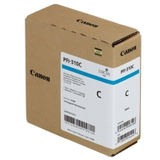
- Original OEM Ink Cartridge Canon PFI-310C (2360C001) – Cyan for balanced, accurate color graphics.
- Original OEM Ink Cartridge Canon PFI-310M (2361C001) – Magenta for vivid highlights and smooth transitions.
- Original OEM Ink Cartridge Canon PFI-310Y (2362C001) – Yellow for clear, bright color layers without muddiness.
- Original OEM Waste Ink Tank Canon MC-30 (1156C002) – collects service and cleaning ink to keep your printer running safely.
Choosing the right ink cartridge Canon PFI-310 set means consistent output across monochrome CAD drawings, GIS maps, posters, and mixed documents—without the “why does this look different today?” frustration. Designed for Canon imagePROGRAF TX printers – reliable performance in real workflows The Canon PFI-310 series is used in popular large-format printers from the Canon imagePROGRAF TX family. Many customers run these cartridges in devices such as Canon imagePROGRAF TX-2000, Canon imagePROGRAF TX-3000, Canon imagePROGRAF TX-4000 and their related variants. If your workday involves long print queues, multiple users, and mixed media, original ink for Canon TX printer helps keep output stable and predictable, especially when you cannot afford reprints. Original OEM vs compatible: how to choose (and what to expect) In this specific subpage, you’ll find Original OEM products—factory Canon consumables made for the PFI-310 system. OEM cartridges are often chosen when you want maximum peace of mind: full specification compliance, repeatable color behavior, and smooth cooperation with the printer’s maintenance routines. At the same time, we know many customers compare OEM with alternatives. As a rule of thumb: - Choose Original OEM when you need strict standardization (e.g., tender documentation, archived technical plans, brand-sensitive graphics) or when your workflow demands absolute repeatability.
- Choose a compatible cartridge when you want to optimize printing costs while maintaining great quality—our DrTusz.pl compatible solutions are built to be as good as the originals, delivering reliable results and strong value.
If you are unsure which option is best for your environment, we encourage you to consider what matters most: cost per milliliter, color consistency, the type of media you print on, and how critical “first print perfect” is in your daily production. Common issues users face—and how PFI-310 + MC-30 helps prevent downtime Large-format printers are workhorses, but they have their typical pain points. Customers most often tell us about: - Faded blacks or weak contrast on plain paper—often solved by choosing the correct black (Matte Black vs Black) for the job and keeping ink levels stable.
- Unexpected pauses during long print runs—reduced by planning replacements early and keeping key colors in stock.
- Maintenance interruptions and warning messages—the Canon MC-30 waste ink tank is crucial here, because it collects ink used during cleaning cycles; a full tank can stop printing until replaced.
- Color shifts between projects—minimized by using consistent cartridge types and avoiding last-minute mixing of consumable sources.
In practice, the smartest approach is simple: treat ink and the waste ink tank as one system. When you invest in the right Canon PFI-310 ink and keep an eye on the MC-30 status, you protect the printer’s rhythm—so your team can focus on delivering drawings, signage, and plans on time. How to buy the right Canon PFI-310 cartridge faster To choose the best ink cartridge for Canon imagePROGRAF, we recommend: - Match the cartridge symbol exactly: PFI-310 (and the color code: MBK/BK/C/M/Y).
- Check your printing profile: more CAD and text usually means higher black usage; posters and color graphics will require regular C/M/Y replenishment.
- Add a spare Canon MC-30 waste ink tank if your printer is used heavily—this is one of the most common causes of sudden downtime.
Summary and CTA – keep your Canon imagePROGRAF ready for the next deadline With Canon PFI-310 Original OEM cartridges and the Canon MC-30 waste ink tank, we help you maintain sharp lines, strong blacks, and clean color—while reducing the risk of interruptions during critical print runs. If you want dependable ink for Canon imagePROGRAF TX printers and consumables you can install with confidence, you’re in the right place. Choose your Canon PFI-310 ink cartridge (or MC-30 waste ink tank) today and keep your large-format workflow moving—without costly stops. |