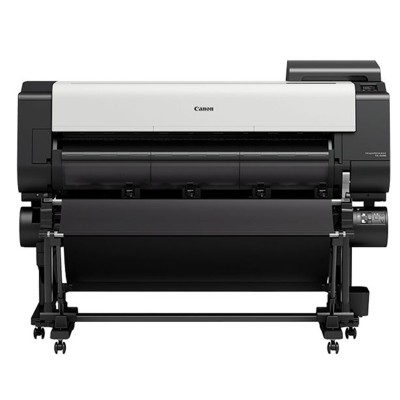
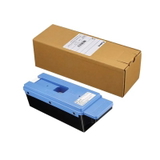
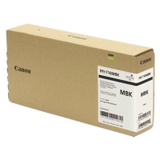
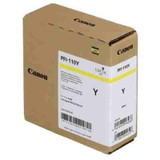
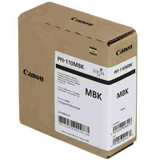
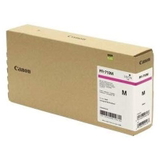
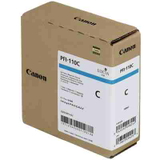
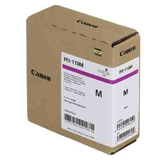
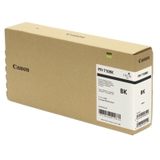
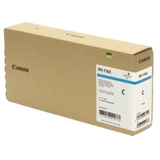
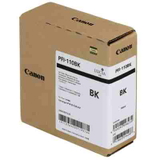
Canon imagePROGRAF TX-2000 – a production-ready large-format printer Canon imagePROGRAF TX-2000 (also searched as Canon TX2000, TX-2000, TX 2000 or Canon imagePROGRAF TX) is a fast, precise 24-inch large-format printer designed for CAD drawings, GIS maps, posters and everyday technical printing. It’s built for continuous work, reliable color reproduction and sharp lines—provided you use the right ink for Canon imagePROGRAF TX-2000 and keep the system properly maintained. In this category we’ve gathered everything you need: ink cartridges, printheads, waste ink tanks and cleaning fluids—both Original OEM and selected refill/maintenance components. What makes ink for Canon TX2000 special? The TX series relies on pigment ink that delivers crisp text, durable lines and smudge-resistant prints—key for technical documents and frequently handled plans. Choosing the correct ink cartridge for Canon imagePROGRAF TX-2000 helps maintain: - Line accuracy and readability in CAD and architectural drawings
- Stable colors for presentations, signage and posters
- Consistent output during long print runs (important in offices and print rooms)
- Lower risk of nozzle issues when the printer is used regularly and serviced properly
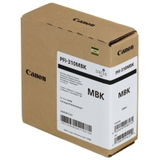
In practice, the best results come from combining the right cartridges with routine maintenance items such as a waste ink tank and—when needed—head cleaning fluid. Our range: Original OEM cartridges + refill & maintenance essentials We offer a broad selection of ink for Canon imagePROGRAF TX-2000 so you can match your workflow and budget. Popular Original OEM choices include: - Canon PFI-310MBK (2358C001) – Matte Black
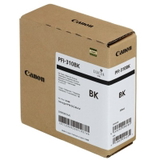
- Canon PFI-310BK (2359C001) – Black
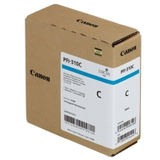
- Canon PFI-310C (2360C001) – Cyan
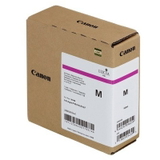
- Canon PFI-310M (2361C001) – Magenta
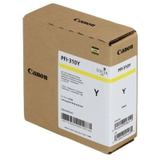
- Canon PFI-310Y (2362C001) – Yellow
For users looking for higher-capacity options, we also stock OEM cartridges from the 710 series: - Canon PFI-710MBK (2353C001) – Matte Black
- Canon PFI-710BK (2354C001) – Black
- Canon PFI-710C (2355C001) – Cyan
- Canon PFI-710M (2356C001) – Magenta
- Canon PFI-710Y (2357C001) – Yellow
And if your device is configured for another supported set, you’ll also find OEM cartridges from the 110 series: - Canon PFI-110MBK (2363C001) – Matte Black
- Canon PFI-110BK (2364C001) – Black
- Canon PFI-110C (2365C001) – Cyan
- Canon PFI-110M (2366C001) – Magenta
- Canon PFI-110Y (2367C001) – Yellow
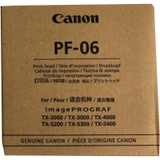
Because professional printing is more than just cartridges, we also include key service items: - Original OEM Printhead Canon PF-06 (2352C001) – for restoring top quality when nozzles are worn or persistent banding appears
- Original OEM Waste Ink Tank Canon MC-30 (CF1156C002) – essential for uninterrupted operation (many TX-2000 stoppages are simply a full tank)
- Specialistic Fluid for Cleaning Heads Canon 250 ml (Universal) – helpful for maintenance and resolving ink drying/clogging symptoms
How to choose the right cartridge: MBK vs BK, and capacity series When ordering ink for TX-2000, pay close attention to the color type: - MBK (Matte Black) – typically used for strong, matte media performance and technical drawings with deep, non-reflective blacks
- BK (Black) – used alongside the color set for rich blacks and balanced output depending on the media and job type
Also consider the cartridge series/capacity (for example PFI-310 vs PFI-710). Higher-capacity cartridges can reduce downtime and improve cost-per-page for busy environments. If you print occasionally, a smaller capacity may be a smarter way to avoid ink sitting unused for too long. Original OEM vs compatible: what’s the difference? Many customers ask whether it’s better to choose Original OEM ink for Canon imagePROGRAF TX-2000 or a compatible alternative. OEM cartridges are designed by the printer manufacturer and are often chosen when you want a fully manufacturer-matched solution for color-critical work. At the same time, we know that running costs matter. That’s why we also develop and offer proven compatible solutions and refill/maintenance components. Compatible cartridges from DrTusz.pl are as good as the originals for everyday professional use: they are selected for stable performance, reliable page yield and clean printing. If you’re unsure which option best fits your workflow (CAD office, print room, school, design studio), we’ll help you choose. Common TX2000 user issues and how the right supplies help The Canon imagePROGRAF TX-2000 is built for speed and volume, but like any large-format device it needs correct consumables and maintenance. The most frequent situations we help with include: - Banding or missing lines – often solved by maintenance routines; if persistent, consider the Canon PF-06 printhead
- Printer stops during cleaning cycles – check whether the Canon MC-30 waste ink tank is full
- Nozzle drying after long downtime – regular printing and, when needed, the head cleaning fluid can help restore flow
- Wrong cartridge ordered – double-check the exact code (e.g., 2358C001) and color label (MBK/BK/C/M/Y)
Our recommendation: keep at least one critical color and a spare waste ink tank on hand—this simple step prevents most avoidable downtime. Order ink for Canon imagePROGRAF TX-2000 with confidence We encourage you to explore the full selection of ink cartridges for Canon imagePROGRAF TX-2000 available in this category—Original OEM, refill components, plus essential maintenance items like printheads, waste ink tanks and cleaning fluids. If you tell us how you print (CAD lines, posters, mixed office use) and how often, we’ll suggest the most cost-effective setup. CTA: Add the right ink for Canon TX-2000 to your cart now, or contact us—together we’ll match the best cartridges and maintenance supplies to your printer and your workload. We provide fast delivery options and helpful support so you can get back to printing without delays. |