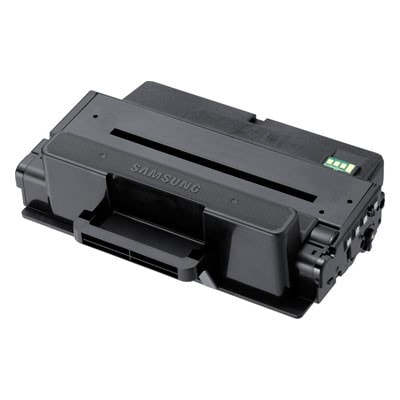
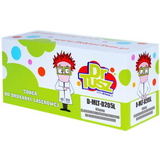
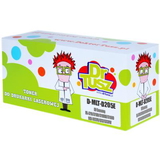
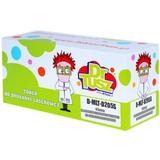
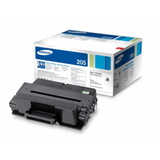
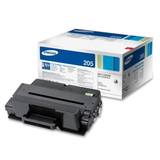
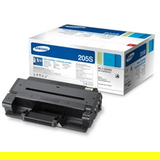
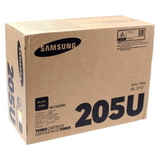
Fast, Crisp Black Prints with Samsung MLT-D205 Toner Cartridges When you rely on your laser printer every day, you want pages that look sharp, professional, and consistent from the first sheet to the last. Our category Toner cartridges Samsung MLT-D205 – compatible and original OEM is built for exactly that: dependable black text, clean graphics, and smooth workflow—whether you print invoices, reports, school materials, or office documentation. With the right toner for Samsung MLT-D205, you can bring back that “freshly serviced printer” feeling: deep blacks, clear edges, and fewer interruptions. This series is commonly used in reliable business-class devices such as Samsung ML-3710 and multifunction models like Samsung SCX-5737FR/SCX-5737FW. If your printer is in this family, choosing the correct toner for printer Samsung ML-3710 or toner for printer Samsung SCX-5737 is the simplest way to keep your documents looking their best. What You’ll Find in This Category: Toners and a Key Service Part In this category we offer both Original OEM and Compatible options, plus an important maintenance component that can restore print quality when toner alone is not enough. The selection includes: - MLT-D205S / MLT-D205L / MLT-D205E / MLT-D205U black toner cartridges (Original OEM and Compatible)
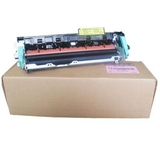
- Fuser Unit Samsung JC91-01024A (Original OEM) – the part responsible for fixing toner to the paper with heat
So whether you need a straightforward replacement black toner Samsung MLT-D205 or your printer is showing symptoms that point to the fuser (smearing, toner rub-off, repeating marks), we help you choose the right solution in one place. How to Choose the Right MLT-D205 Version (S, L, E, U) One of the most common customer questions is: “Which Samsung MLT-D205 should I buy?” The letter at the end (S/L/E/U) typically indicates a different capacity (page yield) for the same printer family. In practice: - MLT-D205S – a practical choice for moderate printing needs
- MLT-D205L – a higher-yield option for more frequent printing
- MLT-D205E – high-yield for heavy office workloads and fewer replacements
- MLT-D205U – another high-capacity variant used in selected configurations
If you print a little, the “S” version can be cost-effective. If you print a lot, choosing MLT-D205L or MLT-D205E often feels like upgrading your comfort: fewer cartridge changes, fewer pauses, and better continuity for busy weeks. When in doubt, we recommend matching the exact symbol used previously in your printer (e.g., toner Samsung MLT-D205E) to ensure effortless compatibility. Original OEM vs Compatible: What’s the Real Difference? We offer both Original OEM Samsung MLT-D205 toner and carefully selected compatible Samsung MLT-D205 toner, because customers value different things: some want the manufacturer-branded cartridge, others want the smartest cost-per-page. Here’s how to decide: - Original OEM toner Samsung MLT-D205 – ideal if you want the manufacturer’s cartridge, consistent results, and a “set it and forget it” approach.
- Compatible toner MLT-D205 – ideal if you want excellent print quality and reliability at a more budget-friendly price.
And here’s the key point: our DrTusz.pl compatible toner Samsung MLT-D205 options are designed to be as good as the originals in everyday use—clear text, solid blacks, and smooth operation—so you can print confidently without paying more than you need to. Chipped vs “No Chip” Versions: Avoid the Most Common Buying Mistake Another frequent issue with this series is chip compatibility. Some printers require a chip on the cartridge to monitor toner level and confirm installation. That’s why we clearly distinguish standard compatible cartridges from the special version: - Compatible Toner MLT-D205E (DT-TS-205/NC) (no chip) – intended for specific scenarios (for example, when the chip is handled separately).
If your printer expects a chip and the cartridge has none, the device may refuse to print or show warnings. If you’re unsure which one you need, choose a standard compatible toner MLT-D205E with chip or contact us—selecting the right version prevents downtime and frustration. When Toner Isn’t Enough: Signs You May Need a Fuser Unit JC91-01024A Sometimes customers replace a toner for Samsung SCX-5737FW or toner for Samsung ML-3710ND and still see problems. If you notice smudging, toner that rubs off the page, wrinkling, or repeating marks, the issue may be the fuser. That’s why we include the Original OEM Fuser Unit Samsung JC91-01024A in this category: it’s a crucial service part that can restore the crisp, “fully set” finish your laser printer should deliver. Why Buying Your Samsung MLT-D205 Toner Here Makes Life Easier We built this category to help you buy quickly and correctly—without guesswork. You can choose: - the exact model (MLT-D205S, MLT-D205L, MLT-D205E, MLT-D205U)
- the right class (Original OEM or Compatible)
- the right type (standard toner or the fuser unit for deeper maintenance)
Whether you’re replacing toner Samsung MLT-D205L before a busy month or solving a print-quality problem on a hard-working office machine, we encourage you to choose the option that fits your real printing rhythm—not just the cheapest or the most popular. Summary & CTA: Pick Your MLT-D205 and Print with Confidence With Samsung MLT-D205 toner cartridges—original OEM or our high-quality compatible alternatives—you can keep your printer producing strong, readable documents day after day. Select the yield that matches your workload, pay attention to chip requirements, and consider the JC91-01024A fuser unit if your pages show signs of poor fixing. Choose your Samsung MLT-D205 toner today—and let’s get your printer back to clean, sharp, reliable printing. |