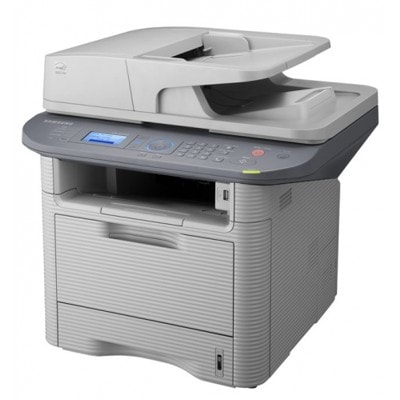
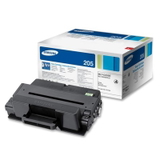
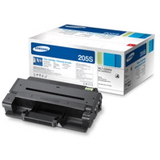
Reliable printing with Samsung SCX-5737FR Samsung SCX-5737FR (also searched as Samsung SCX5737FR, SCX-5737FR, SCX 5737 FR or SCX-5737) is a fast, business-focused mono laser multifunction printer built for everyday office work. It’s designed for frequent printing, copying and scanning, where you need crisp text, repeatable quality and predictable costs. To keep this device working at its best, choosing the right toner for Samsung SCX-5737FR and servicing parts like the fuser unit matters just as much as paper and settings. Toner and fuser unit – what makes the difference in daily use In this category you’ll find laser cartridges for your device: toner for printer Samsung SCX-5737FR (black) and a dedicated fuser unit. The toner is responsible for sharp lettering and clean graphics, while the fuser unit is the component that permanently bonds toner to the page using heat and pressure. When either part is worn or incorrectly matched to the printer, you may notice poorer print quality, smearing, ghosting or frequent messages about consumables. When you select the correct toner for SCX-5737FR, you gain: - clear, high-contrast black prints for contracts, invoices and reports,
- stable performance during longer print runs,
- less downtime caused by print quality issues,
- better control over operating costs—especially when you print a lot.
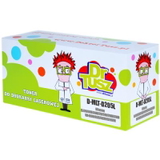
Compatible and Original OEM – a choice tailored to your needs We offer both Compatible and Original OEM options, so you can choose exactly how you want to balance budget and brand preference. Original cartridges are manufacturer products, while our compatible solutions are a smart alternative designed for the same printer model. Many customers ask us whether a compatible cartridge is a “step down”. With DrTusz.pl, the answer is simple: our compatible toner for Samsung SCX-5737FR is made to deliver print quality and reliability that are as good as originals in everyday office use—while allowing you to significantly reduce printing costs. Popular products for Samsung SCX-5737FR in this category To make selection easier, here are some of the most frequently chosen items available on this page (all in black): - Compatible Toner MLT-D205L for Samsung (SU963A) (Black) – a high-capacity choice for heavier office printing.
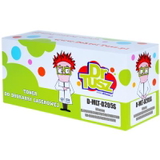
- Compatible Toner MLT-D205E for Samsung (SU951A) (Black) – a dependable option for regular workloads.
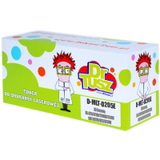
- Compatible Toner MLT-D205S for Samsung (SU974A) (Black) – a practical solution for standard daily printing.
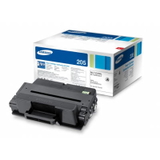
- Original OEM Toner Samsung MLT-D205S (SU974A) (Black) – official Samsung cartridge for users who prefer OEM.
- Original OEM Toner Samsung MLT-D205L (SU963A) (Black) – OEM high-yield option for busy teams.
- Original OEM Toner Samsung MLT-D205U (SU984A) (Black) – OEM cartridge variant for SCX-5737FR-family devices.
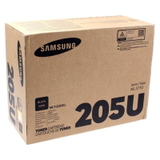
- Original OEM Toner Samsung MLT-D205E (SU951A) (Black) – OEM solution for predictable output.
- Compatible Toner MLT-D205E for Samsung (DT-TS-205/NC) (Black) (no chip) – for specific use cases where a chip is not required or you already have it (please verify before purchase).
- Original OEM Fuser Unit Samsung JC91-01024A (JC91-01024A) – the key maintenance component when prints start smearing or the toner doesn’t fix properly.
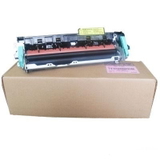
Thanks to this variety, you can select an economical compatible cartridge, stick with Original OEM, or combine both approaches depending on departments, print volume and internal procedures. How to choose the right toner for Samsung SCX-5737FR When you’re selecting toner for printer Samsung SCX-5737FR, focus on two things: the exact cartridge code and your expected print volume. The SCX-5737FR series commonly uses the MLT-D205 family (S / E / L / U variants). If you print a lot, a higher-yield option (for example, “L”) can reduce replacement frequency and keep your workflow smoother. We also recommend checking these points before ordering: - Search by model phrase: Samsung SCX-5737FR, SCX5737FR, SCX-5737 FR or Samsung SCX-5737—all lead you to the correct category.
- Match the cartridge symbol: MLT-D205S, MLT-D205E, MLT-D205L or MLT-D205U.
- If you consider the “no chip” version, confirm whether your printer needs a chip for recognition and page count tracking.
Common SCX-5737FR issues – and what to replace In busy offices, the same questions come up repeatedly. Here’s what usually helps: - Light prints / faded text – often solved by replacing the toner cartridge with a fresh toner for SCX-5737FR.
- Streaks or repeating marks – may indicate a worn cartridge or internal wear; a quality toner is the first step, but if the issue persists, service parts may be needed.
- Toner smearing or not fixing to paper – a classic sign that the fuser unit is reaching the end of its life; consider Samsung JC91-01024A.
- Printer doesn’t recognize the cartridge – check whether you selected a “no chip” option or whether the device requires a chipped cartridge.
If you’re unsure which solution fits your symptoms, we encourage you to contact us—our team will help you choose the right toner for Samsung SCX-5737FR or the correct maintenance part. Order today and keep your office running smoothly We make it easy to choose between Compatible and Original OEM cartridges, and we keep a practical range for the Samsung SCX-5737FR so you can replace supplies quickly and get back to work. Browse the available toners and fuser units, compare versions (S/E/L/U), and pick the option that best matches your printing habits. CTA: We encourage you to explore our selection of toner for printer Samsung SCX-5737FR and choose the cartridge or fuser unit that fits your needs. If you want a recommendation before ordering, contact us—together we’ll find the best solution and arrange fast, convenient delivery. |