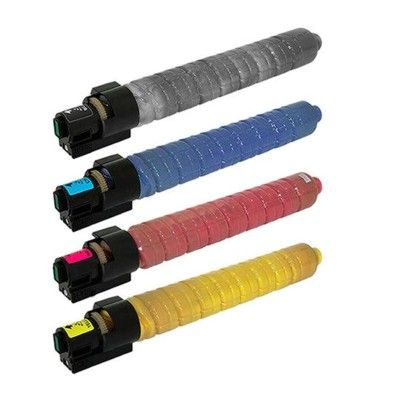
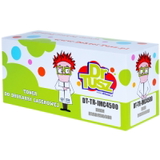
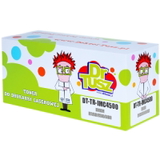
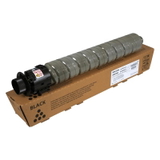
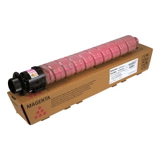
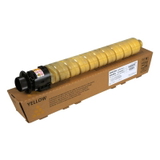
Print with Confidence – Toner cartridges Ricoh IM C4500 for Demanding Offices Dear Customer, when your documents represent your business, every page matters. The toner for printer Ricoh IM C4500 is designed for fast-paced environments where color has to look professional and black text must stay razor-sharp from the first sheet to the last. In this category we offer both Original OEM and Compatible laser toners, so you can choose the solution that fits your workflow and budget—without sacrificing reliability. Expect vivid presentations, crisp contracts, and consistent results that make your prints look “finished” the moment they leave the tray. What You’ll Find in This Category: OEM and Compatible Toners (Black + CMYK) Our range covers the complete color set for the IM C4500 series, so you can keep your device ready for anything—daily correspondence, invoices, marketing materials, and internal reports. Available products include: - Original OEM Toner Ricoh IM C4500 (842283) (Black)
- Original OEM Toner Ricoh IM C4500 (842284) (Yellow)
- Original OEM Toner Ricoh IM C4500 (842285) (Magenta)
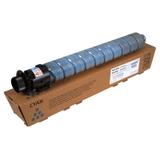
- Original OEM Toner Ricoh IM C4500 (842286) (Cyan)
- Compatible Toner IM C4500 for Ricoh (842283) (Black)
- Compatible Toner IM C4500 for Ricoh (842284) (Yellow)
- Compatible Toner IM C4500 for Ricoh (842285) (Magenta)
- Compatible Toner IM C4500 for Ricoh (842286) (Cyan)
Each toner is matched to the device requirements to help you maintain stable print quality and smooth operation, whether you choose OEM or our proven compatible option from DrTusz.pl. Compatible Printers: Built for the Ricoh IM Color Series This category is centered on the toner for Ricoh IM C4500, and it’s also relevant if your fleet includes closely related models from the same family. Many offices run multiple devices across departments—so it helps to standardize supplies and reorder quickly. You’ll most often see these toners paired with machines like Ricoh IM C4500, and in similar environments where models such as Ricoh IM C5500 or Ricoh IM C6000 handle higher-volume workflows. If you’re building a consistent purchasing plan, we encourage you to keep your toner codes handy (842283–842286) to avoid mistakes and downtime. Original OEM vs Compatible: How to Choose the Best Option Choosing between an Original OEM toner Ricoh IM C4500 and a compatible toner for printer Ricoh IM C4500 is usually about priorities: absolute brand matching vs. maximum cost efficiency. Here’s how we recommend deciding: - Choose Original OEM if your organization requires manufacturer supplies for internal policy reasons, strict audits, or standardized procurement procedures.
- Choose Compatible if you want excellent print quality and dependable performance while keeping cost per page under control—especially important when you print a lot of color.
And an important note: our compatible toner IM C4500 solutions from DrTusz.pl are built to be as good as the originals in everyday use—clear text, strong blacks, and lively colors—so you can print confidently while protecting your budget. Common User Problems We Help You Avoid In busy offices, toner issues aren’t just annoying—they interrupt meetings, delay shipments, and create unnecessary stress. By selecting the correct toner for printer Ricoh IM C4500 (and replacing colors on time), you can prevent the most frequent problems customers report: - Unexpected “low toner” surprises right before an important print run—keeping a spare black (842283) and your most-used color prevents downtime.
- Uneven color output when one color runs out earlier—replacing CMYK strategically helps maintain consistent brand colors in charts and graphics.
- Wasted time on incorrect purchases—matching the code (842283 black, 842284 yellow, 842285 magenta, 842286 cyan) is the safest way to get the right toner the first time.
- Print quality inconsistency—using a well-matched compatible toner or OEM toner stabilizes density and reduces the chance of faint text or dull graphics.
When your printer is the silent engine behind everyday business, the right toner keeps everything running smoothly—no last-minute panic, no reprints, no “why is this page so pale?” moments. How to Shop Smart: A Quick Checklist Before You Order We encourage you to choose your toner the same way you choose any business-critical supply: quickly, correctly, and with future needs in mind. Before adding to cart, check: - Your device model (most commonly Ricoh IM C4500).
- The toner code you need: 842283 (Black), 842284 (Yellow), 842285 (Magenta), 842286 (Cyan).
- Your printing profile: text-heavy (prioritize black), graphics-heavy (keep a full CMYK set available).
- Your purchasing strategy: OEM for strict compliance, compatible for best value with excellent everyday results.
This approach helps you maintain predictable costs and reduces interruptions—especially when multiple teams share one device. Summary + CTA: Get the Right Toner for Ricoh IM C4500 Today Whether you choose Original OEM Toner Ricoh IM C4500 or our high-quality compatible toner for printer Ricoh IM C4500, you’re investing in cleaner text, richer color, and a calmer workday where printing simply works. We’re here to help you print more, worry less, and keep your office moving. Choose your Ricoh IM C4500 toner (842283–842286) now and stock up for uninterrupted, professional printing. |