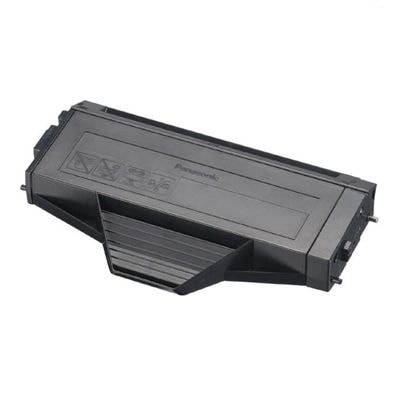
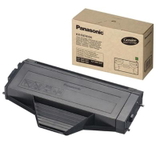
Print with confidence – Panasonic KX-FAT410X toner for everyday work Dear Customer, when documents have to look sharp and professional, you need a toner you can rely on. The Panasonic KX-FAT410X series was created for Panasonic laser multifunction printers that often serve as the “office workhorse” at home, in small businesses, reception desks, and accounting departments. With the right toner for printer Panasonic, every page comes out clean, dark, and readable—so invoices, contracts, labels, and reports make the impression you intend. In this category you’ll find two proven options: the high-quality Compatible Toner KX-FAT410X for Panasonic (DT-TP-410X) and the Original OEM Toner Panasonic KX-FAT410X (KX-FAT-410-X). Both are designed to fit your device precisely and deliver consistent results from the first page to the last. One series, many printers – where the KX-FAT410X toner fits The Panasonic KX-FAT410X toner cartridge is used in popular Panasonic KX-MB series devices. It’s compatible with models such as Panasonic KX-MB1500, Panasonic KX-MB1510, Panasonic KX-MB1520 or Panasonic KX-MB1536PDW (and other variants from this family). If you’ve been searching for “toner for printer KX-MB1500” or “toner for KX-MB1536PDW”, you’re in the right place—this is the exact cartridge series your machine expects. Choosing the correct toner matters because it directly affects text density, smooth graphics, and the overall reliability of printing—especially when your printer is used for frequent, short jobs throughout the day. Compatible vs Original OEM – how to choose the best Panasonic KX-FAT410X toner We know the most common dilemma: do you pick an original cartridge, or a compatible replacement? The good news is—you can match your choice to your priorities without sacrificing quality. - Original OEM Toner Panasonic KX-FAT410X (KX-FAT-410-X) – ideal if you want to stay with the manufacturer’s solution and keep your supplies fully uniform across a larger fleet of devices.
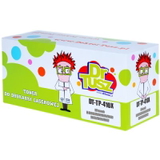
- Compatible Toner KX-FAT410X for Panasonic (DT-TP-410X) – a smart choice when you want excellent print quality and dependable performance at a more budget-friendly cost. Our compatible option from DrTusz.pl is designed to be as good as the original in everyday use—clean blacks, stable coverage, and a fit that works smoothly with the printer.
Our practical advice: if you print a lot and want to reduce cost per page, choose the compatible toner for printer Panasonic KX-FAT410X. If you prefer to keep everything strictly OEM, choose the original. Either way, you’re getting a cartridge made specifically for the KX-FAT410X standard. Problems users face – and how the right toner fixes them Many Panasonic KX-MB users come to us after noticing fading prints, light text, grey backgrounds, or streaks—usually right when a deadline is near. In most cases, the cause is simply a depleted or poor-quality cartridge. A fresh Panasonic KX-FAT410X toner restores crisp contrast and helps your printer maintain stable output. To get the best result, we recommend: - Always select the exact series: toner for printer Panasonic KX-FAT410X (not “similar-looking” cartridges).
- Replace the cartridge as soon as you see repeated fading or uneven density.
- Store spare toner in a dry place at room temperature—so it’s ready when you need it.
Why buy your KX-FAT410X toner from us? We focus on what matters most: predictable printing, easy purchasing, and solutions that actually fit your device. Whether you choose the Original OEM Toner Panasonic KX-FAT410X or our Compatible Toner KX-FAT410X (DT-TP-410X), you get a product selected for real-world printing—where reliability and readability are non-negotiable. When you shop in this category, you’re choosing peace of mind: the right toner for printer KX-MB1500, toner for KX-MB1510, or toner for KX-MB1536, ready to keep your workflow moving. Ready to print? Choose your Panasonic KX-FAT410X toner today Don’t let a fading page slow you down. Pick the compatible or original OEM Panasonic KX-FAT410X toner that matches your needs and enjoy sharp, professional documents again. Add the cartridge to your cart and get your printer back to full strength. |