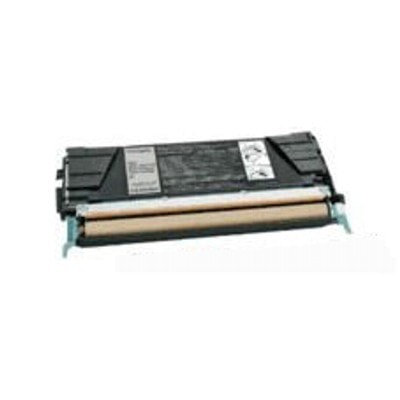
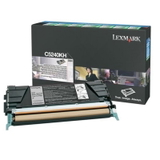
Print with Confidence: Toner cartridges Lexmark C524X (Compatible & Original OEM) When you rely on your laser printer for contracts, invoices, reports, or everyday office documents, you need one thing above all: predictable, sharp results—every single time. In our category Toner cartridges Lexmark C524X, we focus on what matters to you most: clean black text, reliable page performance, and hassle-free replacement. Whether you choose an Original OEM cartridge or a high-quality compatible option, we help you match the right toner for printer Lexmark C524X to your printing rhythm—so your work never has to wait. What You’ll Find Here: Original OEM Laser Toner You Can Trust This category currently includes the proven, manufacturer-grade solution: Original OEM Toner Lexmark C5240KH (C5240KH) (Black). It’s an original Lexmark cartridge designed for stable performance, consistent black density, and dependable operation from the first page to the last. If your priority is full OEM specification and maximum compatibility assurance, an original toner for Lexmark C524X is the safest, most straightforward choice—especially in busy workplaces where downtime is not an option. Why the Right Toner for Printer Lexmark C524X Makes a Real Difference Choosing the right toner for Lexmark C524X isn’t just about replacing a consumable—it’s about protecting print quality and keeping your workflow smooth. A well-matched toner cartridge helps you avoid common frustrations such as faded text, uneven coverage, background haze, or frequent reprints that waste time and money. With a properly selected laser toner for Lexmark C524X, your documents look crisp and professional—like freshly pressed black ink on bright paper—perfect for business correspondence and client-facing paperwork. Compatible vs Original OEM: How to Choose Wisely We encourage you to choose based on how you print and what you value most: - Original OEM toner (like Lexmark C5240KH) is built to Lexmark’s specifications—ideal for users who want official manufacturer supply, predictable behavior, and strong consistency.
- Compatible toner is a smart alternative when you want to optimize printing costs while keeping excellent everyday quality. Importantly, compatible options from DrTusz.pl are designed to be as good as originals in practical use—reliable, clean, and tailored for safe operation in the intended devices.
If you print occasionally and want absolute OEM certainty, go original. If you print a lot and want to reduce cost per page without sacrificing clarity, compatible can be the winning move—especially when sourced from a trusted, quality-controlled store. Compatible Printers and Where This Series Fits The Lexmark C524X toner family belongs to a wider ecosystem of Lexmark color laser devices and related models. Customers often search for toner solutions across similar printers in the series, including models such as Lexmark C534 and Lexmark C534DN. If you’re managing several devices in the same office environment, selecting the correct cartridge code (for example C5240KH) is the fastest way to ensure you’re ordering the right toner for printer Lexmark without guesswork. Common User Issues—and How We Help You Avoid Them We often hear from customers who run into the same set of problems: ordering the wrong cartridge version, dealing with weak black output, or seeing toner-related warnings after replacement. Our advice is simple and effective: - Match the cartridge code (e.g., C5240KH) to your printer requirements.
- Choose Original OEM when you need maximum manufacturer alignment, especially for critical documents.
- If you choose compatible, buy from a trusted source—our compatible toners from DrTusz.pl are selected to deliver performance comparable to originals.
This approach keeps your prints bold, your pages consistent, and your office routine free from unnecessary interruptions. Summary & Call to Action In this category, you’ll find dependable solutions for toner cartridges Lexmark C524X, including the trusted Original OEM Toner Lexmark C5240KH (C5240KH) (Black). Whether you prefer OEM certainty or want a cost-effective compatible alternative that performs like the original, we’re here to help you print with confidence and clarity. Choose your Lexmark C524X toner today and keep every page sharp, professional, and ready the moment you hit “Print”. |