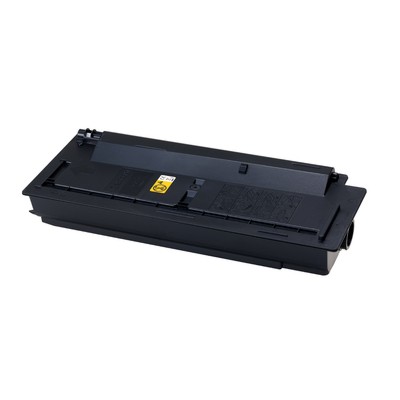
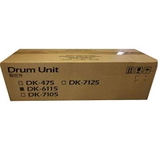
Powerful Black Prints for Busy Offices – Kyocera TK-6115 Toner & DK-6115 Drum Dear Customer, when your printer is the heartbeat of your office, you need supplies that keep pace—without streaks, downtime, or unpleasant “toner low” surprises. The Kyocera TK-6115 series is designed for fast, high-volume monochrome printing where every page must look crisp and professional. In this category you’ll find laser cartridges in two classes—Original OEM and Compatible—as well as the matching imaging component: the DK-6115 drum unit. The result is a complete, reliable set for strong blacks, sharp text, and consistent output from the first page to the last. What’s in This Category? Toner and Drum Units for Complete Print Reliability This series isn’t only about toner—because long-term print quality depends on both toner and the drum. Here you can choose between: - Compatible Toner TK-6115 for Kyocera (1T02P10NL0) (Black) – a cost-effective solution that delivers clean, dense black and dependable performance.
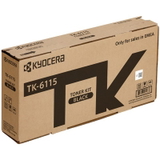
- Original OEM Toner Kyocera TK-6115 (1T02P10NL0) (Black) – the manufacturer’s cartridge for customers who prefer OEM supplies and predictable results.
- Original OEM Drum Unit Kyocera DK-6115 (DK-6115, 302P193010) (Black) – the imaging drum responsible for transferring toner precisely to the page.
Choosing the right combination helps you avoid common issues like faded prints, grey backgrounds, uneven coverage, or recurring marks—problems that often appear when the drum is worn or when a toner cartridge is not matched to the device. Compatible Printers: Built for Kyocera EcoSys Productivity The Kyocera TK-6115 toner and DK-6115 drum unit are used in selected Kyocera EcoSys multifunction printers built for demanding environments. If you print contracts, invoices, shipping documents, or internal paperwork all day long, you’ll appreciate how this series supports stable output. It’s a popular choice for devices such as Kyocera EcoSys M4125idn, Kyocera EcoSys M4132idn, and Kyocera EcoSys M4125dn—where reliability matters as much as print speed. When you shop in this category, you’re choosing the right toner for printer Kyocera EcoSys M4125idn (and related models) without guesswork—matching codes like TK-6115 / 1T02P10NL0 and the drum DK-6115 / 302P193010 help ensure full compatibility. Original OEM vs Compatible TK-6115: How to Choose the Best Option We encourage you to choose based on how you print and what you value most: - Pick Original OEM if you want the manufacturer’s cartridge, standardized production, and a classic “OEM-only” supply policy in your workplace.
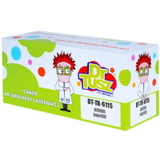
- Pick Compatible TK-6115 if you want a smarter printing budget while still expecting sharp text, deep black, and stable everyday performance.
And here’s the key point: compatible cartridges from the DrTusz.pl offer are designed to be as good as the originals in normal office use—so you can reduce cost per page without sacrificing the professional look of your documents. If you’re printing a lot, the savings quickly become tangible: fewer worries about expenses, more freedom to print what you need, when you need it. Common Printing Problems This Series Helps You Solve High-volume Kyocera devices are workhorses—but even the best printer can show symptoms when consumables are near the end of life or mismatched. Customers often come to this category because they want to eliminate: - Faint or washed-out black (often solved by replacing the TK-6115 toner, and sometimes by checking the drum condition).
- Repetitive marks or lines (commonly linked to a worn DK-6115 drum unit).
- Uneven coverage or background shading (can appear with aging components or low-quality supplies—choosing a proven toner and the correct drum makes a difference).
- Unexpected downtime (avoided by keeping a spare Kyocera TK-6115 toner ready for quick replacement).
By selecting the correct toner for Kyocera TK-6115 and maintaining the imaging drum when needed, you keep your prints clean and your workflow uninterrupted—exactly what busy teams expect. Practical Buying Tips: Match the Code, Plan for the Drum To choose confidently, we recommend a quick checklist: - Match the cartridge code exactly: TK-6115 / 1T02P10NL0 for toner.
- If print defects persist after toner replacement, consider the imaging component: DK-6115 / 302P193010.
- Think about your monthly volume—if you print a lot, buying a spare toner for printer Kyocera EcoSys M4132idn (or your model) prevents downtime.
- Choose Compatible to optimize cost per page, or Original OEM to follow strict internal procurement rules.
This approach keeps your Kyocera EcoSys machine producing the kind of deep-black, crisp documents that look trustworthy in a client’s hands and clear in an archive binder. Summary & CTA – Keep Your Kyocera EcoSys Ready to Print With Kyocera TK-6115 toner cartridges (compatible or Original OEM) and the DK-6115 drum unit, you’re choosing stable performance, clean monochrome output, and fewer interruptions—perfect for fast-paced office printing. We invite you to select the option that fits your budget and printing habits today, and keep your Kyocera EcoSys running at full strength. Choose your Kyocera TK-6115 toner or DK-6115 drum now and print with confidence—every page, every day. |