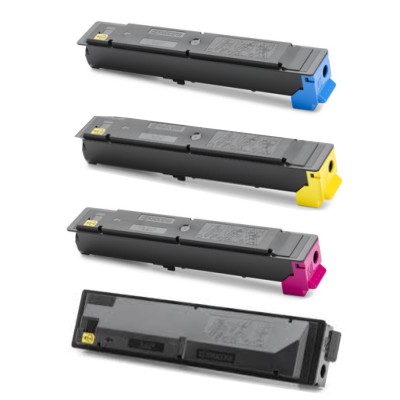
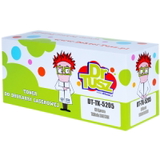
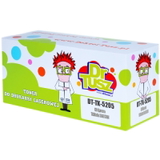
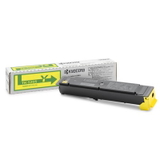
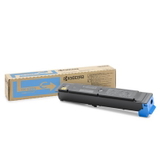
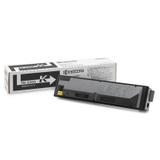
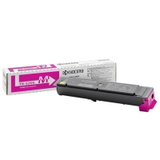
Color that means business – meet Kyocera TK-5205 CMYK toner Dear Customer, when your office prints contracts, reports, presentations, or colorful marketing materials every day, you need toner that simply keeps up. The Kyocera TK-5205 CMYK series was designed for reliable, sharp laser output—deep black text and clean, vivid color—so every page looks professional from the first print to the last. In this category we offer both Original OEM Kyocera TK-5205 cartridges and our carefully selected compatible TK-5205 toners, giving you the freedom to choose performance, price, and printing style without compromise. What’s inside the TK-5205 series (CMYK) – a complete set for everyday printing The TK-5205 family covers the full CMYK range, so you can replace exactly the color you need: - Kyocera TK-5205K – black toner for crisp documents and strong contrast
- Kyocera TK-5205C – cyan toner for clean blues and balanced graphics
- Kyocera TK-5205M – magenta toner for vivid accents and natural-looking tones
- Kyocera TK-5205Y – yellow toner for bright highlights and smooth gradients
Whether you’re searching for toner for Kyocera TASKalfa 356ci or toner for Kyocera TASKalfa 358ci, this is the right place to stock up on dependable laser consumables—Original OEM and compatible equivalents—tailored to your printer’s needs. Original OEM vs compatible – how to choose the best TK-5205 toner We know the most common dilemma: “Should we pick the original, or is a compatible cartridge safe?” The answer depends on what you value most—so here’s a clear, practical guide. - Original OEM Kyocera TK-5205 toner is made by the printer manufacturer and is a great choice when you want to stick to the brand’s specification and standard office routines.
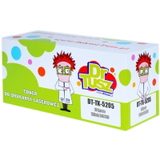
- Compatible TK-5205 toner is the smart option when you want to control printing costs while keeping strong quality. In the DrTusz.pl offer, compatible cartridges are designed to deliver results that are as good as the originals—sharp text, stable coverage, and consistent color—so you can print confidently and economically.
Our tip: if your prints are mostly internal documents and everyday color pages, a compatible TK-5205K or compatible TK-5205 CMY set can significantly reduce cost per page. If you’re printing premium client-facing materials and prefer strictly manufacturer-labeled supplies, choose Original OEM TK-5205. Solving common office printing problems with TK-5205 CMYK Laser devices in busy workplaces often face the same issues: faded black, uneven color blocks, and the constant worry of running out mid-project. Choosing the right toner for printer Kyocera TASKalfa 356ci or toner for printer Kyocera TASKalfa 358ci helps you prevent disruptions and keep output looking consistent. - Washed-out text? Replace with a fresh TK-5205K black toner for darker, more readable pages.
- Strange color balance on charts and logos? Refresh the specific color—TK-5205C, TK-5205M, or TK-5205Y—instead of changing everything at once.
- Too many emergency orders? Keep one spare of your most-used color (often black) so workflows stay uninterrupted.
With the Kyocera TK-5205 CMYK toner cartridges, you build a printing setup that feels predictable: fewer surprises, more control, and documents that represent your business well. Why buy Kyocera TK-5205 toner here? We focus on what matters in real printing environments: choice, availability, and a clear path to the cartridge you actually need. In one category you can compare Original OEM TK-5205 and compatible TK-5205 toners (black, cyan, magenta, yellow) and quickly match them to your office printer family—especially popular models like the TASKalfa 356ci and 358ci. You don’t need to guess: pick the color, pick the class (Original OEM or Compatible), and keep your printer producing clean, confident pages. Ready for sharper text and brighter color? Choose your TK-5205 today Upgrade your daily printing comfort with Kyocera TK-5205K / TK-5205C / TK-5205M / TK-5205Y—Original OEM or compatible, exactly as your workflow requires. Add the right Kyocera TK-5205 CMYK toner to your cart now and keep every document looking professional, page after page. |