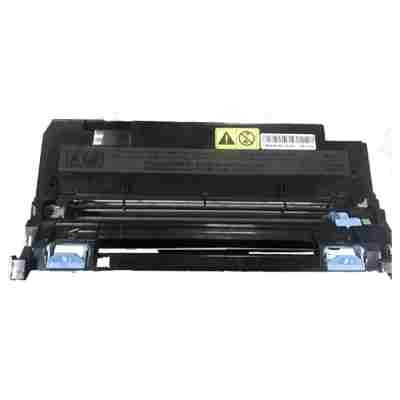
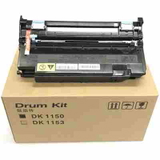
Reliable, Crisp Printing Starts Here: Kyocera DK-1150 Series Dear Customer, when your documents must look sharp and your printer must stay dependable day after day, the right consumables make all the difference. In this category you will find the Kyocera DK-1150 series—professional-grade laser printer consumables designed to keep your Kyocera EcoSys device running smoothly. These are not toner bottles or ink for a printer model—this page focuses on the components that protect print quality and printer health: the drum unit and the maintenance kit. If you are using devices such as the Kyocera EcoSys M2135dn, Kyocera EcoSys M2635dn, or Kyocera EcoSys M2735dw, choosing the correct DK/MK set is one of the simplest ways to prevent streaks, backgrounding, and sudden downtime. What You’ll Find in This Category (and Why It Matters) The Kyocera DK-1150 product family covers the key service elements responsible for transferring toner to paper and keeping the printer’s internal parts clean and calibrated over time. In our offer, this category includes Laser cartridges in Original OEM class, with types dedicated to long-term performance: - Original OEM Drum Unit Kyocera DK-1150 (302RV93010) (Black) – the imaging drum unit that helps maintain consistent, high-contrast text and clean lines.
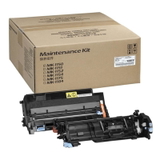
- Original OEM Maintenance Kit Kyocera MK-1150 (1702RV0NL0) – a service kit designed to refresh key wear parts, helping your printer stay stable, quiet, and reliable.
Think of these items as the “foundation” of your print system. Even the best toner for printer Kyocera EcoSys M2040dn (or any compatible model) cannot deliver its full potential if the drum is worn or the service interval is overdue. When Should You Replace the DK-1150 Drum Unit or MK-1150 Maintenance Kit? Many users wait until print quality becomes unacceptable—then the office workflow suddenly stalls. We encourage you to stay one step ahead. Consider replacement when you notice common issues such as: - Faded prints, uneven density, or “ghosting” (repeated shadows of previous text).
- Streaks, spots, or grey background haze on pages.
- Printer messages about maintenance intervals or drum life nearing the end.
- More frequent paper dust, jams, or inconsistent feeding after long usage.
Replacing the Kyocera DK-1150 drum unit restores stable imaging, while installing the Kyocera MK-1150 maintenance kit helps return the printer to “ready for daily duty” condition—especially important in busy home offices and small businesses. Original OEM vs Compatible: How to Choose Wisely In this specific category, we present Original OEM options—ideal for customers who prefer manufacturer parts for strict internal policies, audits, or standardized fleet management. At the same time, many buyers ask us about the difference between original and compatible solutions. - Original OEM components are produced to Kyocera’s specifications and are often chosen for maximum predictability in managed environments.
- Compatible alternatives (available in our broader DrTusz.pl offer) are a smart way to reduce printing costs without sacrificing quality—our compatible solutions are designed to be just as dependable and print just as cleanly as originals.
Our practical advice: match the purchase to your needs. If you print occasionally, a cost-optimized option may be ideal. If your Kyocera EcoSys M2540dn or Kyocera EcoSys M2640idw prints every day and you want the closest “factory” setup, Original OEM can be the right choice. How to Select the Right Product from the DK-1150 Series To avoid ordering mistakes, focus on two things: your printer model and the consumable type you need. A drum unit is not the same as a maintenance kit, and neither is the same as toner for printer Kyocera EcoSys M2135dn. If your device reports drum wear, choose DK-1150. If it reports scheduled servicing or you want to refresh the printer after long use, choose MK-1150. We encourage you to check the printer message panel or your device’s status page—Kyocera EcoSys models typically indicate which service element is nearing end-of-life. This small step saves time, prevents returns, and gets you back to smooth printing faster. Print with Confidence — Order Your Kyocera DK-1150 Today With the Kyocera DK-1150 drum unit and Kyocera MK-1150 maintenance kit, you invest in clean text, stable performance, and fewer interruptions—exactly what a dependable laser printer should deliver. If you want your Kyocera EcoSys device to keep producing crisp invoices, clear reports, and professional correspondence, this is the category to start with. Choose your DK-1150 or MK-1150 now and keep your Kyocera EcoSys printing at its best—order today. |