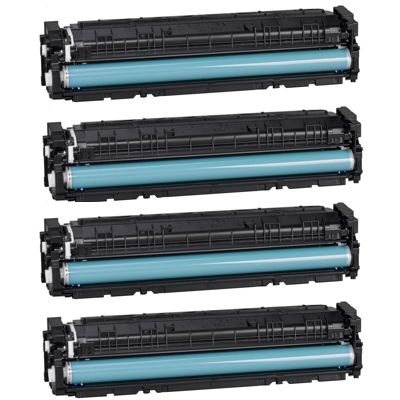
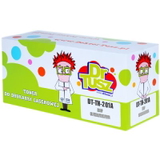
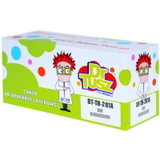
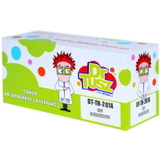
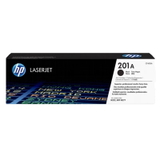
Print with Confidence – HP 201A toner cartridges for Everyday Color Laser Work Dear Customer, if your documents need to look crisp, your colors need to stay vivid, and your printer needs to work reliably day after day, the HP 201A toner cartridge series is a smart, proven choice. This category brings together everything you need for efficient color laser printing: Compatible HP 201A toners and Original OEM HP 201A toners, including black and full color options. Whether you print invoices at the office, learning materials at home, or polished presentations for clients, we help you choose the right toner for printer without stress—and without wasting money. What’s Inside This Category – Colors, Codes, and Smart Multipacks The HP 201A series includes four toner colors, each identified by an HP code. In our offer you’ll find both compatible and original OEM versions, so you can match your priorities: maximum brand continuity or maximum value. - HP 201A Black toner – CF400A (available as compatible and Original OEM)
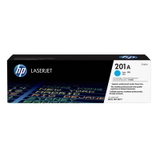
- HP 201A Cyan toner – CF401A (available as compatible and Original OEM)
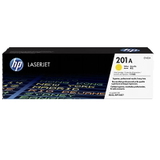
- HP 201A Yellow toner – CF402A (available as compatible and Original OEM)
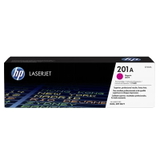
- HP 201A Magenta toner – CF403A (available as compatible and Original OEM)
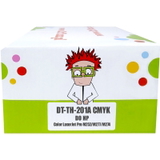
- Compatible HP 201A multipack – a convenient set containing CF400A/CF401A/CF402A/CF403A
If you want the simplest way to refresh your whole color system at once, the compatible HP 201A multipack is the “one delivery, one decision” option—perfect when multiple colors run low at the same time. Compatible Printers – Built for Popular HP Color LaserJet Pro Devices HP 201A toner is designed for selected HP Color LaserJet Pro printers and MFPs that are widely used in homes and small offices. Many customers shop here when using devices such as the HP Color LaserJet Pro M252dw, HP Color LaserJet Pro M277dw, or HP Color LaserJet Pro M274n MFP. If you are unsure which toner for printer you need, we encourage you to check the cartridge code currently installed in your printer (CF400A–CF403A) and match it directly—this is the most reliable method. Why HP 201A Toner Is Worth It – Clean Text, Strong Color, Professional Results Laser printing is all about consistency: sharp edges on letters, uniform fill, and color that stays stable from the first page to the last. A properly chosen HP 201A toner cartridge helps you avoid common frustrations like faded prints, uneven color patches, or “why does this look different than yesterday?” surprises. When you install a fresh toner for printer HP 201A, you get that satisfying effect: deep black for readable text and lively color for charts, logos, and marketing materials. And because these are color laser devices, each color matters. Replacing just one empty cartridge keeps you printing efficiently—no need to replace what’s still full. Original OEM vs Compatible – How to Choose the Best HP 201A Toner for Your Needs We offer both paths, and each makes sense depending on your printing style. - Original OEM HP 201A toner (CF400A/CF401A/CF402A/CF403A): ideal if you prefer the manufacturer’s cartridge, want to keep everything strictly OEM, or your workflow demands maximum standardization across departments.
- Compatible HP 201A toner: the best option when you want to print more for less without giving up on quality. Our compatibles from the DrTusz.pl offer are made to deliver results that are as good as the originals—clean text, strong color, and dependable performance.
If you print frequently (shipping labels, invoices, school materials, office docs), choosing a compatible HP 201A toner can noticeably reduce your cost per page while keeping your prints looking professional. If you print occasionally but want a fully brand-native solution, Original OEM HP 201A may be your preferred fit. Common User Problems—and How the Right HP 201A Toner Solves Them Customers using HP Color LaserJet Pro printers often come to us with very practical issues. The good news: most of them are solved simply by choosing the correct cartridge code and installing a fresh, reliable toner. - “My prints are pale or streaky.” A new HP 201A black toner or the relevant color (cyan/yellow/magenta) typically restores full density and smooth areas of color.
- “Colors look off in charts and graphics.” Replacing the specific depleted color—e.g., HP 201A cyan toner CF401A—helps bring back balanced tones.
- “I don’t know which cartridge I need.” Look at the code on your current cartridge: CF400A (black), CF401A (cyan), CF402A (yellow), CF403A (magenta). Match that code to the product name in this category.
- “I don’t want downtime at the worst moment.” Consider keeping a spare HP 201A toner cartridge on the shelf—or choose the HP 201A multipack for full peace of mind.
Simple Buying Tips – Pick the Right Toner in 30 Seconds We encourage you to use this quick checklist before adding to cart: - Confirm the code on your old cartridge (CF400A/CF401A/CF402A/CF403A).
- Choose the type: Original OEM for manufacturer cartridges, or Compatible for excellent value with quality comparable to OEM.
- Decide single color vs multipack: a single cartridge for targeted replacement, or a multipack if several colors are running low.
- Match your print style: high-volume printing often benefits most from compatible toners.
Summary + CTA – Choose Your HP 201A Toner and Print Without Compromise In this category you’ll find everything for the HP 201A toner series: compatible HP 201A and Original OEM HP 201A, black and full color, including a practical multipack. If you want sharp text, clean graphics, and dependable performance in devices like the HP Color LaserJet Pro M252dw or M277dw, you’re in the right place. Select your HP 201A toner cartridge now—choose the color you need (CF400A, CF401A, CF402A, CF403A) or grab the multipack and keep your printer ready for every deadline. |