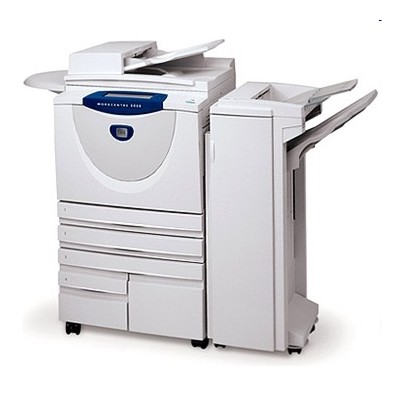
Xerox WorkCentre M133 – reliable office multifunction, powered by the right toner Dear Customer, the Xerox WorkCentre M133 (also searched as Xerox M133, WCM133 or simply M133) is a proven multifunction printer designed for everyday office work: fast black-and-white printing, copying and document handling. To keep this device working smoothly and delivering crisp text, you need a well-matched toner for printer Xerox WorkCentre M133 and a properly maintained drum unit. In this category we have gathered original consumables that fit this model perfectly—so you can print without surprises. Toner and drum unit for Xerox M133 – what they do and why they matter In a laser device like the Xerox WorkCentre, print quality depends on two key components: the toner cartridge (powder that creates the image) and the drum unit (the part that transfers the image onto paper). Choosing the right toner for Xerox WorkCentre M133 means: - sharp black text and clean lines on invoices, contracts and reports,
- stable performance across long print runs,
- lower risk of streaks, fading or uneven coverage,
- better workflow—fewer interruptions and less troubleshooting.
If you print regularly, it’s worth remembering that the toner is consumed faster, while the drum unit is replaced less often. When the drum is worn, even a new toner for Xerox M133 may not restore perfect quality—so having the correct drum available is crucial. Our selection for Xerox WorkCentre M133: Original OEM toner and Original OEM drum unit We focus on clarity and compatibility. In this category you will find carefully selected, dedicated supplies for toner for printer Xerox WorkCentre M133 and imaging components. Popular choices include: - Original OEM Toner Xerox C118/M118 (006R01179) (Black) – a dependable option for consistent, professional black prints and office-grade reliability.
- Original OEM Drum Unit Xerox 13R00589 (13R00589) (Black) – the key component when you need to restore clean printouts and eliminate defects caused by a worn drum.
Thanks to this set, you can easily match the right product to your needs: toner when you run out of powder, and a drum unit when print quality starts to deteriorate despite replacing the toner. How to choose the right toner for Xerox WorkCentre M133 (and when to replace the drum) When choosing a toner for Xerox WorkCentre M133, start with the printer designation and the cartridge code. If you search using phrases like Xerox WorkCentre M133, WCM133 or M133, you’re in the right place. Next, consider typical user situations: - Light prints or faded pages – often a low toner level, but if it persists after replacement, the drum may be worn.
- Streaks, repetitive marks, gray background – frequently linked to the drum unit condition or internal wear.
- Frequent “consumable” messages – the device may require a correct, dedicated toner/drum combination and proper installation.
Original OEM supplies are designed to work seamlessly with the Xerox engine and firmware, which many customers choose for maximum predictability. At the same time, if you’re comparing options: compatible supplies can be an excellent alternative in many printer models. And we want to be clear—compatible cartridges from the DrTusz.pl offer are as good as the originals. If you don’t see a compatible option for the M133 here right now, contact us and we will help you check availability or suggest the best solution for your printing style. Order with confidence – we’re here to help We encourage you to choose a proven toner for printer Xerox WorkCentre M133 and, if needed, a matching drum unit—so your Xerox M133 can stay productive day after day. Browse the products in this category, compare codes, and add the right Original OEM toner or Original OEM drum unit to your cart. If you have any doubts about selection, installation, or print quality issues, contact us—we’ll help you choose quickly and accurately. Check the offer now and enjoy convenient ordering and fast delivery options. |