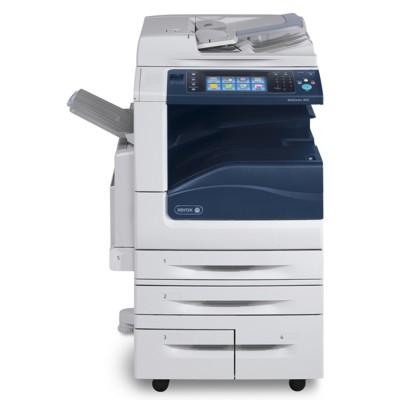
Xerox WorkCentre 7845 – a reliable workhorse for busy offices The Xerox WorkCentre 7845 (also searched as Xerox 7845, WC7845 or simply 7845) is a popular multifunction device designed for demanding business environments. It delivers fast, high-quality colour and black prints, scanning and copying—often in teams where the printer works every day under constant load. To keep this performance stable, you need the right toner for Xerox WorkCentre 7845 and properly selected imaging components. Toner, drum unit and waste toner tank – what keeps WC7845 printing flawlessly In this category we focus on the key laser supplies used by the Xerox WorkCentre series: toners, drum units and waste toner tanks. Choosing the right toner for printer Xerox WorkCentre 7845 helps you maintain consistent colour, deep blacks and clear text even on large volumes. The drum unit supports correct image transfer to the paper, while the waste toner tank collects leftover toner so the printer can work cleanly and safely. When these components are matched and replaced on time, you get: - sharp documents and smooth graphics in everyday office use,
- stable colour reproduction for presentations and reports,
- fewer interruptions caused by warnings, streaks or faded output,
- predictable running costs and better workflow in the team.
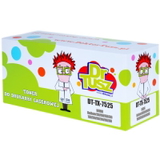
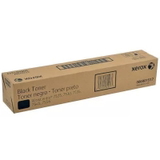
Compatible and Original OEM – two smart ways to buy toner for Xerox WorkCentre 7845 We offer both Original OEM and Compatible options, so you can choose what fits your budget and printing style. Original OEM supplies are produced by the printer manufacturer and are often selected by users who prefer to keep everything in one brand ecosystem. At the same time, our compatible supplies from DrTusz.pl are a great alternative—built to deliver print quality and reliability that are as good as the originals, while helping you significantly reduce the cost per page. In practice, both options aim for the same goal: clean, repeatable output and a printer that works without surprises. The best choice depends on how much you print, how you account for costs, and what matters most in your purchasing policy. Popular products for Xerox 7845 available in this category Below you’ll find proven, frequently chosen supplies that match the WorkCentre family and are commonly searched together with toner for Xerox 7845: - Original OEM Toner Xerox 7525/7545 (006R01517) (Black) – classic choice for strong blacks and crisp text.
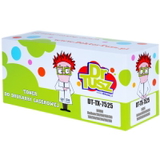
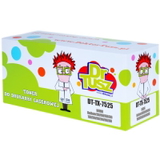
- Compatible Toner 7525/7545 for Xerox (006R01517) (Black) – a cost-effective option for high daily volumes.
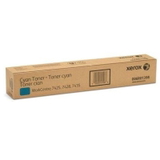
- Original OEM Toner Xerox 7525/7545 (006R01520) (Cyan) and Compatible Toner 7525/7545 for Xerox (006R01520) (Cyan) – for clean blues and balanced colour charts.
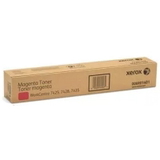
- Original OEM Toner Xerox 7525/7545 (006R01519) (Magenta) and Compatible Toner 7525/7545 for Xerox (006R01519) (Magenta) – for vivid highlights and professional-looking graphics.
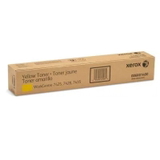
- Original OEM Toner Xerox 7525/7545 (006R01518) (Yellow) and Compatible Toner 7525/7545 for Xerox (006R01518) (Yellow) – to keep colour documents bright and readable.
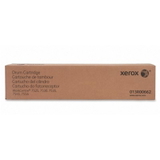
- Original OEM Drum Unit Xerox 7525/7545 (013R00662) – essential for maintaining image quality over time.
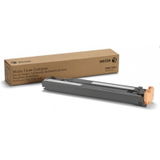
- Original OEM Waste Toner Tank Xerox 7425/7428/7435 (008R13061) – supports clean operation by collecting used toner.
This variety makes it easy to build a complete set: black-only for document-heavy departments or a full CMYK set for teams printing colour materials. How to choose the right toner for Xerox WorkCentre 7845 (and avoid common issues) When selecting ink for Xerox WorkCentre 7845 (in laser devices, this means toner), we recommend checking two things first: the exact code on the cartridge and whether you need only toner, or also a drum unit / waste toner tank. Many users replace toner and still see quality issues simply because another consumable has reached its limit. Common situations reported by WorkCentre users include: - Faded prints or uneven colour – often solved by replacing the appropriate colour toner, and sometimes by checking the drum condition.
- Lines, spots, or background haze – may suggest the drum unit is worn or the printer needs internal cleaning.
- “Replace waste toner container” message – indicates the waste toner tank is full and must be replaced for the printer to continue working reliably.
- Unexpected interruptions during big print jobs – avoidable by keeping a spare black toner and at least one frequently used colour on hand.
If you print mainly invoices, contracts and email attachments, a strong black toner for printer Xerox WorkCentre 7845 will be the priority. If you create presentations, marketing handouts or colour charts, it’s worth maintaining a balanced CMYK set to keep colours consistent and professional. Why buy your Xerox WC7845 supplies from us? We combine a wide selection with practical support, because we know that ordering the right toner for Xerox WorkCentre is about more than just colour choice. We help you match the correct cartridge codes, choose between Original OEM and Compatible supplies, and complete the set with a drum unit or waste toner tank when needed—so your Xerox WorkCentre 7845 stays productive. Browse the toners, drum units and waste toner tanks for Xerox WorkCentre 7845 in this category and choose the option that fits your printing needs. If you’re unsure which product to pick, contact us—we’ll help you select the right solution and get you back to smooth, uninterrupted printing. |