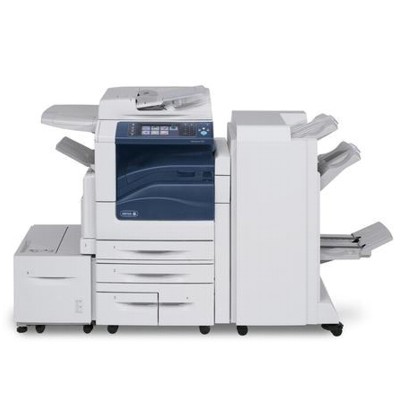
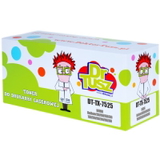
Xerox WorkCentre 7830 – a reliable workhorse for busy offices The Xerox WorkCentre 7830 (also searched as Xerox 7830, WC7830 or simply Xerox WorkCentre) is a powerful A3 multifunction device designed for teams that print, copy and scan every day. It’s valued for fast workflows, sharp text and professional-looking colour documents. To keep this standard consistent, you need the right toner for printer Xerox WorkCentre 7830 as well as the correct service consumables such as a drum unit and waste toner tank. Toner, drum unit and waste toner tank – what matters in daily use In this category we focus on laser cartridges for the Xerox WorkCentre 7830: toners, drum units and waste toner tanks—because stable, predictable printing is not just about colour. A well-matched toner for Xerox WorkCentre 7830 ensures clean lines, solid blacks and smooth gradients, while the drum unit supports proper image transfer, and the waste toner tank keeps the machine clean and ready for the next job. These consumables are ideal for: - everyday office printing: invoices, spreadsheets, contracts and reports,
- colour presentations and internal marketing materials,
- schools and institutions needing consistent, repeatable quality,
- workgroups where downtime is costly and supplies must be dependable.
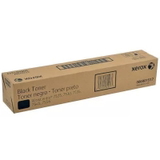
Compatible and Original OEM – one category, more choice We know every customer has different priorities, so we offer both Original OEM and Compatible options. If you prefer the manufacturer’s solution, choose an Original OEM cartridge. If you want strong value without compromising on results, our compatible options are an excellent alternative—our customers choose them for everyday printing because they are designed to deliver quality comparable to Original OEM. When you buy toner for printer Xerox 7830 from us, you can select the approach that fits your budget and print volume—without guessing and without unnecessary extras. Popular products for Xerox WorkCentre 7830 in this category To make selection easier, here are some of the most frequently chosen items included on this page. Each product is clearly labelled by colour and code, so you can quickly match it to your device and current needs: - Original OEM Toner Xerox 7525/7545 (006R01517) (Black) – crisp, deep black for everyday office documents.
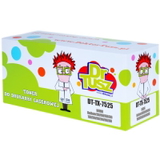
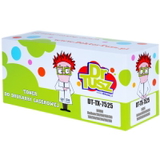
- Compatible Toner 7525/7545 for Xerox (006R01517) (Black) – a cost-effective black toner option for high-volume printing.
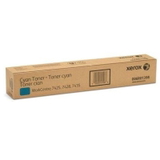
- Original OEM Toner Xerox 7525/7545 (006R01520) (Cyan) and Compatible Toner 7525/7545 for Xerox (006R01520) (Cyan) – for clean blues and smooth colour graphics.
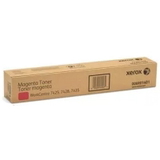
- Original OEM Toner Xerox 7525/7545 (006R01519) (Magenta) and Compatible Toner 7525/7545 for Xerox (006R01519) (Magenta) – for vivid reds and balanced purple tones.
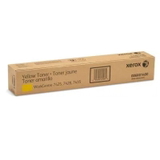
- Original OEM Toner Xerox 7525/7545 (006R01518) (Yellow) and Compatible Toner 7525/7545 for Xerox (006R01518) (Yellow) – for bright highlights and warm colour output.
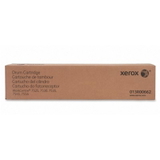
- Original OEM Drum Unit Xerox 7525/7545 (013R00662) – essential when print quality drops due to drum wear (streaks, backgrounding, uneven density).
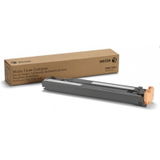
- Original OEM Waste Toner Tank Xerox 7425/7428/7435 (008R13061) – helps keep the machine clean by collecting excess toner during printing cycles.
Thanks to this range, you can order exactly what you need—single colour replenishment, full colour set planning, or the service components that keep the Xerox WorkCentre running smoothly. How to choose the right toner for Xerox WorkCentre 7830 When selecting toner for Xerox WorkCentre 7830, we recommend focusing on three things: the cartridge code, the colour, and your printing profile (occasional vs. high volume). Matching by code—such as 006R01517 for black—reduces the risk of ordering the wrong item. Original OEM vs compatible—what’s the practical difference? - Original OEM: manufacturer’s cartridge, a familiar choice for customers who standardise supplies across departments.
- Compatible: a budget-friendly option for everyday printing; our compatible cartridges are engineered to provide results as good as originals, making them ideal for offices that print a lot and want to control costs.
Common issues with Xerox WorkCentre printing – and what usually solves them Users of the Xerox WorkCentre 7830 often report similar, easy-to-diagnose situations: faded prints, streaks, uneven colour, or messages indicating a maintenance item needs replacing. In many cases, the fix is straightforward: - Fading or weak colour: replace the relevant toner colour (black, cyan, magenta or yellow).
- Streaks, smudges, grey background: the drum unit may be reaching end of life—consider replacement.
- Warnings about waste toner: the waste toner tank may be full and needs replacing to avoid mess and interruptions.
If you’re unsure which consumable is responsible, we encourage you to contact us—together we’ll choose the right toner for printer WC7830 or the correct service component. Order with confidence – and keep your WorkCentre 7830 ready for work We encourage you to explore our selection of toner for Xerox 7830 in both Compatible and Original OEM versions, plus the drum unit and waste toner tank that help maintain consistent quality. Add the items you need to your cart and secure your office printing for weeks to come. CTA: Choose your toner, drum unit or waste toner tank for Xerox WorkCentre 7830 today—if you want, message or call us and we’ll help you pick the best option for your print volume and budget. We ship quickly and pack securely, so your supplies arrive ready to install. |