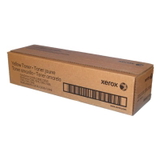
| The Xerox WorkCentre 7335 (also found as Xerox 7335, WC7335 or simply Xerox WorkCentre) is a reliable office-class colour multifunction printer designed for teams that need consistent output, clear text and vivid graphics. If you use this model every day for reports, invoices, presentations or internal documents, choosing the right toner for printer Xerox WorkCentre 7335 is crucial for both print quality and smooth device operation. Stable colour and sharp black – what toners for Xerox WorkCentre 7335 deliver A high-quality toner for Xerox WorkCentre 7335 is more than “just powder”. It affects colour balance, greyscale smoothness, line precision and the overall professionalism of your prints. In an office environment, you also need reliability: predictable yields, consistent coverage and a cartridge that works flawlessly with the printer’s imaging system. In this category we focus on the complete laser consumables set for ink for Xerox WorkCentre 7335 users (in practice: laser toner consumables), including: - Toner cartridges – for everyday printing in black and in colour (Cyan, Magenta, Yellow).
- Drum Unit – the imaging component that transfers toner to paper; essential for keeping prints clean and crisp.
- Waste Toner Tank – collects excess toner to prevent smudging and internal contamination.
With the right combination of these parts, your Xerox WC7335 keeps its pace and quality, even during high-volume office weeks. Original OEM Xerox cartridges – our proven set for WC7335 We offer carefully selected Original OEM consumables that match the printer’s specifications and help you maintain predictable performance. Popular choices in this category include: - Original OEM Toner Xerox C2636 K (006R01175) (Black) – for sharp text, deep blacks and clean business documents.
- Original OEM Toner Xerox C2636 C (006R01176) (Cyan) – for clear blues and balanced colour output.
- Original OEM Toner Xerox C2636 M (006R01177) (Magenta) – for vibrant highlights, charts and marketing materials.
- Original OEM Toner Xerox C2636 Y (006R01178) (Yellow) – for warm tones and accurate colour mixes.
- Original OEM Drum Unit Xerox C2636 CMYK (013R00624) – essential when prints start losing sharpness or show repetitive marks.
- Original OEM Waste Toner Tank Xerox C2636 (008R12903) – keeps the device clean and supports stable print quality.
Thanks to this full range, you can complete your supplies in one place—whether you need a single colour toner for Xerox 7335 or a complete refresh of the imaging system for your Xerox WorkCentre 7335. How to choose the right toner for Xerox 7335 (and when a drum or waste tank is the real fix) When customers search for “ink for printer Xerox WorkCentre 7335” they often mean toner—and that’s a good starting point. Still, not every print issue is solved by replacing a toner cartridge. Here are practical tips we recommend: - Faded prints or uneven coverage: usually indicates a low toner cartridge (K, C, M, or Y) or a cartridge nearing the end of its life.
- Repeated marks at regular intervals, background haze, or reduced sharpness: often points to the Drum Unit (013R00624) rather than the toner itself.
- Messages about waste toner or persistent smudging despite new toner: check and replace the Waste Toner Tank (008R12903).
- Colour imbalance (e.g., greens look wrong or skin tones appear off): one of the colour toners (C/M/Y) may be empty or printing inconsistently.
Our advice: if you want reliable results from your Xerox WorkCentre 7335, treat the printer as a system—toner, drum unit and waste tank work together. Choosing the right component saves time, avoids unnecessary replacements and reduces downtime in the office. Original OEM vs compatible cartridges – what’s the difference? In general, Original OEM cartridges are designed by the printer manufacturer to match the device perfectly, offering predictable results and consistency. Many customers choose them for standardisation in corporate environments or when they want maximum peace of mind. At the same time, we know that many users are also looking for savings without compromising quality. That’s why, alongside OEM supplies in our store, we also offer compatible solutions in other categories—our compatible cartridges from DrTusz.pl are designed to be as good as the originals in day-to-day use: clean prints, stable performance and great value. If you ever want help deciding what’s best for your needs, we encourage you to contact us—we’ll recommend the most practical option for your printing style. Order confidently – keep your Xerox WorkCentre 7335 ready for every task We make it easy to choose the right toner for printer Xerox WorkCentre 7335 and the correct supporting components such as a drum unit or waste toner tank. Browse the products listed above, match the codes to your device, and stock up before the next busy week in the office. CTA: We encourage you to explore our selection of toner for Xerox WorkCentre 7335 (OEM and more) and place your order today. If you have any doubts about compatibility, print symptoms, or which consumable to replace first, contact us—we’ll help you choose quickly and accurately. We also offer fast delivery options so your Xerox WC7335 can get back to work without unnecessary downtime. |