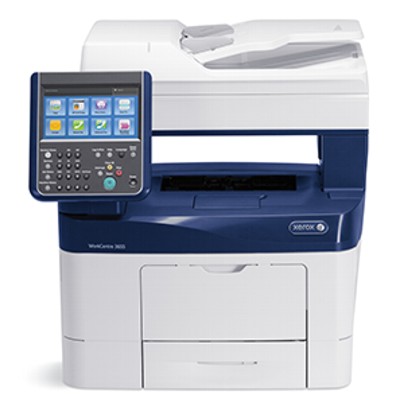
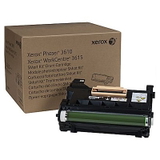
Xerox WorkCentre 3655 – a reliable office workhorse Dear Customer, the Xerox WorkCentre 3655 (also searched as Xerox 3655, WC3655 or simply 3655) is a popular monochrome multifunction printer designed for fast, efficient everyday work. It’s commonly used in offices, reception areas, schools and home offices where crisp text, stable performance and predictable running costs matter most. To keep your device working at its best, you need the right toner for printer Xerox WorkCentre 3655 and—when the time comes—a dependable drum unit for Xerox WorkCentre 3655. Toner and drum unit for Xerox WorkCentre 3655 – what they do and why quality matters In a laser device like the WorkCentre series, the toner for Xerox WorkCentre 3655 is the consumable that provides the black pigment for your prints. It influences not only print sharpness, but also smudge resistance and consistency from the first page to the last. The drum unit for Xerox 3655 (imaging unit) is responsible for transferring the toner onto the paper with precision—when it’s worn out, you may notice fading, repetitive marks, backgrounding or streaks. Choosing the correct toner cartridge for Xerox WorkCentre 3655 is therefore key for: - clear, professional-looking documents (contracts, invoices, reports),
- stable print quality in longer print runs,
- fewer interruptions and reduced risk of print defects,
- better cost control thanks to standard and high-yield options.
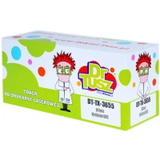
Compatible and Original OEM – one category, the right choice for every need In our DrTusz.pl selection you’ll find both Original OEM and Compatible solutions, so you can match your purchase to your priorities—whether you value brand-original consumables or want to reduce printing costs while maintaining great quality. Importantly, our compatible toner for Xerox WorkCentre 3655 is designed to deliver results comparable to OEM cartridges: clean black text, consistent coverage and smooth operation. When you shop with us, you can easily pick the right yield level for your workload: - Standard – a practical choice for moderate printing,
- XL – a smart balance for frequent printing,
- XXL – best for busy teams and the lowest cost per page.
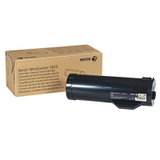
Popular products for Xerox WorkCentre 3655 (3655 / WC3655) We’ve built this category around proven, frequently chosen items—both OEM and compatible—so you can quickly find exactly what fits your device: - Original OEM Toner Xerox 3655 (106R02737) (Black) – brand-original reliability for daily office printing.
- Original OEM Toner Xerox 3655 XL (106R02739) (Black) – higher yield for users who print more and want fewer replacements.
- Original OEM Toner Xerox 3655 XXL (106R02741) (Black) – maximum yield option for high-volume environments.
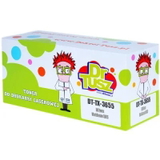
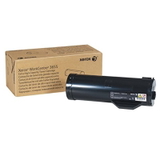
- Compatible Toner 3655 for Xerox (106R02737) (Black) – cost-effective printing without sacrificing readability and sharp edges.
- Compatible Toner 3655 XL for Xerox (106R02739) (Black) – an excellent choice for regular printing with optimized running costs.
- Compatible Toner 3655 XXL for Xerox (106R02741) (Black) – the best pick when you want the lowest cost per page in your Xerox 3655 workflow.
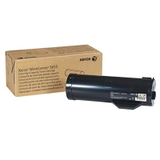
- Original OEM Drum Unit Xerox 3655 (113R00773) (Black) – the essential component for consistent image transfer and clean output.
Whether you need a toner for printer Xerox 3655 right now or you want to prepare for upcoming maintenance with a drum unit, you can choose from multiple variants in one place. How to choose the right toner for Xerox WorkCentre 3655 If you want an easy, safe selection process, we recommend focusing on three factors: the code on the cartridge, your monthly page volume, and whether you prefer OEM or compatible. - Match the reference code: 106R02737 (standard), 106R02739 (XL), 106R02741 (XXL). This is the fastest way to ensure the toner fits your Xerox WorkCentre 3655.
- Choose yield that matches your workload: XL/XXL reduces the frequency of cartridge changes and helps keep printing predictable.
- OEM vs compatible: Original OEM is ideal if you prefer manufacturer-branded consumables. Our compatible toner for Xerox WorkCentre 3655 is a great alternative when you want to reduce costs while keeping print quality and performance on a very high level.
Common Xerox WorkCentre 3655 printing issues – and what to check Users typically report a few repeating problems, and many of them are directly related to consumables: - Faded prints or uneven black – often solved by replacing the toner cartridge or checking if the toner is near empty.
- Streaks, repetitive marks or background shading – may indicate the drum unit for Xerox 3655 is worn and needs replacement.
- Toner message / cartridge not recognized – verify the cartridge code (106R02737 / 106R02739 / 106R02741) and ensure it’s properly seated.
- Frequent replacements – switching from standard to XL or XXL toner for printer Xerox WorkCentre 3655 can significantly improve convenience and cost per page.
If you’re unsure whether you need a new toner or a new drum unit, tell us what you see on the printout (e.g., lines, smudges, repeating dots). We’ll help you choose the right solution quickly. Order your Xerox WorkCentre 3655 toner today We encourage you to explore our range of toner cartridges for Xerox WorkCentre 3655—both Compatible and Original OEM—as well as the dedicated drum unit. Choose the yield level that fits your printing style and enjoy clean, sharp black prints with predictable running costs. CTA: Add the right toner for Xerox WorkCentre 3655 or drum unit 113R00773 to your cart now, and if you have any questions, contact us—our team will gladly help you match the correct cartridge code and pick the best option for your needs. We offer fast shipping and friendly support, so your Xerox 3655 can get back to work without delay. |